
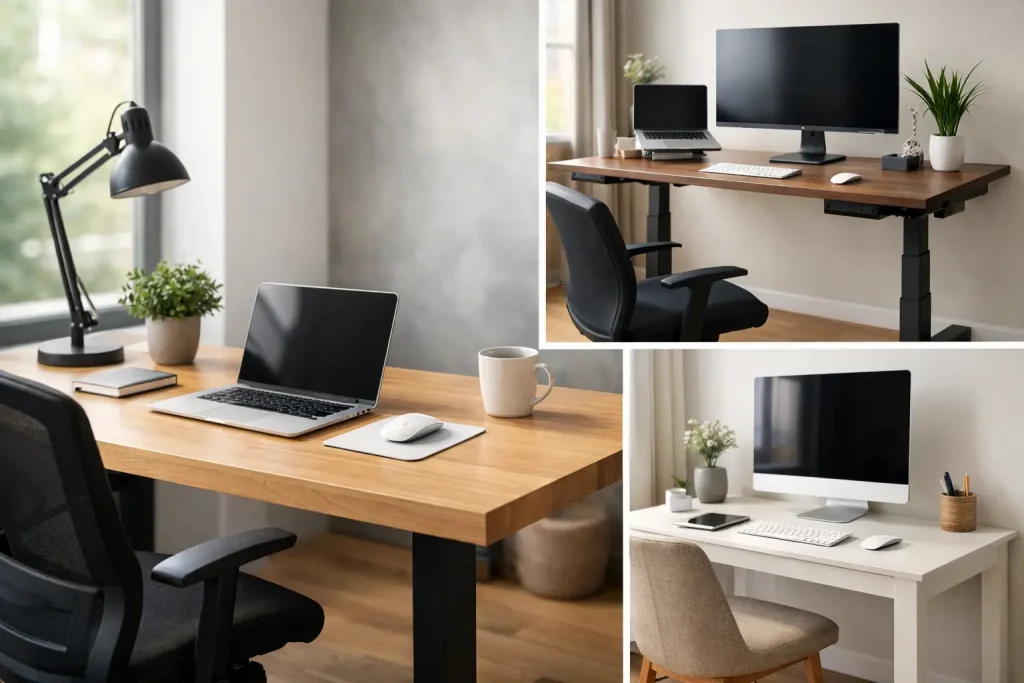
Find the best desks for remote work with smart picks for small rooms, standing setups, storage needs, and long hours at home daily.
The wrong desk shows its flaws fast. You feel it in cramped elbows during video calls, tangled cords underfoot, and that low-grade annoyance that builds when your workspace never quite works. If you’re shopping for the best desks for remote work, the goal is not just finding something that looks good in a product photo. It is finding a desk that fits your room, your schedule, and the way you actually work.
That means thinking beyond style alone. A sleek desk can still be too shallow for a monitor. A large executive desk can dominate a small apartment. And a budget pick can be a smart buy if it gives you enough surface area, decent stability, and a layout that supports your day instead of fighting it.
What makes the best desks for remote work?
A good remote-work desk earns its place by solving real problems. Surface space matters first. If you use a laptop only, you can get by with less. If you work with dual monitors, notebooks, a lamp, and a coffee mug that always seems to migrate into the worst possible spot, you need a wider desktop and a bit more depth.
Stability is just as important. Wobble gets old quickly, especially if you type a lot or use monitor arms. Material quality also changes the experience more than many buyers expect. Solid wood looks great and tends to last, but it usually costs more and weighs more. Engineered wood and laminate can be excellent for value, though the finish and edge quality vary a lot between models. Metal frames often help with durability, particularly in standing desks.
Then there is ergonomics. Desk height, leg clearance, and depth all affect comfort. A fixed-height desk may be fine if it matches your chair and body size. If several people use the same workspace, or if you like to alternate between sitting and standing, an adjustable desk can be worth the extra spend.
Best desk types for remote work
The best desk is often less about a single product and more about choosing the right category. Once you know the type that fits your routine, narrowing down the field becomes much easier.
Standing desks
Standing desks are a strong choice for people who spend long hours at the computer and want more movement built into the day. Electric models are the easiest to live with because height changes happen with the push of a button. Manual crank versions are cheaper, but they are less convenient, so some people stop adjusting them after the novelty wears off.
The trade-off is price. A good standing desk usually costs more than a fixed desk, and the cheapest models can feel shaky at taller heights. If you go this route, pay attention to weight capacity, motor noise, and whether the frame stays steady when fully extended.
Writing desks
A writing desk is the classic simple option. It usually has a clean top, a slim frame, and little to no built-in storage. That can be a real advantage in small spaces because it keeps a room from feeling crowded.
This type works well for laptop users, students, and anyone with a lighter setup. It is less ideal if you need to store files, charging gear, or office supplies out of sight. You may end up adding drawers or shelving nearby, which can change the value equation.
Computer desks with storage
If you want your workstation to do more, look at computer desks with drawers, shelves, or cabinets. These are practical for people who handle paperwork, keep devices nearby, or simply want less visual clutter.
The catch is bulk. Extra storage can make a desk heavier and more difficult to place, especially in apartments or multipurpose rooms. Some storage designs also reduce legroom, so always check the space under the desk before buying.
Corner desks and L-shaped desks
These are among the best desks for remote work if you juggle multiple tasks at once. An L-shaped desk gives you room for a primary screen on one side and writing, printing, or admin work on the other. It can feel like a command center without needing a massive footprint in the middle of the room.
That said, corner layouts are less flexible. If you move often or like to rearrange furniture, they can be awkward. They are best for people who already know where the desk will live and plan to keep it there.
Wall-mounted and fold-down desks
For tight spaces, these options deserve more attention than they get. A wall-mounted or fold-down desk can turn a bedroom corner, hallway nook, or studio apartment wall into a workable office.
The limitation is obvious. You will not get the same surface area, storage, or load capacity as a full-size desk. But if space is your biggest constraint, a compact design that actually fits your home beats a larger desk that makes the room miserable to use.
How to choose the right size
Size is where smart desk shopping starts. Width affects how much gear you can spread out. Depth affects how comfortable your monitor setup feels. Many people focus on width and forget that a desk that is too shallow can push a screen too close to your face.
For a laptop-only setup, around 40 to 48 inches wide may be enough. For one monitor plus accessories, 48 to 55 inches is a more comfortable range. If you use dual monitors or need room for paperwork, 55 to 72 inches often makes more sense.
Depth matters too. Around 24 inches is a practical minimum for many users, while 28 to 30 inches tends to feel better for monitor-based setups. If your desk will sit in a bedroom or living area, measure the chair space behind it as well. A desk can fit on paper and still make the room feel pinched.
Features worth paying for
Some desk features sound impressive but do not change daily use much. Others make a genuine difference.
Cable management is one of the most useful upgrades, especially if your workday involves chargers, monitors, speakers, and a docking station. Built-in trays, grommet holes, or under-desk channels can save your setup from becoming a nest of cords.
A durable top is also worth prioritizing. If you write by hand, use equipment daily, or tend to slide things around the surface, a desk that resists scratches and stains will look better longer. For standing desks, memory presets are handy if more than one person uses the desk or if you shift positions often.
Storage should be intentional. Drawers are helpful when you actually need them, but they should not crowd your knees or force awkward posture. Keyboard trays are less essential than they once were and can feel restrictive with modern setups, so they are not a must-have for most buyers.
Best desks for remote work in different homes
Your living situation changes what counts as a good desk. In a small apartment, compact dimensions and visual simplicity usually matter more than extra storage. A light-toned writing desk or narrow standing desk can blend into the room without making it feel office-heavy.
In a dedicated home office, you can think bigger. That is where L-shaped desks, wider desktops, and heavier materials start to make sense. If your desk is part of a shared family area, appearance matters more. You may want something that looks polished enough for the room while still functioning as a real workstation Monday through Friday.
If you work from a bedroom, noise and clutter become part of the equation. Desks with a cleaner silhouette, easier cable management, and a defined place for accessories can help your room feel less like you sleep in your office.
Budget vs premium desks
A budget desk can absolutely work. Many affordable models offer solid performance for basic setups, especially if you mainly use a laptop and do not need heavy storage. The smartest budget buys usually keep the design simple and focus on decent dimensions and a stable frame.
Premium desks tend to improve the experience in quieter ways. Better materials, smoother finishes, stronger hardware, and more stable construction are not always dramatic in a listing photo, but they are noticeable after months of daily use. This matters more if remote work is your full-time reality rather than an occasional arrangement.
The middle tier is often the sweet spot. That is where many shoppers find the best balance of durability, usable size, and style without paying top dollar for luxury finishes or design-name branding.
Common mistakes to avoid
One of the biggest mistakes is buying for aesthetics first and workflow second. A desk can look perfect online and still be too narrow, too tall, or too flimsy for real work. Another common miss is underestimating how much space accessories take up. Monitor risers, desk lamps, notebooks, headphones, and charging gear all claim territory fast.
Assembly is another factor buyers overlook. Some desks are straightforward. Others turn a free evening into a test of patience. If easy setup matters to you, check for simpler frame designs and fewer moving parts.
It also helps to think one step ahead. If you might add a monitor, printer, or storage unit later, choose a desk that gives you some room to grow. Buying the smallest possible option can feel efficient at first, then annoying within weeks.
The best remote-work desk is the one that supports your habits with the least friction. Pick a size that matches your setup, a style that fits your room, and features you will actually use. When your desk quietly does its job well, the rest of your workday tends to feel a little easier too.


















Leave a Comment
Your email address will not be published. Required fields are marked with *