
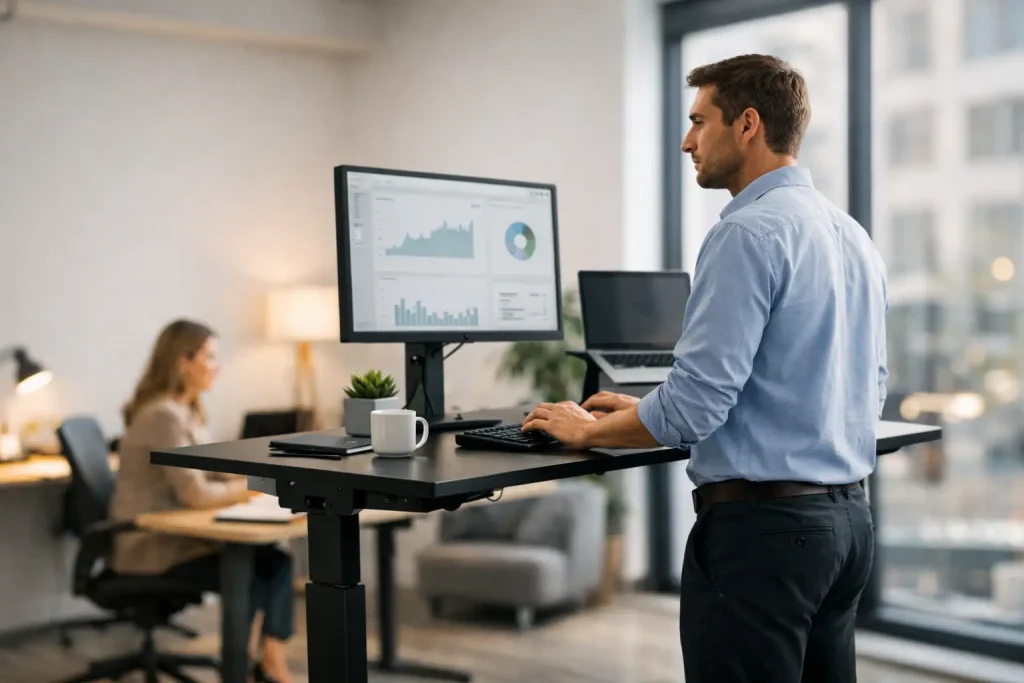
Are standing desks worth it? Learn the real benefits, drawbacks, costs, and setup tips to decide whether a sit-stand desk fits your workday and space.
Your lower back starts complaining around 3 p.m., your shoulders have crept toward your ears, and another meeting is about to begin. A standing desk can sound like a simple fix. But are standing desks worth it, or are they an expensive office accessory that ends up stuck at one height?
For many people, a sit-stand desk is a worthwhile upgrade because it makes changing positions easier during long workdays. That distinction matters. Standing all day is not the goal, and it is not automatically healthier than sitting. The real value comes from movement, better workstation fit, and having a practical way to break up hours spent in one posture.
Are Standing Desks Worth It? The Short Answer
They can be, especially if you work from home, spend most of the day at a computer, or struggle to remember movement breaks. A good standing desk gives you options: sit for focused work, stand for a call, lower the desk when your feet get tired, and switch again without rebuilding your workspace.
They are less compelling if you rarely use a desk, have a tight budget, or expect the desk alone to solve pain caused by poor monitor placement, an unsupportive chair, or an overly demanding schedule. The desk is a tool, not a cure.
The best purchase is usually a stable adjustable desk that fits your room and supports your equipment without wobbling. You do not need the largest, most feature-packed model to get the core benefit.
What a Standing Desk Can Actually Improve
The strongest case for a standing desk is not that it burns a dramatic number of calories or fixes posture overnight. It is that it reduces the trap of staying still for too long. When changing height takes seconds instead of effort, you are more likely to vary your work position throughout the day.
That can make a noticeable difference in comfort. Many desk workers find that alternating between sitting and standing helps ease stiffness in the hips, back, and shoulders. Standing can also feel useful during routine calls, email catch-up, brainstorming, or tasks that do not require intense mouse precision.
A height-adjustable desk can improve ergonomics, too. Standard desks are built around a general height, not your body. If you are particularly tall, short, or sharing a workstation with someone else, adjustability makes it easier to place the keyboard and monitor at a more comfortable level.
There is also a productivity benefit, though it is personal rather than guaranteed. Some people feel more alert while standing for short blocks of time. Others prefer sitting for detailed spreadsheets, design work, writing, or any task that requires steady hand movements. The advantage is being able to choose rather than forcing one setup to work for every task.
The Downsides People Often Miss
Standing desks have a downside that marketing photos rarely show: standing for hours can be uncomfortable. Without gradual adjustment, users may develop sore feet, aching legs, or lower-back fatigue. A desk that stays in standing mode all day merely trades one static position for another.
Cost is another real consideration. Quality electric desks can be a meaningful investment, particularly once you add a monitor arm, cable management, and a standing mat. Budget models may have limited height ranges, slower motors, lower weight capacities, or noticeable wobble at taller settings.
Then there is the space question. A large desktop can be excellent for dual monitors and paperwork, but it may overwhelm a small apartment or bedroom office. Before buying, measure more than the open floor area. Check clearance for the desktop at its highest position, nearby shelves, chair movement, power outlets, and cable length.
Finally, a standing desk can create a false sense that the rest of your setup does not matter. If your screen is too low, your wrists bend upward while typing, or your chair lacks support, changing desk height will not fully address the problem.
How to Use a Standing Desk Without Overdoing It
Start with short standing blocks instead of trying to work upright for half the day. Ten to 20 minutes at a time is plenty for many new users. Pay attention to how your feet, knees, back, and concentration feel, then build a rhythm that works for you.
A practical pattern is to stand during calls or while handling quick administrative tasks, then sit for deeper work. You can also use calendar reminders, a timer, or natural transitions between tasks as prompts to change position. The goal is regular variation, not a perfect sit-to-stand ratio.
When standing, keep your elbows near a 90-degree angle and your keyboard close enough that you are not reaching forward. The top third of your monitor should generally be around eye level, although the ideal placement can vary with your vision needs and screen size. Keep your shoulders relaxed rather than lifted toward your ears.
Footwear and flooring make a difference. Supportive shoes are often more comfortable than bare feet or thin slippers, especially on hard surfaces. An anti-fatigue mat can help, but it should support a good setup rather than encourage marathon standing sessions.
Choosing the Right Type of Standing Desk
The right desk depends on how you work and what you already own. A full electric standing desk is the most convenient option for people who switch positions frequently. With the push of a button, it can handle a laptop, monitors, accessories, and the occasional stack of paperwork. Memory presets are particularly handy when more than one person uses the desk.
A manual crank desk costs less and avoids reliance on motors, but it is less convenient. If changing height takes enough effort to feel annoying, you may simply stop doing it. This option works best for users who change positions once or twice a day rather than repeatedly.
A desktop converter sits on top of an existing desk. It is often the most affordable route for testing whether standing works for you, and it avoids replacing furniture. The trade-off is a smaller work surface, a higher overall footprint, and sometimes less stability. It may also place a laptop or monitor too high unless the setup is carefully adjusted.
For shoppers comparing full desks, focus on these practical specifications:
- Height range, especially if you are tall, petite, or sharing the desk
- Weight capacity for monitors, desktop computers, speakers, and accessories
- Stability at the desk’s tallest setting
- Desktop depth, which affects comfortable monitor distance
- Noise level and speed of the lifting mechanism
- Warranty coverage for the frame, electronics, and desktop
Do not overlook the desktop itself. A 24-inch-deep surface may be enough for a laptop, but dual monitors often feel more comfortable on a deeper desk. A desk that looks great online but cannot hold your screens at a suitable distance is not a bargain.
Who Gets the Most Value From One?
Standing desks are often a smart buy for remote employees, freelancers, students, gamers, and anyone who spends several hours a day at a computer. They can be especially useful in multipurpose rooms where one desk serves work, personal admin, creative projects, and video calls.
They are also valuable for people rebuilding an uncomfortable home office. If you already need a new desk, choosing an adjustable model can be more sensible than buying a fixed-height desk and later adding a converter. The added flexibility has a better chance of becoming part of your routine when it is built into the workspace.
On the other hand, someone who uses a laptop at a desk for 30 minutes each evening may get more benefit from a good chair, laptop stand, external keyboard, or simple walking breaks. Buy based on the amount of time you will realistically use it, not on the idealized version of your future routine.
Make the Decision Based on Movement, Not Hype
A standing desk is worth the cost when it makes your workday more comfortable and helps you change positions more often. It is not worth paying a premium for features you will not use, nor is it a replacement for walks, stretching, an ergonomic chair, or reasonable breaks.
If you are unsure, try standing during a few calls with a temporary raised setup or start with a converter. The most helpful desk is the one that fits your space, supports your equipment, and makes it easier to move before your body starts demanding a break.
















Leave a Comment
Your email address will not be published. Required fields are marked with *