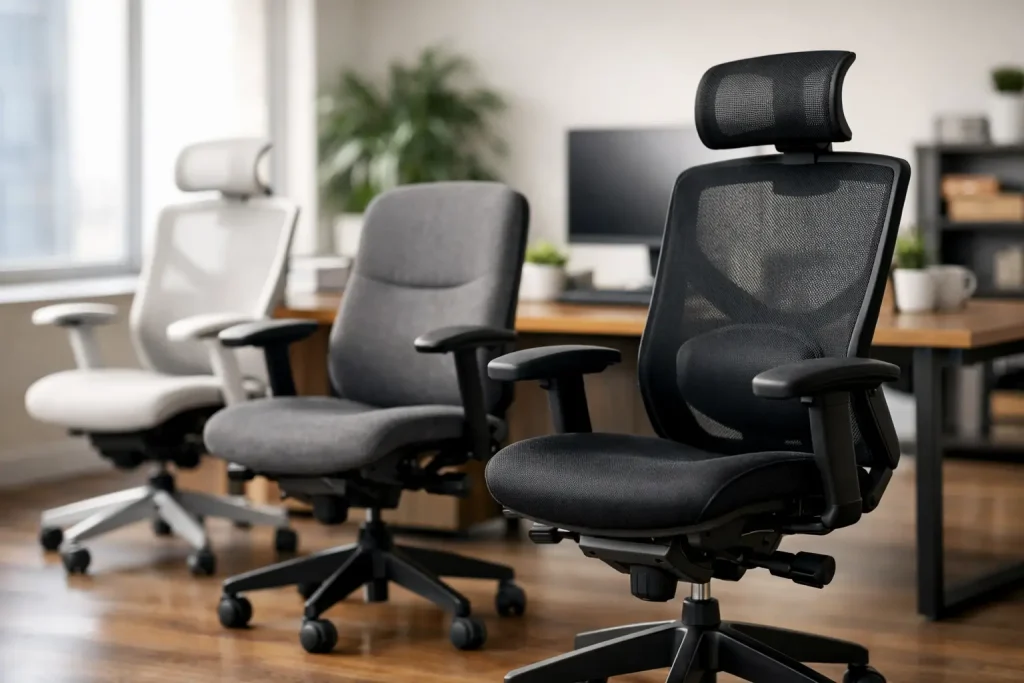
Learn how to choose ergonomic office chairs with practical tips on fit, lumbar support, adjustability, materials, and budget-friendly buying.
A chair can feel fine for the first 20 minutes and still be the reason your back, shoulders, or hips are irritated by the end of the week. That is why learning how to choose ergonomic office chairs matters more than picking the one that looks best in a product photo. The right chair should fit your body, support the way you work, and stay comfortable through long stretches at your desk.
What ergonomic really means in a chair
“Ergonomic” gets used so loosely that it can describe almost anything with wheels and a mesh back. In practical terms, an ergonomic office chair is designed to support neutral posture and adjust to the person sitting in it. That second part matters most. A chair is not truly ergonomic just because it has lumbar support or a headrest. It needs to adapt to your height, weight, leg length, desk setup, and work habits.
This is where many shoppers get tripped up. They shop by label instead of fit. A chair that feels great for a taller person may force a shorter person to perch forward. A heavily padded executive chair may feel plush at first but offer less useful support over a full workday than a firmer, more adjustable model.
How to choose ergonomic office chairs for your body
Start with the dimensions that affect comfort fastest: seat height, seat depth, backrest shape, and armrest position. If these are off, even a pricey chair can feel wrong.
Seat height should let your feet rest flat on the floor, with knees roughly level with or slightly below your hips. If your feet dangle, pressure builds under your thighs. If your knees ride too high, your hips and lower back may complain. For many adults, a standard adjustable range works, but shorter and taller users should check measurements carefully instead of assuming “one size fits most” will be good enough.
Seat depth is just as important and often overlooked. You want to sit back against the backrest while leaving a small gap between the front edge of the seat and the back of your knees. Too deep, and the seat cuts into your legs or pushes you to sit forward without lumbar support. Too shallow, and you lose thigh support. A sliding seat pan is especially helpful if multiple people may use the chair or if your proportions do not match standard sizing.
The backrest should support the natural curve of your lower spine without feeling like it is poking you in one hard spot. Some people like built-in lumbar support because it is simple. Others need adjustable lumbar height or depth because fixed support hits the wrong place. If you have had lower back discomfort before, this is not a feature to treat as optional.
Armrests should help your shoulders stay relaxed, not hike them upward. Ideally, your elbows rest near a 90-degree angle while typing, and the armrests do not force your arms outward. Width-adjustable armrests are especially useful for people with broader or narrower frames.
The adjustments worth paying for
Not every feature on a product page deserves extra money. A few adjustments, though, make a real difference.
Height adjustment is non-negotiable. Tilt tension and tilt lock are highly useful because they let you recline without feeling like you are falling backward. That slight movement can reduce fatigue during a long day. A chair that locks only in one rigid upright position may sound “supportive” but can become tiring.
Adjustable lumbar support is often worth paying for, especially if you sit for several hours a day. Seat depth adjustment is another premium feature that punches above its weight in everyday comfort. Armrests that move up and down are good. Armrests that also move in and out or forward and back are better if you spend a lot of time typing or switching between keyboard work and phone calls.
Headrests are more situational. If you recline often, take video calls, or work in a more laid-back posture, a headrest can help. If you sit upright most of the day, it may not matter much. In some cases, a poorly positioned headrest can even push your head forward.
Mesh, foam, or cushioned upholstery?
Material changes how a chair feels after several hours, not just how it looks on day one. Mesh backs are popular because they breathe well and can feel cooler in warm rooms. They also tend to give a lighter, cleaner look that fits modern home offices. The trade-off is that not all mesh is equally supportive. Lower-quality mesh can sag over time or feel too stiff around the frame.
Foam or cushioned seats often feel more familiar and can distribute pressure well, but the density matters. Very soft foam may feel cozy for a short test sit and then flatten out. Firmer foam can feel less impressive at first but perform better over long sessions.
Leather and faux leather chairs usually lean more executive in style. They can look polished, but they are not always the best choice for heat management or all-day support. If appearance is part of your buying decision, that is fair, but comfort should still win.
Match the chair to the way you work
A chair for eight hours of spreadsheet work is not the same as a chair for occasional email and weekend bills. The best buying decision comes from being honest about use.
If you work full time at a desk, prioritize adjustability, lumbar support, and seat comfort over flashy design. If your chair is for a shared home office, choose wider adjustment ranges so different users can set it up quickly. If you move between desk work and creative tasks, a chair with smooth swivel, easy recline, and supportive armrests will likely matter more than a high back.
Your desk setup also affects the chair choice. A great chair cannot fully compensate for a desk that is too high or a monitor that forces you to crane your neck. If your workspace is compact, measure carefully. Some chairs have broad bases, tall backs, or armrests that will not slide under the desk.
Budget matters, but cheap can get expensive
When people search how to choose ergonomic office chairs, budget is usually part of the question. The good news is you do not need the most expensive chair on the market to get proper support. The bad news is the lowest-priced options often cut corners in the exact areas that matter most, like cushion durability, adjustment range, and long-term stability.
A low-cost chair can be a smart buy for light use, a student setup, or a temporary workspace. But if you sit daily for long periods, paying more for fit and durability often makes sense. A chair that loses support after six months is not a bargain.
This is one category where warranties can tell you a lot. A longer warranty usually suggests more confidence in the frame, lift, and moving parts. It is not a perfect quality signal, but it helps separate serious office seating from disposable furniture.
How to test a chair before you buy
If you can try a chair in person, sit in it for longer than a minute. Most chairs pass the quick sit test. Fewer hold up after 10 or 15 minutes.
Sit all the way back. Adjust the height. Check whether your feet sit flat and whether the lumbar support meets your lower back naturally. Type with your arms in place. Recline slightly and see whether the chair supports movement or fights it. Notice any pressure behind your knees or tightness in your shoulders.
If you are buying online, product dimensions matter more than marketing language. Look for seat height range, seat width and depth, back height, weight capacity, and what exactly is adjustable. Reviews can help, but focus on comments from people with similar height and build to yours.
Common mistakes shoppers make
The biggest mistake is buying for looks first and posture second. A sleek chair that does not fit your body will not become more comfortable because it matches your desk.
Another common mistake is overvaluing extra features. A footrest, headrest, or dramatic racing-style design may look appealing, but if the seat depth is wrong or the lumbar support is fixed in the wrong spot, those extras will not save the chair.
People also underestimate assembly quality. Even a well-designed chair can feel wobbly or awkward if poorly assembled. And many buyers forget to consider flooring. Wheels that glide nicely on carpet may behave differently on hardwood, and vice versa.
The best chair is the one you actually adjust
A final reality check: even the best ergonomic chair is not self-operating. If you never adjust it, you are only getting a fraction of its value. Spend a few minutes setting seat height, armrest position, tilt tension, and lumbar support when it arrives. Then revisit those settings after a few days.
Bodies vary, workdays vary, and comfort is rarely one-size-fits-all. Choose a chair that gives you room to fine-tune, not one that asks you to adapt to it. Your back will notice the difference long before the return window closes.


















Leave a Comment
Your email address will not be published. Required fields are marked with *