
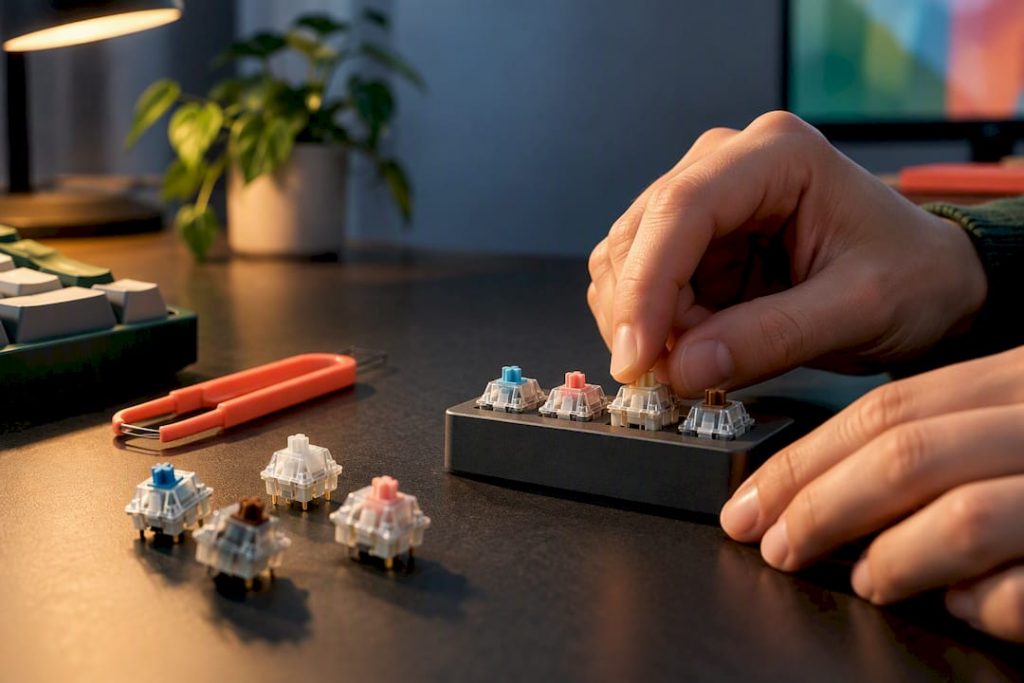
Hands on workflow for keyboard hobbyists: choose by switch type, run four tests (tester, sample pack, blind test, controlled listening), then tune…
Choose your switch type before anything else: linear for fast gaming, tactile for all day typing comfort, and silent variants for shared spaces. Hot-swap boards or inexpensive testers let you feel the difference before you commit to a full set. Switch type matters far more than brand name for a first purchase, so start there and let your fingers do the deciding.
TL;DR:
- Linear switches are optimal for fast gaming and repetitive key presses due to their smooth, uninterrupted movement from top to bottom.
- Tactile switches provide a noticeable bump without sound, making them suitable for typing, coding, and long writing sessions.
- Silent switches use dampeners to reduce noise, making them ideal for shared spaces and late-night use in quiet environments.
- Hot-swap keyboards allow easy switch changes, making them perfect for experimenting and finding the preferred feel without soldering.
- Switch choice should be based on use case, with testers, sample packs, and blind tests helping identify personal preferences before buying in bulk.
Table of Contents
- Switch types explained: linear, tactile, clicky, silent linear, and silent tactile
- How a mechanical switch works and how to read specs
- Hot-swap vs soldered: can you change switches and how to do it
- How to choose switches by use case
- How to try switches: testers, sample packs, blind tests, and controlled listening
- Mods and tuning that change switch feel and sound
- Major manufacturers and commonly recommended models
- Our team’s practical notes and testing checklist
- The hobbyist journey and why experimentation matters
- Where to go next if you want to reach this audience
- Sources
- FAQ
Switch types explained: linear, tactile, clicky, silent linear, and silent tactile
Every mechanical switch belongs to one of five practical families, and the differences come down to what happens inside the stem as you press it. Switches fall into these categories based on distinct bump, sound, and feel characteristics, according to KeebScout’s breakdown of switch types. Understanding the mechanics behind each type makes the rest of your buying decisions much easier.
Linear switches move in a straight, uninterrupted path from top to bottom with no bump and no click. The feel is smooth and consistent, which is why fast, repeated key presses in games benefit from them.
Tactile switches build in a small bump partway down the stroke that you feel but don’t hear. That bump tells your finger the key has actuated, which helps typists avoid bottoming out and typing with excess force.
Clicky switches add an audible click alongside the tactile bump, usually through a separate click jacket or leaf mechanism. They’re satisfying in a quiet room and genuinely irritating in a shared one.
Silent linear and silent tactile switches use rubber or silicone dampeners on the stem to cushion the top and bottom of the keystroke. You keep the smoothness or the bump, but the sound drops significantly, which makes them the practical pick for offices and apartments with thin walls.
A few quick guidelines connect type to task:
- Linear: best for competitive gaming and rapid double-taps.
- Tactile: best for typing, coding, and long writing sessions.
- Clicky: best for solo setups where sound isn’t a concern.
- Silent linear or silent tactile: best for shared desks, open offices, and late-night sessions.
How a mechanical switch works and how to read specs
Inside every switch sits the same basic anatomy: a housing (top and bottom), a stem that moves through it, a metal spring that provides resistance, and a set of contacts that complete the circuit when the stem travels far enough. How those pieces are shaped and tuned determines everything about how a switch feels and sounds.
The specs on a switch listing describe that mechanical behavior in numbers. Actuation point is how far you need to press before the key registers, total travel is the full distance the stem can move, and actuation force is how many grams of pressure are needed to hit that actuation point. Typical ranges compiled across switch guides put actuation points generally in the low millimeters, total travel close to standard depths, and actuation force in a moderate gram range, according to MechKeyReview’s switch guide.
| Spec | Typical range | What it affects |
|---|---|---|
| Actuation point | low millimeters | How early a key press registers |
| Total travel | close to standard depths | Distance before bottoming out |
| Actuation force | 35 to 60 grams | How much pressure a press requires |
| Rated lifespan | a rough durability floor | Expected switch durability |
Pin count matters more in practice than most of these numbers. Switches come with either 3 pins or 5 pins: the extra two pins on a 5-pin switch are plastic guides that stabilize it in the plate, which reduces wobble but requires a plate cutout designed for it. Rated lifespan sounds important, but in practice, most enthusiasts replace or mod switches for feel and sound long before they wear out, so treat that number as a rough durability floor rather than a deciding factor.
Hot-swap vs soldered: can you change switches and how to do it
Hot-swappable keyboards use sockets on the PCB that let you pull switches out and press new ones in without any soldering, making them ideal for experimenting with different feels, as explained in detail by Most Keyboards Can Be Fixed. Here’s the Fastest Route. Soldered boards require desoldering tools to remove switches and can offer a firmer, more stable connection due to the permanent lock.
Swapping switches on a hot-swap board is a short process:
- Remove the keycap with a keycap puller, working straight up to avoid bending the stem.
- Use a switch puller to grip the switch housing on both sides and pull it straight out of the socket.
- Align the new switch’s pins with the socket holes and press down firmly until it clicks into place.
- Reattach the keycap and test the key before moving to the next one.
That process, as described in Tom’s Hardware’s switch-swapping guide, takes only a minute or two per switch once you’ve done a few.
Soldered boards are worth the extra effort when you’ve settled on a switch you love and want the marginally firmer feel, or when you’re buying a board that doesn’t offer a hot-swap version at all. The basic tool checklist includes a soldering iron, desoldering pump or wick, flux, and a switch puller. For a first board, though, hot-swap sockets are the easier and more forgiving choice, and they’re what let you build the kind of hands-on comparison this guide recommends.
How to choose switches by use case
The right switch depends heavily on what you actually do at your keyboard most of the day, not on what’s trending in enthusiast forums.
- Gaming: light linear switches, generally 35 to 45 grams of actuation force, reward fast, repeated presses with less finger fatigue over long sessions.
- Typing and programming: tactile switches in the 45 to 60 gram range give you the bump feedback that helps you avoid bottoming out on every keystroke.
- Shared spaces: silent linear or silent tactile switches keep the sound low enough that a partner or coworker won’t notice every keystroke.
- Mixed-use setups: a medium-weight tactile switch is a reasonable all-rounder that handles both gaming sessions and long writing without feeling wrong at either.
- Budget-safe default: a widely available linear or light tactile switch in the 45 to 55 gram range is hard to get badly wrong for a first build.
Actuation force interacts with your keycaps and stabilizers more than most buyers expect. Heavier keycap sets (like some PBT double-shot profiles) add a small amount of perceived resistance, so a 45 gram switch under heavy keycaps can feel closer to 50. Stabilizers on longer keys, like the space bar and shift keys, also affect how consistent a switch feels across the board, which is one more reason to test on the actual keycaps and stabilizers you plan to use rather than a bare test board.
How to try switches: testers, sample packs, blind tests, and controlled listening
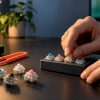
Switch testers, which hold a handful of switches in a small plastic block, let you press and compare feel side by side for a few dollars. Sample packs go further by giving you enough switches to type on for a while, which reveals fatigue and feel over longer use that a tester can’t show you.
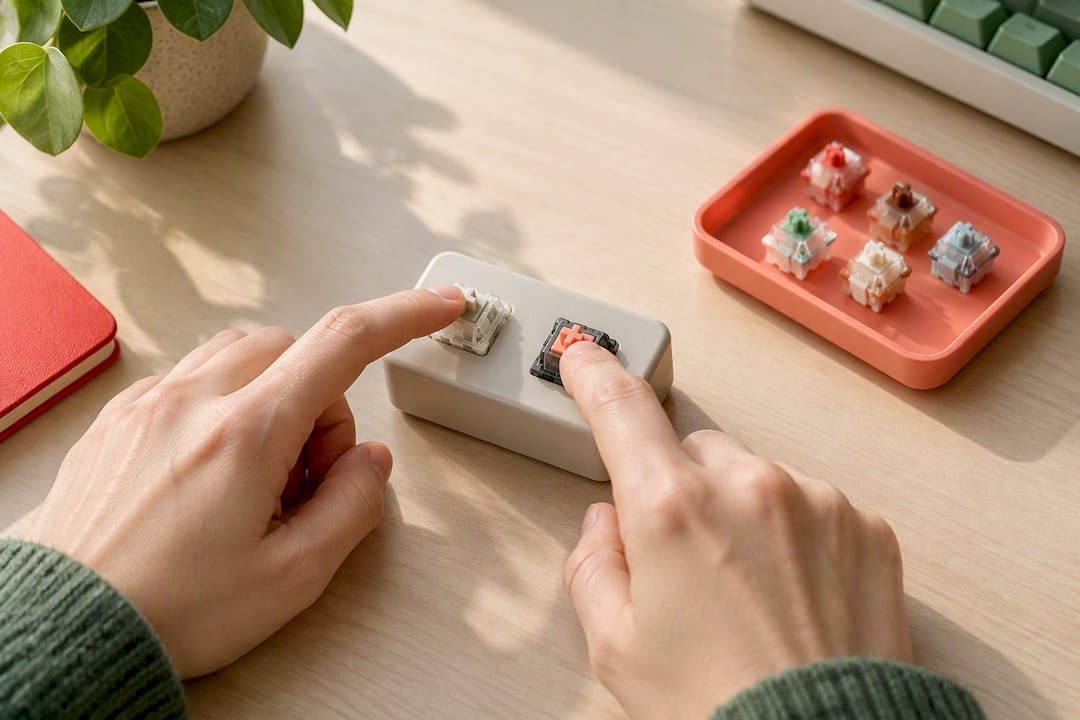
Sound is trickier to judge than feel, because board acoustics and keycaps change how a switch sounds as much as the switch itself does, based on community blind test reports that compared identical switches across different boards. A switch that sounds satisfying on one board can sound thin and hollow on another, so treat any sound impression as a combination of switch, board, and keycaps rather than the switch alone.
A simple blind test works well with a friend: have them swap switches into a hot-swap board while you’re not looking, type or press each one, and record your impressions of smoothness, bump strength, and sound before finding out which switch you tested. This removes the bias that comes from knowing a switch’s name or price ahead of time.
- Use testers for a first-pass feel check before buying anything.
- Use sample packs when you want a longer, real-typing impression.
- Use blind tests to check whether your preference is about the switch or the hype.
- Validate any final choice on your actual board and keycaps, not a bare test unit.
Pro Tip: Record your blind-test impressions in a notes app immediately, before you see the switch name: memory adjusts itself once you know what you’re supposed to like.
Mods and tuning that change switch feel and sound
Lubing is the single highest-impact mod available, and it’s not particularly hard to do. A light coat of Krytox 205g0 on the stem rails and spring smooths out friction and cuts down on spring ping, though pre-lubed factory switches have narrowed the gap in recent years, according to Tom’s Hardware’s tuning guide. Expect to spend roughly 20 to 40 minutes lubing a full 60 to 75 key board once you’ve got a rhythm going.
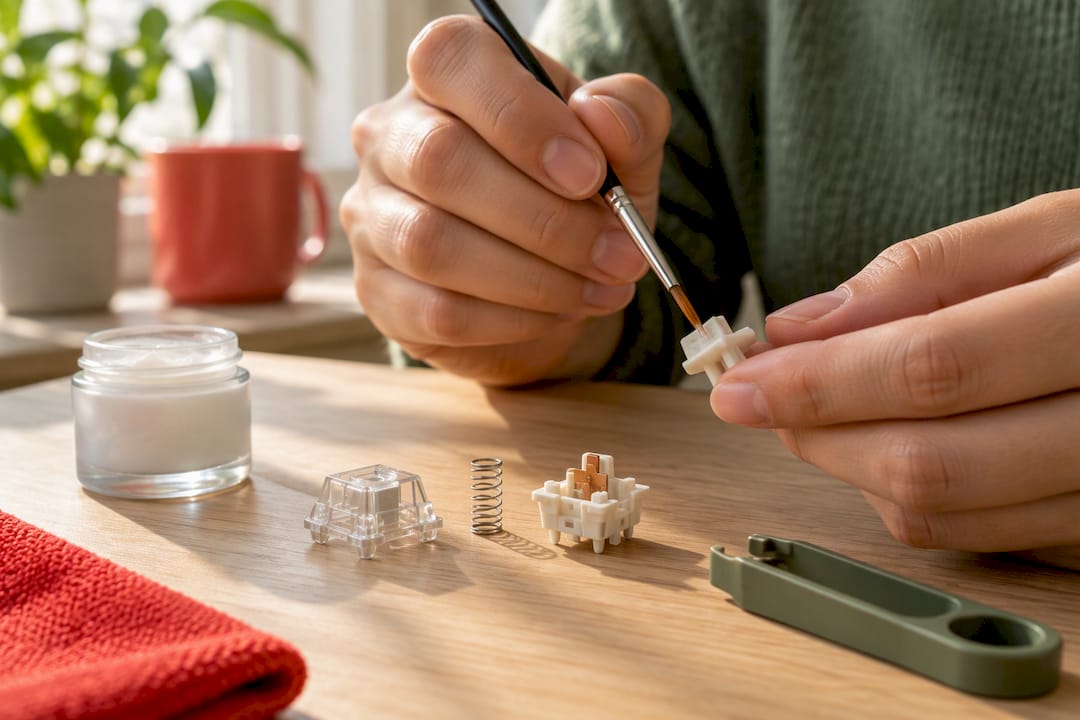
Switch films sit between the top and bottom housing and reduce the small amount of wobble that’s built into most switches, which tightens up both feel and sound. Stabilizer mods, including lubing the wire and adding small amounts of dielectric grease, cut down the rattly, hollow sound that longer keys are notorious for.
Case mods address a different problem: hollow resonance and “ping” coming from inside the case itself rather than the switches. Adding foam or tape inside the case dampens that resonance and often makes a bigger audible difference than people expect from something so simple.
- Lubing switches: the biggest single improvement in smoothness and sound for the time invested.
- Switch films: reduce housing wobble, tightening feel and cutting rattle.
- Stabilizer mods: the most common source of remaining rattle on an otherwise smooth board.
- Case foam or tape: cuts hollow resonance without touching a single switch.
Pro Tip: Apply lube sparingly: a thick coat feels mushy and can actually slow the switch down instead of smoothing it out.
Major manufacturers and commonly recommended models
Cherry set the original standard that most switch naming still borrows from, and Cherry MX switches remain a reliable, well-documented reference point. Gateron switches are widely regarded as smoother out of the box at a lower price, and Kailh has built a reputation for variety, including some unusual and boutique switch designs. Topre uses an entirely different electrostatic capacitive mechanism instead of a standard spring and contact setup, giving it a distinct, cushioned feel that some typists prefer strongly over anything in the Cherry-style family. Akko has become known for accessible silent and budget-friendly options.
A short list of commonly referenced models, drawn from guides and community discussion at KeebScout:
- Cherry MX Red: a light, smooth linear switch, a common gaming default.
- Cherry MX Brown: a light tactile bump, popular as an all-rounder for typing and light gaming.
- Cherry MX Blue: a clicky switch with a pronounced audible and tactile signature.
- Gateron Yellow: a budget-friendly linear switch known for smoothness at a low price.
- Boba U4: a favorite silent tactile switch among enthusiasts who want quiet feedback.
- Topre: an electrostatic capacitive switch with a cushioned, unique feel.
- Akko silent options: accessible silent switches aimed at quiet, everyday use.
Availability shifts often, so verify pin count and keycap stem compatibility (most use Cherry-style stems, but Topre is a notable exception) before ordering anything.
Our team’s practical notes and testing checklist
Comparisons are kept fair by testing switches on the same board, with the same keycaps, and listening blind whenever possible so brand names and marketing don’t color the impression. We record actuation force and travel feel in plain language rather than relying only on the spec sheet, because two switches with identical numbers on paper can still feel different once housing tolerances and lubrication come into play.
What we look for first is smoothness through the full travel, followed by wobble at the top of the stem, then sound signature under normal typing pressure, and finally how the switch behaves once it’s paired with stabilized keys like the space bar. Community reviews are useful for narrowing a shortlist, but they’re shaped by each reviewer’s board, keycaps, and typing style, so we weigh them as a starting point rather than a final verdict and always confirm impressions with hands-on presses before recommending anything.

The hobbyist journey and why experimentation matters
Most people in this hobby go through several sets of switches before landing on a preference, and that’s not wasted money, it’s the process working as intended. Starting cheap and lubing what you already have teaches you more about your own preferences than jumping straight to an expensive boutique switch ever will.
Preferences also shift as your use case changes, so don’t treat your first choice as permanent. Test before you buy in bulk, trust your own hands over a forum thread, and let your preferences evolve.
— Alexander
Where to go next if you want to reach this audience
If you make or write about keyboards, peripherals, or hobbyist tech, the switch enthusiast crowd reads deeply and shares generously once they trust a source. Lizard’s Lunch covers this kind of gear regularly across its technology section and computers coverage, and brands or services with something genuinely useful to say to this readership can reach it through Banner Ads or a Guest Post. If you’d rather sharpen your own content before pitching anyone, our SEO writing tips cover what makes a technical guide rank and get read. Get in touch through the advertising page to see where your message fits.
Sources
For spec verification, consult MechKeyReview’s switch comparison, which breaks down actuation and travel side by side. For hands-on swapping steps, Tom’s Hardware’s how-to guide walks through the process in detail. Community blind test threads, like the one on Linus Tech Tips’ forum, are worth reading for real-world sound comparisons.
- KeebScout — Linear vs tactile vs clicky switches
- Tom’s Hardware — Swap It Like It’s Hot: How to Change Mechanical Keyboard Switches
FAQ
Which switches are best for a mechanical keyboard?
The best switch depends on your main use: linear switches like Cherry MX Red suit fast gaming, tactile switches like Cherry MX Brown suit typing, and silent variants suit shared spaces. Trying a switch tester or hot-swap board before buying in bulk is the most reliable way to find your fit.
What’s better, blue, brown, or red switches?
None of the three is universally better since each serves a different job: Cherry MX Blue gives clicky audible feedback, Cherry MX Brown gives a quieter tactile bump, and Cherry MX Red offers smooth linear travel for speed. Gamers tend to prefer red, typists often prefer brown, and blue suits solo setups where sound isn’t a concern.
What are the different switches in a mechanical keyboard?
Mechanical keyboards use five main switch categories: linear, tactile, clicky, silent linear, and silent tactile, based on KeebScout’s switch breakdown. Each differs in whether it has a tactile bump, an audible click, or a dampener that quiets the keystroke.
Which switches are the creamiest?
“Creamy” describes a smooth, slightly muted sound and feel often associated with silent tactile switches like the Boba U4, a favorite among enthusiasts for that exact profile. The effect also depends heavily on lubrication and the board and keycaps used, so the same switch can sound different from one build to the next.
Should I get hot-swap or soldered switches for my first board?
Hot-swap is the better starting point because it lets you change switches without soldering, which is ideal for experimenting with different feels, according to Tom’s Hardware. Soldered boards can feel slightly firmer and more stable, but they’re better suited to a second build once you already know which switch you prefer.
















Leave a Comment
Your email address will not be published. Required fields are marked with *