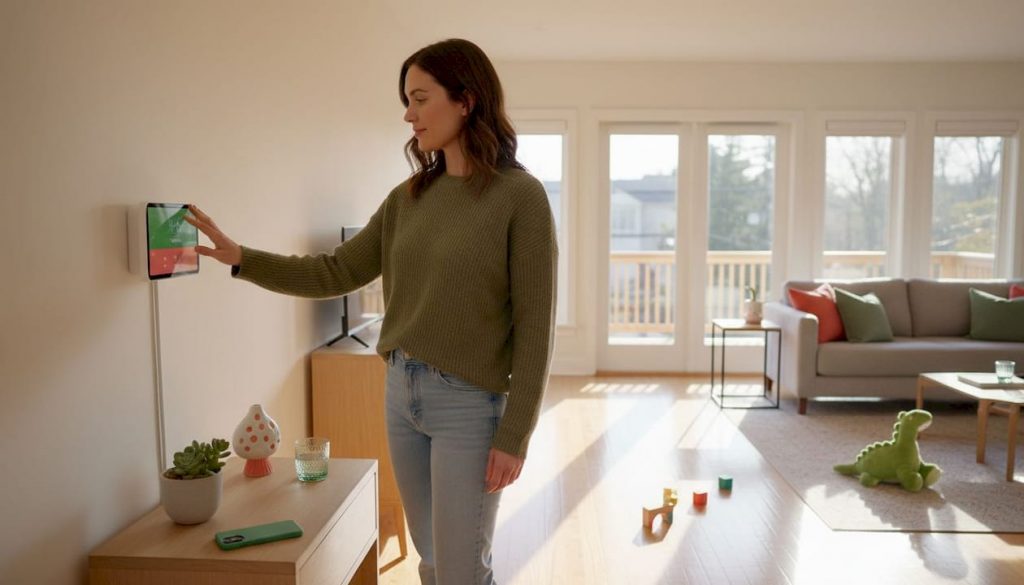
Discover why smart thermostats are essential for efficient homes. Learn how they save energy, adapt to your schedule, and enhance comfort!
Most homeowners with a programmable thermostat have never actually programmed it. Studies suggest that fewer than 30% of people with programmable models use the scheduling features correctly, leaving real, recurring savings completely untapped. Smart thermostats flip that equation entirely. They handle the optimization for you, learning your routine, adjusting to your lifestyle, and trimming energy waste without requiring you to remember a single setting. This guide covers exactly how they work, what the savings data really shows, which features matter most, and how both homeowners and renters can make the most of this captivating upgrade.
Table of Contents
- How do smart thermostats work?
- The evidence: Do smart thermostats actually save money?
- Which features matter most?
- Is a smart thermostat right for you? Homeowners vs. renters
- What most guides miss about smart thermostat savings
- Upgrade your home’s comfort and efficiency today
- Frequently asked questions
Key Takeaways
| Point | Details |
|---|---|
| Automated savings | Smart thermostats automatically reduce heating and cooling costs—most users save 8-15% per year. |
| User-friendly technology | Features like remote control, learning schedules, and multi-room sensors make comfort effortless. |
| Suitable for renters and owners | Both homeowners and renters can benefit when installation and landlord permissions are managed properly. |
| Look for essential features | Prioritize compatibility, remote sensors, and easy-to-use apps when choosing a model. |
| Setup impacts savings | Following setup guides and using smart features consistently maximizes energy savings. |
How do smart thermostats work?
With a basic understanding of the challenge, let’s break down how smart thermostats operate behind the scenes. At their core, these devices are remarkably sophisticated. But the good news is that you don’t need to be a tech expert to use one or to benefit from everything it offers.
The foundation of every smart thermostat is a component called a thermistor. A thermistor is a small sensor that reads temperature with impressive accuracy, far more precise than the older bimetallic strips used in traditional thermostats. That precise reading is what allows a smart thermostat to make small, intelligent adjustments rather than large, clunky swings in temperature. As How Do Smart Thermostats Work? explains, they use thermistors for precise temperature sensing, WiFi connectivity for remote control, machine learning to adapt schedules based on occupancy patterns, geofencing, motion sensors, and remote sensors for multi-room accuracy.
WiFi connectivity is the feature that transforms a thermostat from a wall control into a true smart home device. Once connected, you can adjust your home’s temperature from anywhere using a smartphone app, whether you’re stuck late at the office or sitting on a beach. That remote access also means the thermostat can receive firmware updates, sync with weather forecasts, and communicate with other top smart home devices in your ecosystem.

Machine learning is where things get genuinely exciting. Over the first one to two weeks of use, learning-capable thermostats observe when you wake up, when you leave, when you return, and when you go to bed. They then build a schedule around those patterns automatically. If you sleep in on weekends, the thermostat notices. If your routine shifts seasonally, it adapts.
Here’s a quick look at the key technology features found in most smart thermostats:
- Thermistors: Deliver precise temperature readings as the foundation of accurate control
- WiFi connectivity: Enables app-based remote control and real-time monitoring
- Machine learning: Builds and refines schedules based on your actual daily patterns
- Motion sensors: Detect occupancy to avoid heating or cooling an empty space
- Geofencing: Uses your phone’s GPS to trigger heating or cooling as you approach home
- Remote sensors: Placed in different rooms to balance temperatures across your whole living space
- Utility integration: Syncs with demand response programs to save more during peak energy hours
Geofencing deserves special mention because it solves a problem that no manual schedule can. Your commute varies. Life is unpredictable. Geofencing means that when your phone leaves a set radius around your home, the thermostat shifts to an energy-saving mode automatically. When you’re 10 minutes away, it starts warming or cooling the house back to your comfort zone. Pair that with solid insulation and energy savings practices and you’ve created a genuinely efficient home system.
Pro Tip: If your home has rooms that are consistently warmer or cooler than the rest, adding remote sensors is one of the highest-impact upgrades you can make. Remote sensors reduce the need for manual overrides and keep every room at the right temperature.
The evidence: Do smart thermostats actually save money?
Now that you know what makes these devices smart, let’s look at the hard evidence, the savings they promise and deliver. The numbers are real, but context matters a great deal.
Research from ENERGY STAR, the EPA, Nest, and several independent field trials consistently shows that smart thermostats save 8 to 15% on heating and cooling costs, equating to roughly $50 to $145 annually for average U.S. households. That range exists because savings depend heavily on your climate, your home’s efficiency, and how consistently you use the smart features.
Let’s put that in practical terms:
| Home type | Estimated annual HVAC cost | Potential savings (10%) | Payback period |
|---|---|---|---|
| Older home, cold climate | $1,800 | $180 | Under 1 year |
| Mid-range home, mixed climate | $1,200 | $120 | 1.5 years |
| New construction, mild climate | $700 | $70 | 2.5 years |
| Apartment with central HVAC | $500 | $50 | 3 years |
The most powerful savings mechanism is automatic setback, meaning the thermostat lowers or raises the temperature when you’re away or asleep, then restores comfort before you need it. According to ENERGY STAR certified thermostats, savings are realized through automatic setbacks when away or asleep, pre-conditioning on return, avoiding manual overrides through automation, and integration with utility demand response programs.
What makes this different from a regular programmable thermostat? Automation and reliability. Manual programmable models require you to update schedules for every vacation, every schedule change, every holiday. Smart thermostats adjust dynamically. They don’t forget. They don’t get lazy in March when the weather shifts. That consistency is where the money is.
“Smart thermostats can slash your bills by over $130 a year when properly set.”
Utility rebates are another powerful factor. Many local utility companies offer $50 to $100 cash back when you purchase and register an ENERGY STAR certified smart thermostat. Some even offer free or discounted units through demand response programs, where the utility can briefly adjust your thermostat during peak grid demand in exchange for bill credits. That alone can shorten the payback period from two years to less than one.
Exploring clean energy savings alongside your smart thermostat can amplify results even further, especially if you’re pairing the device with solar panels or a heat pump. Looking into energy-efficient home upgrades as a whole will help you understand where the thermostat fits into your broader efficiency strategy.
Which features matter most?
Savings sound great, but which features will actually make a difference in your home? The answer depends on your house layout, lifestyle, and existing HVAC system. Not every feature is equally valuable for every household.
Remote sensors are arguably the most underrated feature on the market. In a multi-story home or one with a single thermostat controlling very different zones, remote sensors placed in bedrooms, living areas, or home offices tell the thermostat where people actually are. That prevents the classic problem of the main hallway being the perfect temperature while the bedroom feels like a furnace. Remote sensors reduce overrides by 63%, which is a remarkable improvement in both comfort and efficiency.
Learning algorithms are fantastic if your schedule is reasonably consistent. If you wake up at 6:30 a.m. most days, leave by 8:00 a.m., and return around 6:00 p.m., a learning thermostat will nail that rhythm within a week. However, if your schedule is wildly unpredictable, you may find manual scheduling or geofencing more reliable than the learning feature alone.
HVAC compatibility is a foundational concern that many buyers overlook until after purchase. Most modern forced-air systems work with most smart thermostats, but older systems, multi-stage heating setups, or heat pumps with auxiliary heat sometimes require a specific model. Always check the compatibility tool before buying.
Here is a quick comparison of how the top three smart thermostat brands approach these features:
| Feature | Ecobee | Nest | Honeywell |
|---|---|---|---|
| Remote sensors included | Yes (standard) | Optional add-on | Some models |
| Learning algorithm | Yes | Yes (core feature) | Limited |
| HVAC compatibility | Very broad | Broad | Excellent |
| App experience | Strong | Excellent | Solid |
| Best for | Multi-room homes | Easy setup | Complex HVAC systems |
The Ecobee vs Nest vs Honeywell breakdown confirms this well: Ecobee excels with included remote sensors for uneven homes, Nest leads with learning and easy installation, and Honeywell shines with HVAC compatibility and value. Edge cases exist where inaccurate weather data in rural areas, app glitches, or sensor inaccuracies can reduce effectiveness.
Top 3 smart thermostat features to prioritize:
- Remote sensors if your home has multiple rooms or floors with uneven temperatures
- Geofencing if your schedule varies and you want automatic adjustments without programming
- HVAC compatibility certification to ensure your system works seamlessly before you buy
One important note about smart device comparisons: the “best” thermostat is always the one that matches your specific home, schedule, and system. A premium model in the wrong application underperforms a mid-range model installed thoughtfully.
Is a smart thermostat right for you? Homeowners vs. renters
Wondering if a smart thermostat fits your living situation? Here’s what to consider based on whether you own or rent.
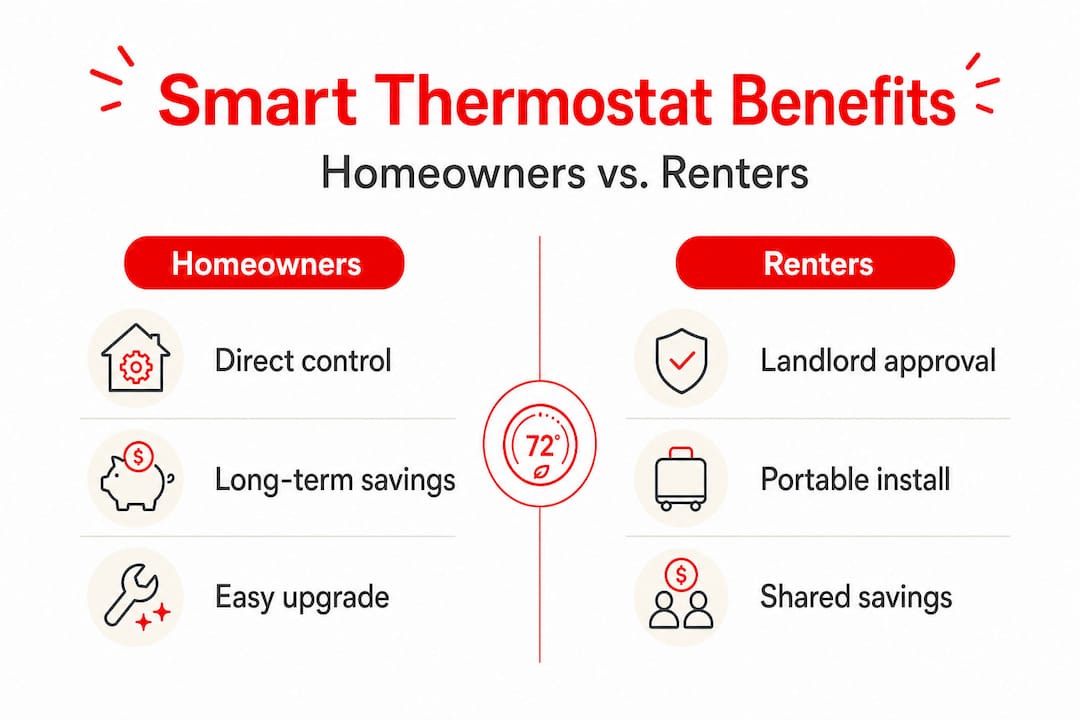
For homeowners, the path is straightforward. You control the property, you choose the thermostat, and you benefit directly from every dollar saved on your energy bill. The only real hurdles are budget, HVAC compatibility, and making sure installation is done correctly, either by a professional or as a confident DIY project. Most smart thermostats come with clear step-by-step installation guides, and setup typically takes 30 to 60 minutes.
For renters, the situation is more nuanced but absolutely not hopeless. As renters explore smart thermostats, the approach is viable if you pay your own utilities and your landlord permits the change. Reversible installation is key, meaning you should save the original thermostat and reinstall it when you move out. Renters who pay their own utility bills stand to gain exactly the same percentage savings as homeowners. The device doesn’t care who owns the building.
Key considerations for renters before installing a smart thermostat:
- Review your lease: Some leases explicitly prohibit modifications to HVAC systems or electrical components
- Talk to your landlord: Frame the conversation around property value and energy efficiency. Many landlords are receptive, especially if the upgrade costs them nothing
- Check the HVAC setup: Apartment buildings with centralized HVAC systems controlled by the building are not candidates for individual smart thermostats
- Document everything: Take photos of the original wiring before installation and keep the original thermostat safe for reinstallation
- Choose reversible models: Some models are specifically marketed as renter-friendly due to simple installation and clean removal
Pro Tip: When approaching your landlord, bring printed information about the thermostat model you want, its installation requirements, and the average energy savings data. Showing that the upgrade is reversible and data-backed dramatically increases your chances of getting a yes.
Renters should also explore renter-friendly energy options for additional ways to reduce utility costs without requiring major property changes. Pairing a smart thermostat with other low-impact improvements from our home tech ideas guide can create meaningful comfort and savings even in a rental.
If you’re ready to put a plan together, the smart home setup guide walks you through connecting and automating devices step by step, and our home improvement tips section is packed with practical upgrade ideas for every living situation.
What most guides miss about smart thermostat savings
Before you rush to buy, it’s worth discussing what the data and field experience really show about who benefits most and why.
Here’s the uncomfortable truth: most articles about smart thermostats paint a rosy picture of universal savings. Buy the device, plug it in, and watch the bills shrink. But real-world results are messier than that. Smart thermostats optimize energy by automating what users often fail to do manually with programmable models, but they require proper setup, consistent use of features, and compatible HVAC to deliver on their benchmarks. In efficient homes or temperate climates, savings are often smaller than advertised.
The homeowners who see the biggest, fastest savings share a few things in common. They live in older homes with poor insulation and large temperature swings between occupied and unoccupied hours. Their HVAC systems run often because of those inefficiencies, giving the smart thermostat more opportunities to intervene and reduce runtime. In contrast, someone in a well-insulated new build in San Diego might see their annual savings top out at $40, making the payback period feel less impressive.
“Smart savings aren’t magic—they require smart habits and a compatible system.”
There’s also the question of how people actually use these devices. If you or someone in your household frequently overrides the schedule, increases the heat manually on cold mornings, or disables eco modes because they find them uncomfortable, the learning algorithm gets confused and the savings evaporate. This isn’t a criticism; it’s a reality. Devices work best when people let them do their job. That often means a brief adjustment period where you trust the thermostat’s suggestions before intervening.
Utility rebates change the math significantly. A $250 thermostat with a $100 rebate and $130 in annual savings pays for itself in about one year. That same thermostat without the rebate in a mild climate saving $60 a year takes over three years to break even. Doing that math before purchase is something most guides gloss over, and it’s where real buyer satisfaction is determined.
Our take at Lizard’s Lunch is that smart thermostats are genuinely excellent value for the right home and the right user. They just aren’t the magical, effortless fix that marketing materials sometimes suggest. The best results come from treating the thermostat as one piece of a broader home upgrade strategy, not as a standalone solution. Combine it with air sealing, proper insulation, and smart usage habits, and the impact is real and lasting. Look into energy-saving tips as a complement to your thermostat investment for the most rewarding outcome.
The bottom line is this: go in with realistic expectations, take advantage of rebates, use the features consistently, and don’t override the system every time it makes a decision you slightly disagree with. Give it time. The savings are real, but they reward patience and commitment.
Upgrade your home’s comfort and efficiency today
With these insights, you’re ready to take the next step in your comfort and efficiency journey. Whether you’re a homeowner planning a full smart home transformation or a renter looking for practical, budget-friendly ways to save, the right tools and information make all the difference. At Lizard’s Lunch, we curate the guides, comparisons, and product ideas you need to make confident decisions. Explore our full range of improvement tech ideas to discover the latest gadgets and strategies shaping modern living. And if you’re thinking bigger about property value and comfort combined, our guide to high-value home upgrades is the perfect place to build your roadmap.
Frequently asked questions
Do smart thermostats really save money for everyone?
Most users save between 8 and 15% on energy costs, but the impact is greatest in older homes with variable climates and frequent occupancy changes. Newer, highly efficient homes in mild climates often see smaller returns.
How long does it take to recoup the cost of a smart thermostat?
Most owners break even in 1 to 2 years, especially when utility rebates are factored in. Homes with higher heating and cooling costs will reach payback faster.
Can renters install smart thermostats?
Yes, as long as you pay your own utilities and have your landlord’s approval. Choose a model with a reversible installation so you can restore the original thermostat when you move out.
Are all heating and cooling systems compatible with smart thermostats?
Most modern systems are compatible, but you should check the device specs carefully, particularly for HVAC compatibility with multi-stage systems, heat pumps, or older wiring configurations, before purchasing.
What if I override the settings often—will I still save?
Frequent manual overrides directly reduce savings because automation is where the value lives. As field studies confirm, no savings occur when smart features are bypassed or the thermostat is poorly installed. Let the device learn and trust the process.

















Leave a Comment
Your email address will not be published. Required fields are marked with *