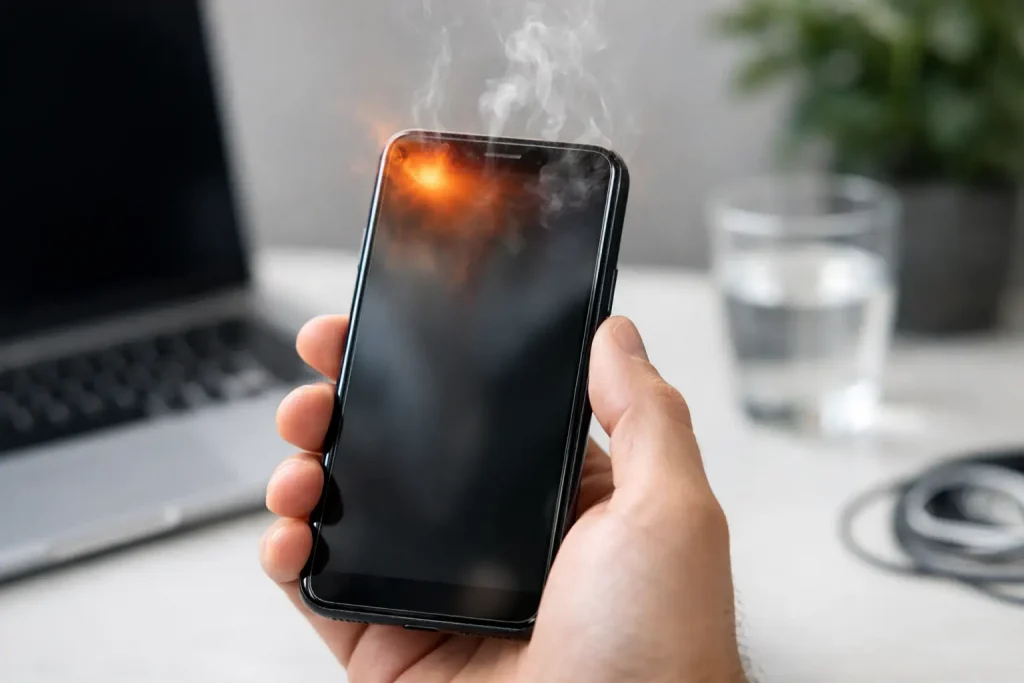
Why is my phone overheating? Learn the most common causes, what temperatures are normal, and how to cool your phone safely fast.
Your phone feels hot in your hand, the screen starts dimming, apps lag, and suddenly you are wondering, why is my phone overheating when all you did was scroll, stream, or charge it like usual? That heat can be harmless in some cases, but it can also point to battery strain, demanding apps, poor airflow, or a hardware issue that should not be ignored.
Why is my phone overheating in the first place?
A phone generates heat every time it works. The processor heats up while running apps, the battery warms during charging and discharging, and the screen itself adds to the temperature, especially at high brightness. Some warmth is completely normal.
The problem starts when that heat builds faster than the phone can release it. Modern phones are thin, powerful, and packed tightly. That makes them convenient to carry, but it also means there is not much room for heat to escape when the device is under heavy load.
In plain terms, overheating usually comes down to one of three things: the phone is doing too much at once, the environment is too hot, or something is wrong with the battery, charging setup, or internal components.
Normal warmth vs. actual overheating
It helps to separate normal heat from a real problem. If your phone gets a little warm while charging, using GPS, recording video, or playing a game, that is expected. The device is using more power, so it creates more heat.
Overheating looks different. You may notice warning messages, sudden app crashes, a dim or black screen, charging that slows down or stops, or the phone shutting itself off. Some devices also disable the camera flash or limit performance until the temperature drops.
If the phone is hot enough that it is uncomfortable to hold for long, that is a sign to stop what you are doing and let it cool. If this happens often with light use, it is worth investigating.
The most common reasons your phone gets too hot
Heavy app use and background activity
Gaming, video editing, livestreaming, and long video calls can push a phone hard. So can navigation apps, especially when the screen stays on, brightness is high, and GPS is active for a long time. If you are also using Bluetooth, mobile data, and music at the same time, the workload stacks up fast.
Background apps can be just as sneaky. An app that keeps refreshing, tracking location, uploading files, or glitching in the background can heat up the processor without making it obvious on the screen. This is one reason a phone sometimes feels hot even when you are not actively using it.
Charging habits and accessories
Charging naturally creates heat, but some situations make it worse. Fast charging is convenient, yet it usually produces more warmth than slower charging. Wireless charging can also run hotter because energy transfer is less efficient than with a cable.
Cheap or damaged chargers and cables are another common issue. They may not regulate power well, which can stress the battery. Even if a third-party charger technically works, it may not be the best fit for your phone.
Using the phone heavily while it charges is one of the fastest ways to raise the temperature. You are asking the battery to charge while the processor and screen drain power at the same time. That combination often creates more heat than either task alone.
Hot weather and direct sunlight
Sometimes the phone is not the real problem. The environment is. A device left in a parked car, used on a beach chair, or mounted on a dashboard in direct sun can overheat quickly, even with light use.
Heat from the outside makes it harder for the phone to cool itself. Add navigation, charging, or streaming music in a hot car, and the temperature can spike fast. Cases can make this worse if they trap heat, especially thick rugged ones with limited ventilation.
High screen brightness and long camera sessions
A bright screen uses more power, and more power means more heat. This is especially noticeable outdoors, where auto-brightness may push the display to maximum for long periods.
The camera can also generate a lot of heat. Recording 4K video, shooting long clips, editing photos, or using AR features puts pressure on the processor and image system. If your phone gets hot mostly while filming or taking lots of pictures, that is usually the reason.
Software bugs and outdated apps
Not every overheating issue is caused by hardware. A buggy app or software update can send processor usage way up, drain the battery, and keep the phone warm for hours.
This can show up after installing a new app, updating the operating system, or restoring a phone from backup. Sometimes the device is indexing files or finishing setup after an update, which may calm down after a day. Other times, one bad app is the real culprit and needs to be updated or removed.
Battery wear or internal damage
As batteries age, they become less efficient. An older battery may heat up faster under normal use, hold less charge, and cause performance issues. If your phone is a few years old and suddenly starts getting hot more often, battery health deserves a close look.
Physical damage matters too. A dropped phone, water exposure, or swelling battery can all create safety risks. If the back of the phone looks raised, the screen is lifting, or you smell something unusual, stop using the device and get it checked right away.
How to cool your phone down safely
If your phone is overheating, the goal is to reduce workload and let heat escape naturally. Move it out of direct sunlight first. Then stop charging it, close demanding apps, and turn off features you do not need for the moment, like Bluetooth, hotspot, or GPS.
If possible, remove the case for a while. That can help trapped heat dissipate faster. You can also lower screen brightness or lock the phone and let it rest for a few minutes.
What you should not do is just as important. Do not put the phone in a freezer, fridge, or against an ice pack. Sudden temperature swings can create condensation inside the device, which is bad news for electronics. Cooling it gradually is the safer move.
What to check if the overheating keeps happening
Look at battery health and app usage
If the issue is recurring, start with battery settings and app activity. Many phones show which apps use the most battery over the last 24 hours or several days. If one app is way out of line, update it, force close it, or uninstall it to see if the heat improves.
Battery health tools can also help. If your battery capacity is significantly degraded, replacement may solve both heat and battery life problems. This is especially relevant for older devices that get hot during basic tasks.
Update your phone and restart it
A simple restart can clear temporary software problems. If that helps for a day and then the heat returns, check for system and app updates. Developers often patch bugs that cause excessive battery drain and overheating.
If the phone recently updated and the problem started immediately after, give it some time if the device is still setting itself up. But if the heat remains severe after a day or two, troubleshooting specific apps becomes more important.
Change your charging setup
Try charging with the manufacturer-approved adapter and cable, or a high-quality replacement that matches the phone’s power needs. If you usually charge wirelessly and notice a lot of heat, test a wired charger instead.
Also consider changing your routine. Charging overnight in a cool room may produce less heat than topping up in a hot car or while streaming videos. Small habits can make a noticeable difference.
When overheating is a sign of a bigger problem
Occasional warmth is normal. Repeated overheating during light tasks is not. If your phone gets hot while sitting idle, drains unusually fast, restarts on its own, or refuses to charge properly, there may be a deeper issue with the battery, charging port, or internal board.
This is especially true if the device has been dropped, exposed to water, or repaired with low-quality parts in the past. At that point, home troubleshooting has limits. Professional diagnosis is the smarter move.
How to prevent your phone from overheating
Prevention is mostly about reducing stress. Avoid leaving your phone in direct sun or in a parked car. Do not game, stream, and fast-charge all at once unless you have to. Keep apps updated, use quality chargers, and take off the case if you notice heat building during long sessions.
It also helps to be realistic about what your phone can handle. A flagship model may manage intense gaming and 4K recording better than a budget device, but every phone has thermal limits. The more demanding the task, the more useful short breaks become.
If you keep asking why is my phone overheating, the answer is usually not mysterious. Your phone is either working too hard, getting too hot from the outside, or showing early signs that the battery or software needs attention. Catch it early, cool it safely, and you will often prevent a small annoyance from turning into an expensive repair.

















Leave a Comment
Your email address will not be published. Required fields are marked with *