
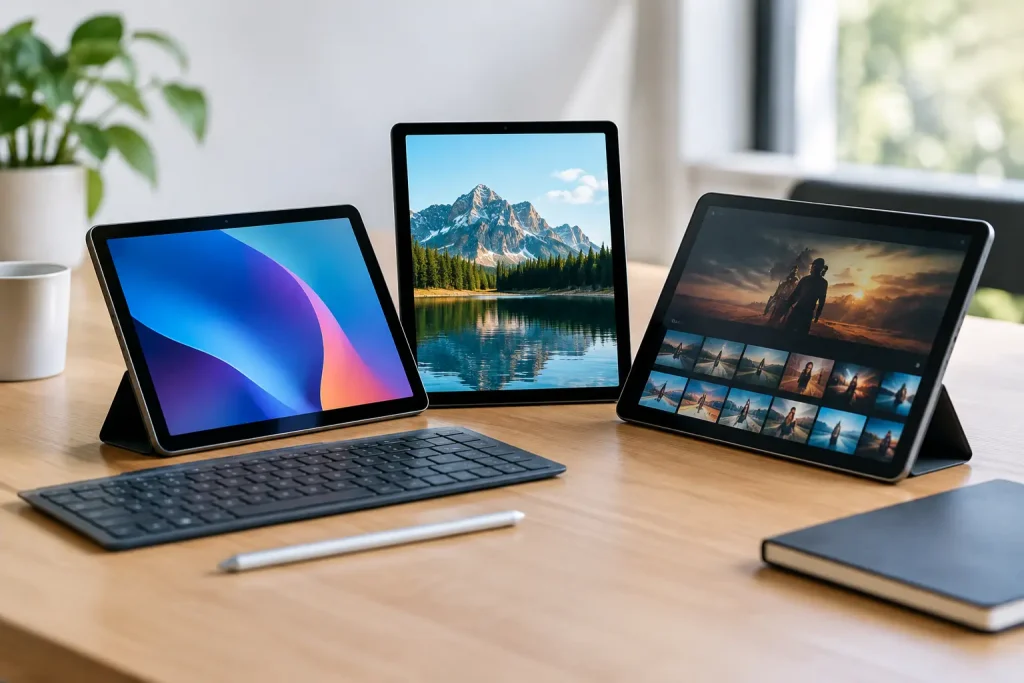
Find the best budget tablets for streaming, school, reading, and light work, with practical buying advice to help you spend wisely and avoid weak picks.
A cheap tablet can be a fantastic couch companion, a student’s second screen, or a travel-friendly entertainment hub. It can also become frustrating fast if it stutters while switching apps, has too little storage, or receives few software updates. The best budget tablets strike a smarter balance: enough speed for daily use, a screen you will actually enjoy looking at, and a price that leaves room in the budget for a case or keyboard.
For most shoppers, the sweet spot is roughly $150 to $350. Below that range, compromises get sharper. Above it, you may be paying for premium features that do not matter if your main plan is streaming, reading, video calls, homework, and casual browsing.
What Makes a Budget Tablet Worth Buying?
Price is only one part of value. A $120 tablet with 32GB of storage and limited memory may look like a deal, but it can fill up quickly with offline shows, photos, games, and school files. It may also struggle with the basic multitasking that makes a tablet useful.
Start with the screen. A 10- to 11-inch display is the practical size for most adults and students because it feels comfortable for movies, web pages, recipes, and documents without becoming awkward to carry. A sharp 1080p-class display is a much better target than a low-resolution panel, especially for reading small text.
Storage matters more than many shoppers expect. Aim for at least 64GB, while 128GB is preferable for anyone downloading media or apps. A microSD card slot is useful on Android and Fire tablets, though it does not always help with every app. Also look for at least 4GB of memory. More memory generally means fewer slowdowns when you bounce between a browser, email, notes, and streaming apps.
Finally, consider the ecosystem you already use. iPhone owners may appreciate the handoff features and broad app selection of an iPad. Android phone users often find Android tablets more familiar and flexible. Amazon Fire tablets are built around Amazon services and can be excellent for entertainment, but their app situation is more limited than standard Android.
Best Budget Tablets to Consider
Apple iPad (A16): Best Budget iPad for Most People
Apple’s entry-level iPad with the A16 chip is the right pick for shoppers who want an iPad without moving into iPad Air pricing. It has the responsive feel, long app support, strong tablet app library, and polished performance that make iPads easy to recommend for families, students, and casual creators.
The larger initial cost is the trade-off. It is usually only a budget choice when it is discounted, and accessories such as the Apple Pencil and keyboard can raise the final checkout total quickly. Storage also deserves attention: the base capacity can work for streaming and schoolwork, but frequent downloaders should price out the higher-storage version before buying.
Choose it if you already use an iPhone, want reliable creative and education apps, or need a tablet that should stay useful for several years. It is overkill for someone who only wants an inexpensive device for bedtime reading and occasional video.
Samsung Galaxy Tab A9+: Best Android Tablet for Everyday Use
The Samsung Galaxy Tab A9+ remains one of the most sensible Android choices for everyday tablet buyers. Its 11-inch screen gives you room for streaming, web browsing, email, and split-screen work, while its software feels familiar to anyone with a Samsung Galaxy phone. It is particularly attractive during sales, when it often lands well below the price of entry-level iPads.
For the best experience, seek out a configuration with more storage and memory rather than automatically buying the cheapest version. That small upgrade can make a real difference when the tablet is shared by several people or used for games and school apps. The microSD card slot is another welcome feature for downloaded movies and photos.
This is a capable media and light-productivity tablet, not a replacement for a laptop. Heavy video editing, advanced illustration work, and demanding games will expose its limits. For the usual mix of YouTube, Netflix, Google Docs, video calls, and browsing, it delivers the practical experience most people need.
Lenovo Tab M11: Best Budget Tablet for Students
The Lenovo Tab M11 stands out for students and note-takers who want an affordable big-screen device with optional or bundled pen support, depending on the package. Its 11-inch format is comfortable for digital textbooks, class slides, handwritten notes, and side-by-side research. Lenovo also tends to include useful productivity features without making the interface feel overly complicated.
Its processor is geared toward routine tasks, so expectations should stay realistic. It handles reading, notes, documents, and streaming well, but it is not the tablet to buy specifically for high-end gaming or serious creative production. The screen and speakers are good enough for everyday media, though they do not match pricier models.
The M11 makes the most sense when the pen is included at a competitive price. Buying the tablet and stylus separately can weaken its value compared with a sale-priced Samsung or iPad. For a student who wants one device for class notes and evening entertainment, however, it is a very balanced option.
Amazon Fire Max 11: Best for Prime Entertainment Fans
The Fire Max 11 offers one of the better large-screen experiences in Amazon’s tablet lineup. It is a natural fit for people who spend a lot of time with Prime Video, Kindle books, Audible, Alexa, and Amazon shopping. The screen is pleasantly spacious for movies and recipes, and Amazon frequently discounts the device around major shopping events.
The catch is software freedom. Fire OS is based on Android, but it does not offer the same standard app experience as a Samsung or Lenovo tablet. Many major entertainment apps are available, but shoppers who depend on Google services, niche apps, or specific school and work tools should confirm compatibility before purchasing.
That limitation is not a deal-breaker for the right household. For reading, streaming, web browsing, video calls, and light family use, the Fire Max 11 can be an appealing value. It is less ideal as the only tablet for a student or professional who needs a broad app catalog.
Amazon Fire HD 10: Best Low-Cost Tablet for Basic Streaming
If keeping the cost down is the priority, the Fire HD 10 is often the better value than ultra-cheap no-name tablets. It provides a usable 10-inch screen for Prime Video, ebooks, web browsing, and simple games, and it is commonly available at steep promotional prices. Add a protective case, and it can make a sensible shared family device or a starter tablet for an older child.
Its performance is more modest than the Fire Max 11, Samsung Galaxy Tab A9+, or iPad. That is most noticeable when you open several apps, load complex websites, or play demanding games. The same app-store caution applies here, too. Buy it for uncomplicated entertainment, not for flexible schoolwork or multitasking.
How to Choose Between the Best Budget Tablets
The right tablet depends less on a spec sheet than on what you will do with it after the first week. For streaming, reading, and relaxed web use, screen size, speakers, and battery life should lead the decision. A Fire tablet can be a strong buy if its app selection covers your habits. For school, choose a standard Android tablet or iPad so you have better access to learning platforms, file tools, note apps, and accessories.
For light work, a keyboard-compatible 11-inch tablet is more useful than a smaller model, but be honest about your workload. A tablet is excellent for email, documents, meetings, task lists, and travel. If your day involves large spreadsheets, desktop-only software, or long stretches of typing, a laptop still makes more sense.
Do not forget the real-world cost. A rugged case is worth adding immediately, especially for a household tablet. A screen protector, microSD card, keyboard, or stylus can be useful, but only when they match how you work. Buying every accessory at once can turn a budget purchase into a midrange one.
Before checking out, compare the exact storage and memory configuration, not just the model name. Retailers often advertise the lowest-priced version most prominently, while a modestly higher configuration may deliver much better long-term value. Check whether the listing includes a charger, stylus, keyboard, or ads on the lock screen, too.
A good budget tablet should disappear into your routine: ready for a recipe in the kitchen, a lecture on the couch, or a downloaded movie on a flight. Pick the one that supports those moments without making you pay for features you will never use.

















Leave a Comment
Your email address will not be published. Required fields are marked with *