
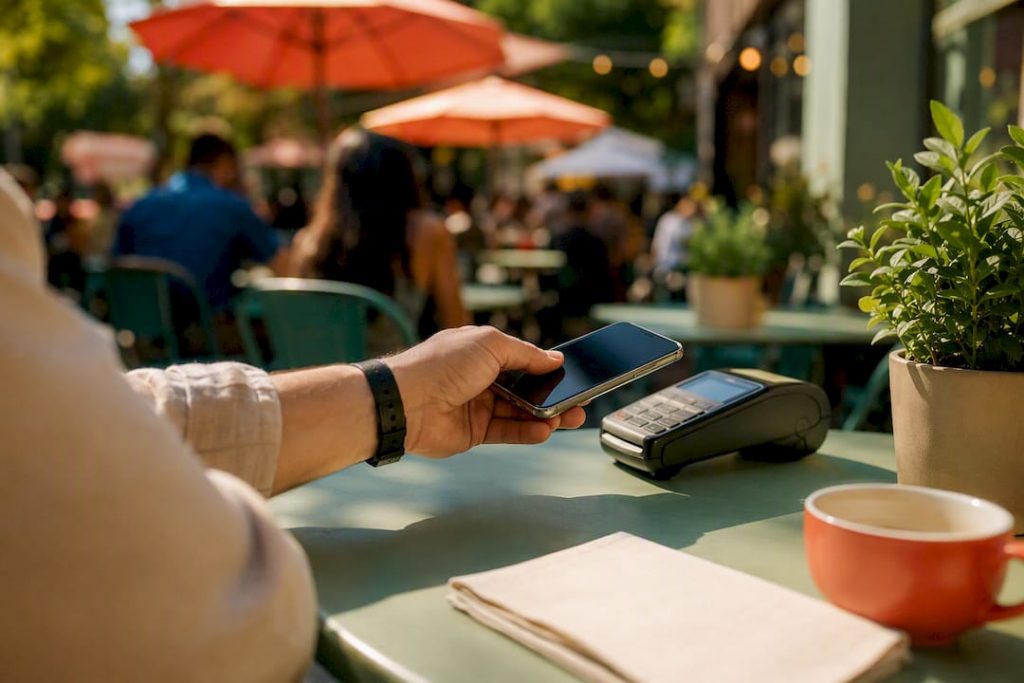
Discover how digital wallets speed up payments, enhance security, and simplify transactions with tokenization and contactless options.
A digital wallet’s core role is simple: it authenticates you and generates a secure, tokenized version of your payment or ID information so a transaction can happen without exposing your real card number or credentials. That single function powers everything from tapping your phone at checkout to proving your age without handing over your driver’s license.
- Tokenization swaps your real card number for a one-time or device-specific code.
- NFC/contactless lets your phone or watch talk to a payment terminal in an instant tap.
- Verifiable credentials let a wallet hold digital IDs, not just cards, for services beyond payments.
A recognizable example: tapping Apple Pay at a coffee shop uses the same tokenization tech that lets a wallet later verify your driver’s license at a bar. Reach for a digital wallet over cash or a physical card whenever you want faster checkout and a real card number that never touches the merchant’s system.
Key Takeaways
Digital wallets work by replacing your real payment and identity data with authenticated, single-use tokens, making them the central interface for secure transactions.
| Point | Details |
|---|---|
| Core function | A wallet authenticates you and creates a secure token so real card numbers stay hidden. |
| Storage varies by type | On-device secure elements, cloud-backed credentials, and SIM wallets each trade security for portability differently. |
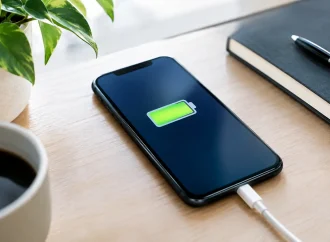
| Security beats convenience risk | Tokenization stops credential theft, but battery life and connectivity remain real operational risks. |
| Wallets go beyond payments | Verifiable credentials and selective disclosure let wallets share only the minimum data needed. |
| Backup payment methods matter | Keep one physical card as a fallback for dead batteries or weak signal areas. |
Table of Contents
- What Does a Digital Wallet Actually Store?
- How Do Digital Wallets Work Behind the Scenes?
- What Types of Digital Wallets Should You Know About?
- Why Do Digital Wallets Matter for Everyday Payments?
- What Happens If Your Wallet or Phone Gets Compromised?
- How Do You Set Up and Start Using a Digital Wallet?
- Which Wallets Are Most Recognizable Today?
- Are Digital Wallets More Than Just a Payment Tool?
- What Rights Do You Have If Your Phone Is Lost?
- Digital Wallets vs. Cash and Credit Cards: What’s the Real Difference?
- What’s Stopping More People From Using Digital Wallets?
- How Much Data Do Digital Wallets Actually Collect?
- How Can You Get More Value Out of a Digital Wallet?
- Our Take: Wallets Are Infrastructure, Not a Convenience Feature
- Frequently Asked Questions
- Sources
What Does a Digital Wallet Actually Store?
A digital wallet is less a “virtual purse” and more a secure filing cabinet for anything that needs to be verified. Most people picture stored credit cards, but modern wallets hold far more.
- Payment cards and bank links for tap-to-pay and online checkout.
- Boarding passes and event tickets that scan directly from your lock screen.
- Loyalty and membership cards that used to clutter your physical wallet.
- Digital IDs and verifiable credentials, like a driver’s license or an age credential.
- Cryptocurrency keys, for wallets built around blockchain assets.
Each stored item maps to a different transaction type: contactless NFC payment at a terminal, a one-click online checkout, a peer-to-peer transfer to a friend, a scanned ticket at a concert gate, or a selective disclosure at a bar that confirms you’re over 21 without revealing your home address. That range is what separates a wallet from a simple payment app. It’s an all-purpose credential holder that happens to be exceptionally good at moving money.
How Do Digital Wallets Work Behind the Scenes?
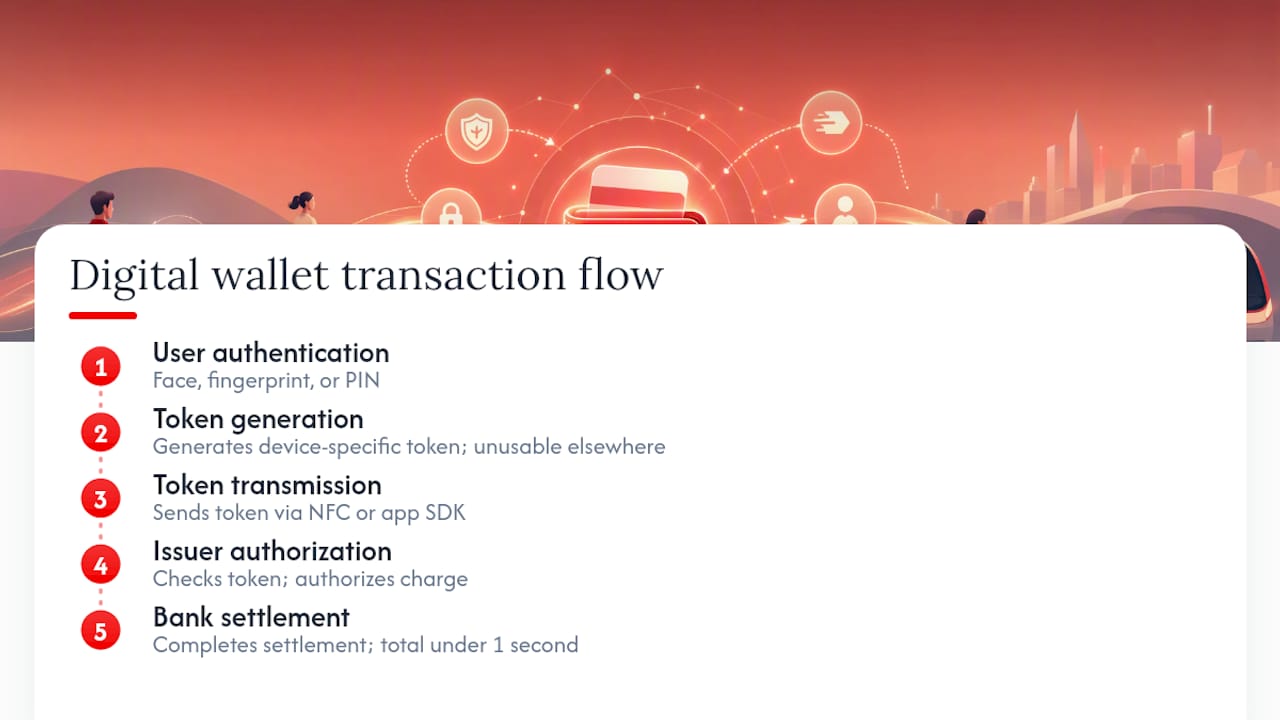
Every wallet transaction follows a short chain: you authenticate (face, fingerprint, or PIN), the wallet selects or generates a token, that token gets transmitted securely to the terminal or merchant, the card issuer authorizes the charge, and the bank settles it. The entire sequence usually takes under a second.
The clever part is tokenization. Instead of transmitting your actual 16-digit card number, the wallet sends a substitute code tied to your specific device or transaction. If a merchant’s database gets breached, that token is useless to a thief because it can’t be reused elsewhere. Government guidance on mobile wallets confirms this tokenization plus device authentication is the backbone of contactless wallet security, whether you’re tapping in-store over NFC or checking out through an app’s payment SDK.
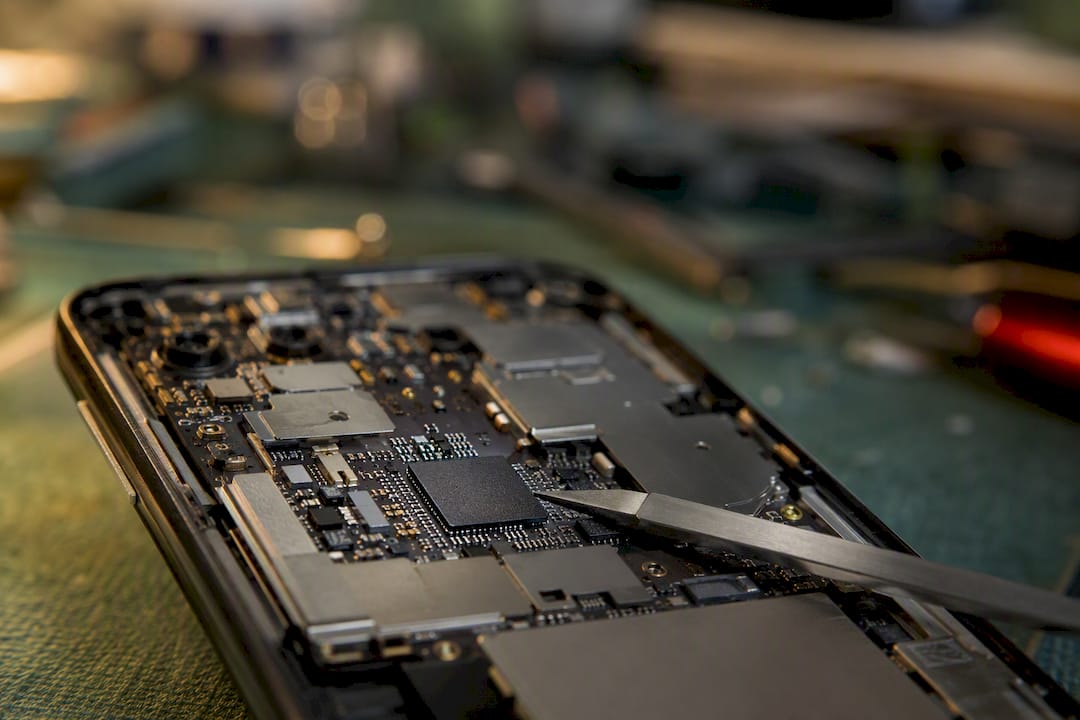
Where that token actually lives varies by wallet. Some phones use an on-device secure element, a small isolated chip. Others rely on cloud-backed credentials pulled down when needed, and a few carrier-based wallets store data on the SIM itself. Each model trades off differently between security and portability. A secure element is hard to extract remotely; a cloud-backed wallet is easier to restore on a new phone.
Pro Tip: Keep one physical backup card in your bag for the rare dead-battery or no-signal moment. A wallet that can’t authenticate is just a locked phone.
What Types of Digital Wallets Should You Know About?
Not all wallets serve the same purpose, and picking the right one depends on what you’re trying to accomplish.
- Mobile OS wallets (Apple Pay, Google Pay style) link directly to your phone’s hardware security and work almost anywhere NFC terminals exist.
- Bank or issuer wallets come built into a banking app, tying payments tightly to one account.
- Payment-provider wallets, like PayPal, sit above your bank and cards, useful for online purchases and sending money to other people.
- Cryptocurrency wallets split into hot wallets (software-based, like MetaMask, convenient for frequent transactions) and cold wallets (hardware devices like Ledger, built for long-term custody and offline security).
- Government or eID wallets are emerging to hold digital versions of licenses and identity documents.
The trade-off across all of them is convenience versus control. A hardware wallet like Ledger sacrifices one-tap convenience for the peace of mind of offline key storage, while a mobile OS wallet trades some of that control for near-universal usability. Most of these wallet types, from mobile OS wallets to crypto hardware, are readily available to Canadian consumers through app stores, banks, and electronics retailers.
Why Do Digital Wallets Matter for Everyday Payments?
The benefits split cleanly between what you feel as a shopper and what businesses gain behind the scenes.
For you, the wins are speed and safety. Checkout at a register takes a tap instead of a card swipe and signature. Online, a wallet autofills your payment details, cutting out the manual entry of card numbers, expiration dates, and billing addresses. Practitioner analysis shows this compresses a multi-field checkout into one authenticated action, which is exactly why abandoned online carts drop when wallet options are offered. Add biometric authentication, tokenized security, and a single place to manage loyalty cards and transit passes, and the appeal compounds.
For merchants, wallets reduce fraud exposure since they never see your raw card number, and some wallets simplify accepting multiple currencies for cross-border sales.
The market reflects that value. Industry forecasts project the digital wallet market growing around 9% annually through the late 2020s, a pace that signals wallets are shifting from convenience feature to default expectation. Small businesses adapting to this shift can find practical setup guidance in resources like these Apple Pay and Google Pay tips for small businesses.
What Happens If Your Wallet or Phone Gets Compromised?
Digital wallets layer several protections: tokenization hides your real card number, encryption protects data in transit, a secure element isolates sensitive credentials from the rest of the phone’s software, and biometric or multi-factor authentication confirms it’s actually you. Issuers also run fraud detection on the backend, flagging unusual token activity in real time.
The risks are real but different from a stolen physical card. A thief with your unlocked phone has a bigger problem than a thief with your credit card, since a phone often unlocks more than payments. Other risks include operating system vulnerabilities, phishing attempts disguised as bank or merchant messages, and the operational dependency on battery life or a network connection. Tokenization stops credential theft; it does nothing if your phone simply dies at the register.
If your device is lost or stolen, act fast:
- Lock or remotely wipe the device using your phone’s “find my device” feature.
- Contact your bank or card issuer immediately to suspend the affected tokens.
- Monitor your statements closely for a few weeks for unauthorized charges.
- Change passwords on any accounts linked to that device, especially email and banking apps.
Pro Tip: Set up a passcode and biometric lock the moment you activate a new phone, and register a backup recovery method before you actually need it. That five-minute setup step is what makes remote wipe possible later.
How Do You Set Up and Start Using a Digital Wallet?
Getting started takes less time than opening a new bank account.
- Pick a wallet type that matches your habits, whether a mobile OS wallet, a bank app, or a payment-provider option.
- Check device compatibility, since NFC and biometric hardware vary by phone model and age.
- Add and verify a payment method, usually by scanning your card or logging into your bank.
- Set up authentication, ideally biometrics plus a backup PIN.
- Test it with a small purchase, either a contactless tap in-store or an online checkout.
Most modern smartphones and smartwatches, across major operating systems, support this setup natively. Keep a backup payment method, like a physical card, in a bag or car in case your phone loses power or you’re in an area with weak signal.
Which Wallets Are Most Recognizable Today?
A handful of names dominate everyday use, each built for a slightly different job. Apple Pay and Google Pay handle the bulk of tap-to-pay transactions by linking directly to phone hardware. PayPal covers online purchases and person-to-person transfers, often without needing to share banking details with the seller directly. In the cryptocurrency space, MetaMask serves as a hot wallet for everyday token transactions and app interactions, while Ledger, a hardware device, appeals to people who want their crypto keys stored offline for long-term custody.
All of these options are widely accessible, with mobile OS wallets and major payment-provider apps supported broadly and crypto hardware like Ledger sold through electronics retailers and official distributors. Government pilots are also experimenting with wallet-based digital IDs, hinting at where OS-level wallet integration is headed next.
Are Digital Wallets More Than Just a Payment Tool?
Payments were the entry point, but wallets are quietly becoming the infrastructure for digital identity. Research from a World Bank policy note frames wallets as a convergence point for identity, data sharing, and payments in one user-controlled container, rather than three separate systems.
The mechanism that makes this work is selective disclosure: a wallet can prove a single claim, like “this person is over 18,” without revealing a birthdate, address, or full ID. That decouples the issuer of a credential (say, a government ID office) from the verifier (a bar checking age), which matters enormously for both scalability and privacy.
- Trust frameworks and scheme rules determine which wallets and verifiers are allowed to interact.
- Governance gaps are exactly why regulators are watching this space closely.
Pro Tip: Whenever an app or venue asks for a wallet-based credential check, look for the selective disclosure option instead of a full ID scan. You’ll share less, and it’s usually faster too.
What Rights Do You Have If Your Phone Is Lost?
Canadian consumer protection for mobile wallets generally mirrors the protections attached to the underlying card or bank account, not a separate “wallet law.” If your phone is lost or stolen, your obligation is to report it promptly to your card issuer or bank, the same way you would report a lost physical card. Most issuers cap your liability for unauthorized charges to a small amount, or zero, provided you report the loss quickly and haven’t been negligent, such as leaving your device unlocked with no passcode.
Device manufacturers add another layer of protection. Both major mobile operating systems let you remotely lock or erase a lost device and suspend the wallet’s stored tokens without needing to cancel your actual card. That’s a meaningful distinction: a wiped phone doesn’t require a new card number, unlike a stolen physical wallet, because the token tied to that device becomes worthless the moment it’s revoked.
Regulatory bodies are also watching this space more broadly. Payments industry groups have flagged that rapid wallet adoption raises questions around fees, market power between wallet providers and banks, and consistent consumer protection standards across platforms. None of that changes your immediate responsibility, though: report a lost device fast, confirm your issuer has suspended the linked tokens, and check your bank’s specific liability policy, since terms vary between institutions even though the general protections tend to align.
Digital Wallets vs. Cash and Credit Cards: What’s the Real Difference?
Cash is anonymous and universally accepted, but it’s also irreplaceable if lost and offers zero fraud protection. Drop a $50 bill and it’s gone. Credit cards improved on that with fraud protection and dispute rights, but the physical card itself is a static piece of data. Anyone who copies the number can use it elsewhere.
Digital wallets solve the static-data problem that cards never fixed. Because a wallet uses tokenization, wallets are generally more secure than physical cards for the simple reason that the number a merchant receives isn’t your real one. That single design choice is the unique role a wallet plays: it’s not just a faster card, it’s a different security model entirely.
That said, wallets don’t erase the need for the other two. Cash still works when the power’s out or a small vendor doesn’t take cards at all. Credit cards remain a solid backup for the same reason, plus they’re often required for things like car rentals. The practical shift isn’t wallets replacing cash and cards outright. It’s wallets becoming the default first choice, with cash and cards demoted to backup roles for the specific situations where a phone can’t do the job (dead battery, no signal, a terminal that only reads chip and PIN).
Where wallets pull further ahead is convenience layering. A single tap replaces reaching for a card, and a wallet consolidates loyalty programs, boarding passes, and IDs that would otherwise be spread across a physical wallet and multiple apps. Cash and cards do one job. A digital wallet does several at once.
What’s Stopping More People From Using Digital Wallets?
Adoption isn’t universal, and the barriers are practical rather than philosophical. Device compatibility is the first wall: older smartphones without NFC chips or modern biometric sensors simply can’t run a full-featured wallet, and that hardware gap disproportionately affects people who replace phones less frequently.
Internet and cellular access matters more than people expect. While a tap-to-pay transaction itself can work briefly offline, setting up a wallet, verifying a card, and syncing tokens generally requires a data connection. That creates friction in areas with patchy coverage, including rural stretches of Canada, where a smartphone might have signal for calls but struggle with the steady connection wallet apps prefer during setup.
Demographics play a role too. Older adults, and anyone less comfortable navigating app permissions and biometric setup, tend to adopt wallets more slowly, not because the technology fails them but because the onboarding assumes a baseline comfort with smartphone settings menus. Merchant acceptance is the final gap. Independent shops, older payment terminals, and cash-only businesses still exist, meaning a wallet-only approach can leave you stuck at checkout in a way a physical card never does.
None of these barriers are permanent. NFC hardware is now standard on most new phones sold, and merchant terminals increasingly ship contactless-ready by default. But treating a digital wallet as your only payment method, at least for now, is still a bet against uneven infrastructure.
How Much Data Do Digital Wallets Actually Collect?
Every digital wallet collects some data by necessity: transaction amounts, merchant names, timestamps, and device identifiers are how the system detects fraud and processes payments at all. The privacy question isn’t whether data gets collected, but who sees it, how long it’s kept, and whether you control what’s shared beyond the transaction itself.
This is where the distinction between traditional card payments and wallet architecture gets interesting. A standard credit card transaction hands a merchant your actual card number, which then sits in that merchant’s system indefinitely (and becomes a breach risk). A wallet transaction, by contrast, hands the merchant a token specific to that purchase. The merchant never touches your underlying account data, which limits what a data breach on their end can expose.
Selective disclosure pushes this further for identity credentials. Rather than a wallet handing over your full driver’s license data to confirm your age, World Bank research on verifiable credentials describes how a wallet can share only the single confirmed claim needed, nothing more. That’s a meaningfully different privacy posture than a bouncer photocopying your entire ID.
Where you retain the most control is in wallet settings themselves. Most wallets let you review which merchants have stored payment tokens, revoke access individually, and see a transaction history in one place, arguably better visibility than sorting through a stack of paper receipts or a cluttered bank statement. The trade-off is that this control requires you to actually check those settings; default configurations tend to favor convenience over minimal data sharing.
How Can You Get More Value Out of a Digital Wallet?
A wallet sitting idle in your app drawer with one card loaded is leaving value on the table. The people who benefit most treat it as a small piece of active financial management, not a set-and-forget convenience.
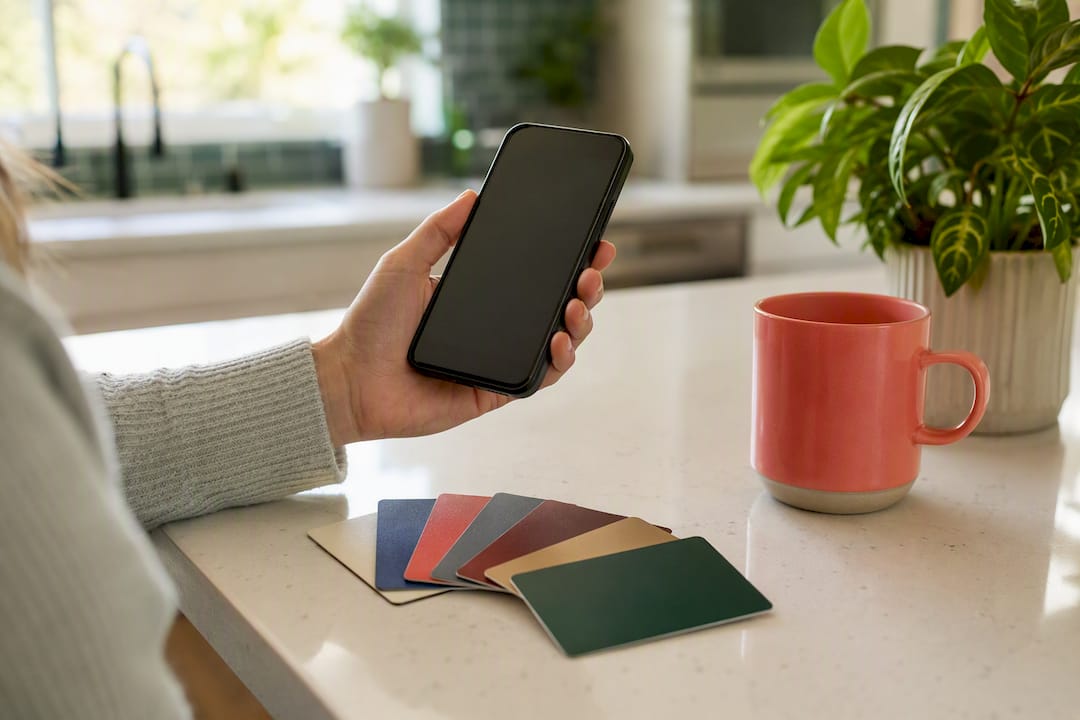
Start with loyalty and rewards consolidation. Most wallets let you load store loyalty cards, gift cards, and travel rewards programs alongside your payment methods, which means points and perks actually get applied automatically instead of forgotten in a physical card sleeve at home. If you juggle multiple rewards credit cards, check which one earns the most cash back or points for each type of purchase, then set that card as your wallet’s default for that spending category.
Pairing your wallet with a budgeting app closes the loop between spending and awareness. Because wallet transactions are digital by default, they sync cleanly into budgeting and financial management tools, giving you a real-time view of spending categories without manually logging receipts. That kind of visibility is a genuine step up from cash, where tracking spending means keeping paper slips or trying to remember what you bought.
A few habits worth building:
- Review linked cards periodically and remove ones you no longer use.
- Set a default card per spending category to maximize rewards automatically.
- Sync wallet transaction history with a budgeting app rather than checking each bank app separately.
- Check for wallet-specific merchant offers, since some wallets surface limited-time cashback deals you won’t see otherwise.
None of this requires new hardware or a subscription. It just requires actually using the settings the wallet already has.
Our Take: Wallets Are Infrastructure, Not a Convenience Feature
We think the biggest mistake readers make is treating a digital wallet as a nice-to-have shortcut instead of the security upgrade it actually is. Set it up deliberately, register your device properly, and always keep one fallback payment method on hand.
Frequently Asked Questions
What is the main role of digital wallets in payments?
The role of digital wallets is to authenticate a user and generate a secure token in place of real card or account data, allowing fast, protected transactions in-store, online, and peer-to-peer.
Are digital wallets safer than credit cards?
Yes, generally. Tokenization means a merchant never receives your actual card number, which limits what a data breach can expose, though device dependency remains a real downside.
Can I use a digital wallet without internet access?
Contactless NFC payments can often work briefly offline, but setup, card verification, and token syncing typically require a data connection.
What should I do if I lose my phone with a wallet on it?
Lock or remotely wipe the device immediately, contact your bank to suspend linked tokens, and monitor your statements for unauthorized activity over the following weeks.
Do digital wallets work with budgeting apps?
Many wallets sync transaction data automatically with personal finance and budgeting tools, giving a clearer real-time view of spending than cash or scattered receipts.
This article is general information, not a substitute for advice from a qualified financial advisor. Consult a qualified financial professional about your own circumstances before acting on anything here.
















Leave a Comment
Your email address will not be published. Required fields are marked with *