

Discover the clear signs your laptop needs to be replaced. Don’t let lagging performance or battery issues slow you down in 2026!
A laptop nearing the end of its useful life sends clear, consistent signals: startup times stretch past two minutes, the battery dies before lunch, and software you need simply refuses to run. These are the classic signs your laptop needs to be replaced, and recognizing them early saves you from lost work, security risks, and the slow frustration of a machine that fights you every day. The standard expected service life for a modern laptop is 4 to 6 years. After that window, the gap between what your hardware can do and what modern software demands grows fast.
What are the most obvious performance signs your laptop needs replacing?
Persistent performance delays like slow startups and app launch times reduce daily productivity by 25–40%. That is not a minor inconvenience. It means you are losing real working hours every week to a machine that can no longer keep pace.
The most telling performance red flags fall into three categories: boot speed, app responsiveness, and system stability.
- Startup time over 2 minutes. A healthy modern laptop running Windows 11 on an SSD boots in under 30 seconds. If yours takes longer than 2 minutes, the storage drive or system memory is struggling.
- App launches over 10 seconds. Opening Chrome, Microsoft Word, or Adobe Acrobat should take 2–4 seconds on current hardware. Anything beyond 10 seconds points to a failing drive or RAM bottleneck.
- Frequent tab switching lag. If switching between browser tabs causes a visible pause, your RAM is likely maxed out. Most modern workflows need at least 8GB, and 16GB is quickly becoming the baseline.
- Blue screens, unexpected restarts, and freezing. These are not random glitches. They signal failing RAM, a degrading SSD, or a corrupted system file that repairs cannot permanently fix.
- Thermal throttling. When a CPU overheats, it deliberately slows itself down to avoid damage. Thermal throttling reduces CPU performance by 30–50%, turning a mid-range processor into something that feels entry-level.
Pro Tip: Open Task Manager on Windows (Ctrl + Shift + Esc) or Activity Monitor on macOS and check CPU, RAM, and disk usage at idle. If any resource sits above 80% with no apps open, your hardware is already overwhelmed.
Old vs. new laptop performance at a glance
| Metric | Aging laptop (5+ years) | Current mid-range laptop |
|---|---|---|
| Boot time | 2+ minutes | Under 30 seconds |
| App launch (Word/Chrome) | 10–20 seconds | 2–4 seconds |
| RAM | 4–8GB DDR3 | 16GB DDR5 |
| Storage | HDD or older SATA SSD | NVMe SSD |
| Multitasking stability | Frequent freezes | Smooth with 10+ tabs |
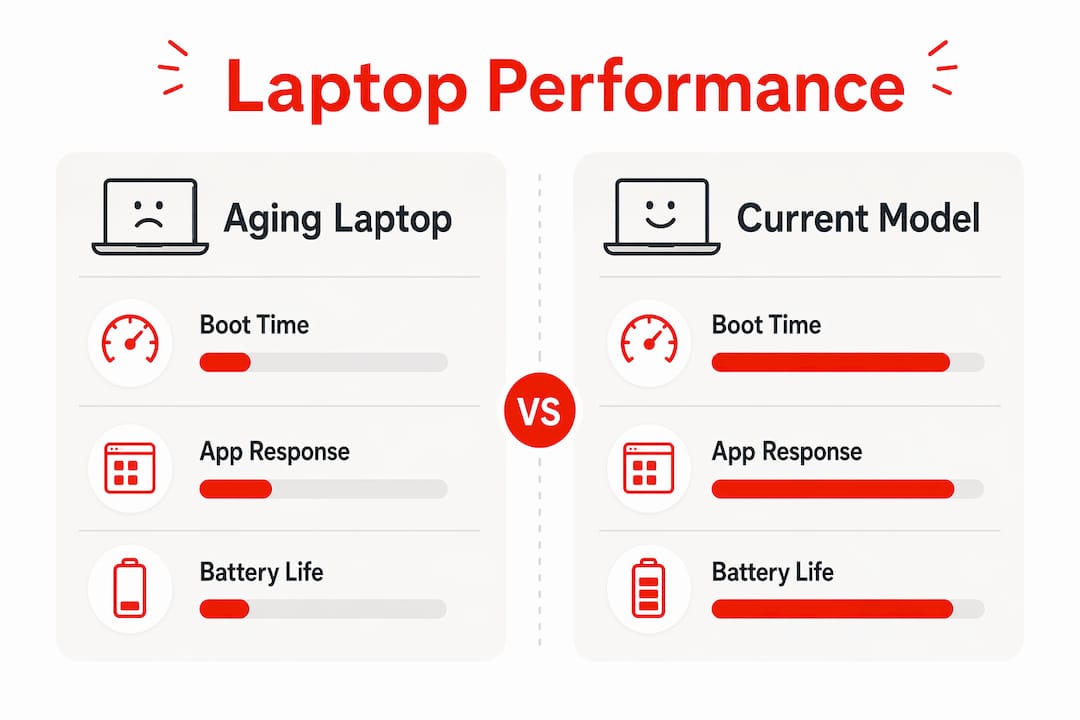
If you are fixing slow laptop problems and the same issues return within weeks, the hardware itself is the problem, not the software.
How does battery health signal the need for laptop replacement?
Battery degradation is one of the most honest indicators for laptop replacement. Lithium-ion batteries lose capacity gradually, and below 80% capacity after 300+ charge cycles, runtime typically drops under 1–2 hours. A laptop that cannot last through a meeting or a flight is no longer portable in any meaningful sense.
Watch for these specific battery warning signs:
- Runtime under 2 hours on a full charge. If you bought your laptop promising 8–10 hours and now get under 2, the battery has degraded significantly.
- Battery percentage dropping suddenly. A jump from 40% to 5% in minutes means the battery cells are failing unevenly.
- Visible swelling. A swollen battery pushes against the keyboard or bottom panel. This is a physical hazard and requires immediate action.
- Laptop only works when plugged in. At this stage, you are carrying a desktop in a laptop shell.
- Overheating while charging. Excessive heat during charging accelerates cell degradation and signals the battery management system is failing.
Pro Tip: On Windows, run powercfg /batteryreport in Command Prompt to generate a full battery health report. On macOS, hold Option and click the battery icon to see condition status. Both tools show cycle count and design capacity vs. current capacity.
Battery replacement costs typically range from $50 to $150 depending on the model. That cost makes sense for a laptop under 3 years old with otherwise solid hardware. For a machine already past 5 years with other issues piling up, a new battery is a short-term fix on a long-term problem.
When should software incompatibility prompt laptop replacement?
Software incompatibility is the quietest but most dangerous reason to replace a laptop. Unsupported OS versions expose devices to cyber vulnerabilities because they no longer receive security patches. Malware and ransomware attacks specifically target machines running outdated operating systems. Most users do not notice this risk until a breach occurs.
Microsoft ended support for Windows 10 in october 2025. Laptops that cannot upgrade to Windows 11 due to hardware limitations, specifically the TPM 2.0 requirement, are now running without active security coverage. That is a serious exposure for anyone handling financial data, personal files, or work documents.
The rise of AI-driven software adds another layer to this problem. Modern AI productivity tools require hardware that older machines simply do not have:
- Neural Processing Units (NPUs). Laptops without NPUs cannot run the latest AI-driven productivity tools. Features like Microsoft Copilot+ and on-device AI in creative apps require dedicated AI silicon.
- Minimum 16GB RAM. AI-assisted apps in tools like Adobe Creative Cloud and Microsoft 365 now perform significantly better with 16GB or more. Older machines capped at 8GB will lag noticeably.
- Modern GPU support. Video editing, AI image generation, and real-time collaboration tools tax integrated graphics in ways that 2018-era hardware was never designed to handle.
Security risks from aging laptops increase significantly once OS support ends. Staying on an unsupported system to avoid the cost of a new laptop is a false economy. The cost of a data breach far exceeds the price of a mid-range replacement. Check your laptop manufacturer’s website to confirm whether your model supports the current OS version. If it does not, replacement is not optional.
How to decide between repairing or replacing your laptop
The 50% rule is the gold standard for this decision: if a repair quote exceeds 50% of the cost of a comparable new or refurbished replacement, buying new is the smarter financial move. A real-world example makes this concrete. A median motherboard repair quote for a 5-year-old laptop runs around $425, while a refurbished replacement of similar spec costs roughly $380. The repair costs more than the solution.
Age matters enormously in this calculation. Here is how to think about it by bracket:
- Under 2 years old. Repair almost always makes sense. The hardware is current, and most failures are covered under warranty.
- 2–4 years old. Repair is viable for single component failures like a broken screen or dead battery. Avoid repairs that cost more than $200 on a machine in this range.
- 4–7 years old. Apply the 50% rule strictly. Multiple failures within this window signal systemic decline.
- Over 7 years old. Replacement is nearly always the right call. Hardware at this age cannot run modern software efficiently regardless of repair quality.
Multiple component failures within 12 months strongly advise ending repairs. Each fix addresses one symptom while the underlying aging continues. You end up spending $400–$600 in repairs over a year on a machine worth $300.
Common repair costs vs. replacement options
| Repair type | Typical cost | Replacement alternative |
|---|---|---|
| Battery replacement | $50–$150 | Refurbished mid-range: $350–$500 |
| Screen replacement | $150–$300 | New entry-level: $400–$600 |
| Motherboard repair | $300–$500 | New mid-range: $600–$900 |
| SSD upgrade (HDD to SSD) | $80–$150 | Refurbished with SSD: $300–$450 |
| Keyboard replacement | $80–$200 | New budget laptop: $350–$500 |
Pro Tip: Refurbished laptops from manufacturers like Dell, Lenovo, and Apple certified programs offer current-generation hardware at 20–40% below retail. For most users replacing a 5-year-old machine, a certified refurbished model hits the sweet spot between cost and performance.
What physical and hardware signs indicate a laptop is due for replacement?
Physical symptoms are often the most visible laptop replacement signs, yet many people dismiss them as cosmetic. They are not. Physical damage and hardware wear directly affect performance, safety, and longevity.
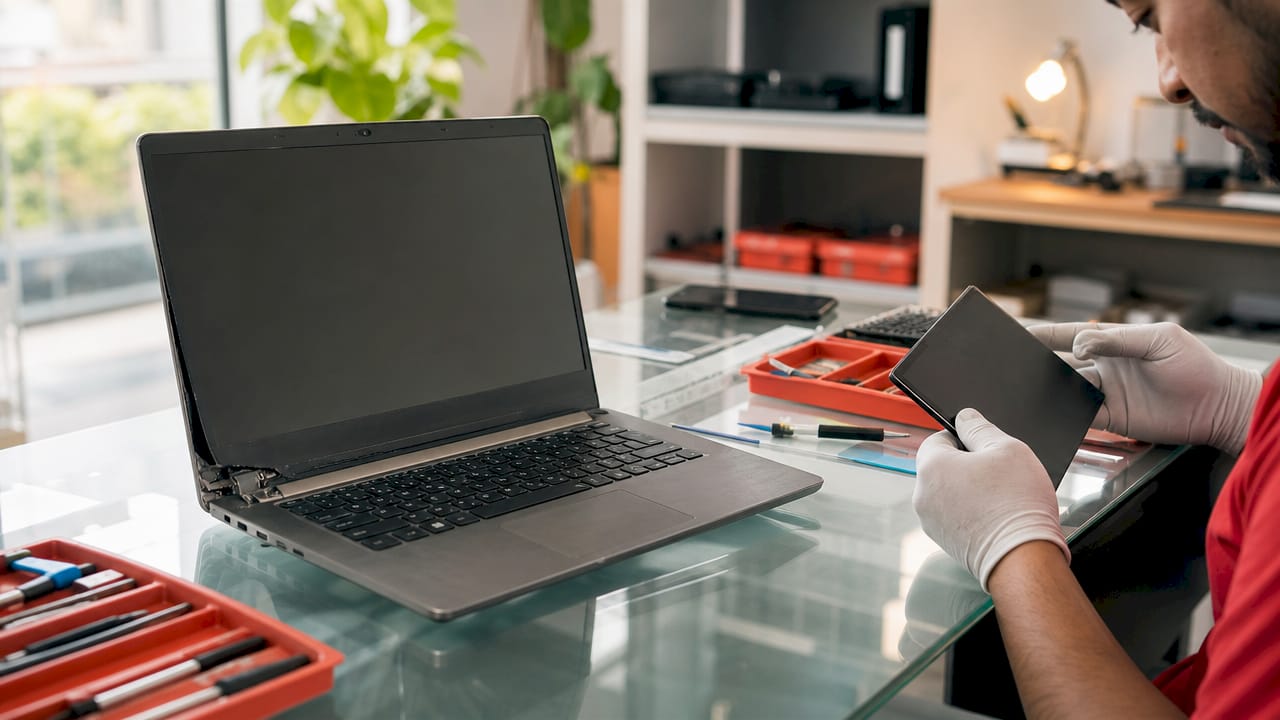
Sustained surface temperatures above 50°C indicate hardware strain that shortens lifespan and triggers throttling. When the bottom of your laptop feels hot enough to be uncomfortable on your lap, the cooling system is failing. Dust buildup in vents is a common cause, but on older machines, the thermal paste on the CPU degrades and the fans wear out. Cleaning helps temporarily. It does not reverse component aging.
Key physical and hardware warning signs to watch for:
- Fan noise above normal operating levels. Constant loud fan activity means the system is working hard just to stay cool at idle.
- Cracked or flickering screen. Screen replacements are expensive, and a flickering display often signals a failing GPU or display cable, not just the panel itself.
- Broken or loose ports. A USB port that no longer holds a connection or an HDMI port that cuts out affects daily usability significantly.
- Hinge failure. A broken hinge is a structural problem. Repair costs are high, and the fix rarely holds long-term on an older chassis.
- HDD instead of SSD. Mechanical hard drives are immediate upgrade candidates compared to SSDs for both speed and reliability. If your laptop still runs on a spinning hard drive, every task is slower than it needs to be, and drive failure risk increases with age.
Physical problems rarely appear in isolation. A laptop with a failing fan, a cracked hinge, and an aging HDD is telling you the same thing from three different directions. When you are choosing a new laptop to replace it, prioritize NVMe SSD storage and a solid thermal design from the start.
Key Takeaways
Replacing a laptop becomes the right decision when performance, battery, security, and physical signs converge and repair costs exceed 50% of a comparable replacement.
| Point | Details |
|---|---|
| Performance is the first signal | Startup times over 2 minutes and app launches over 10 seconds indicate hardware that can no longer meet modern demands. |
| Battery below 80% capacity | After 300+ charge cycles, runtime drops under 2 hours and replacement becomes a short-term fix on aging hardware. |
| OS support determines security | Laptops that cannot run a supported OS version expose your data to unpatched vulnerabilities and should be replaced promptly. |
| Apply the 50% rule | If any single repair quote exceeds 50% of a refurbished replacement cost, buying new is the more economical choice. |
| Physical damage compounds decline | Overheating, broken ports, and HDD storage are physical signs that often coincide with broader internal component failure. |
What I have learned about knowing when to let a laptop go
There is a pattern I have seen play out repeatedly. Someone spends $200 on a new battery, then $300 on a screen repair six months later, then another $400 on a motherboard fix. By the end, they have spent over $900 on a machine worth $250 on the used market. The sunk cost fallacy is real, and it is expensive.
The uncomfortable truth about laptop replacement timing is that most people wait too long. They treat each individual repair as a contained problem rather than reading the machine as a whole. A laptop that has had three component failures in two years is not having bad luck. It is aging out.
Replacement decisions should prioritize risk mitigation over convenience. Security is the part most people ignore until it is too late. Running an unsupported OS on a machine you use for banking, work email, or stored passwords is a genuine exposure, not a theoretical one. The moment your laptop can no longer receive security updates, the clock starts on that risk.
My honest advice: set a calendar reminder every 12 months to check your battery health, run a performance benchmark, and verify your OS support status. Treat your laptop like a car. You would not wait for the engine to seize before thinking about a replacement. Proactive monitoring lets you replace on your terms, not in a crisis.
— Alexander
Tech guides worth reading before you buy
Making a confident laptop replacement decision gets easier when you have the right context. Lizardslunch covers the full picture of gadgets in daily life and how the right hardware choices affect productivity, comfort, and long-term value. The technology section at Lizardslunch includes updated guides on current laptop recommendations, performance benchmarks, and practical buying advice across every budget. Whether you are replacing a 7-year-old workhorse or upgrading to handle AI-powered software, the right information makes the decision clearer and the outcome better.
FAQ
How do I know if my laptop needs replacing or just a repair?
Apply the 50% rule: if a repair quote exceeds 50% of a comparable refurbished replacement, buy new. Multiple failures within 12 months also signal that replacement is the smarter financial move.
What is the average lifespan of a laptop?
The standard expected service life for a modern laptop is 4 to 6 years. Performance, security support, and hardware reliability all decline noticeably after that window.
How can I check my laptop battery health?
On Windows, run powercfg /batteryreport in Command Prompt. On macOS, hold Option and click the battery icon. Both methods show current capacity versus original design capacity and cycle count.
Can a slow laptop be fixed without replacing it?
Yes, in some cases. Upgrading from an HDD to an SSD or adding RAM can restore usable performance on a machine under 4 years old. If the CPU, motherboard, or cooling system is the bottleneck, hardware upgrades will not solve the problem.
When does software incompatibility require a full laptop replacement?
When your laptop cannot run a currently supported operating system, replacement is necessary. Laptops that cannot upgrade to Windows 11 due to hardware limits are now running without active security patches, which creates real data risk.


















Leave a Comment
Your email address will not be published. Required fields are marked with *