
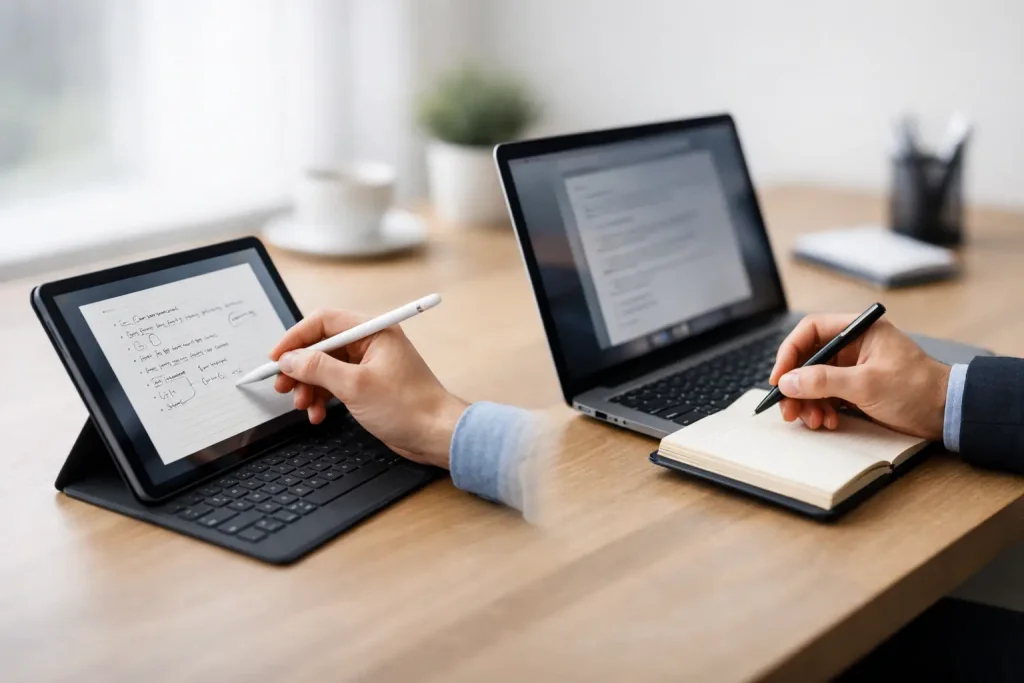
Tablet vs laptop for note taking: compare handwriting, typing, battery life, apps, and comfort to choose the right device for school or work.
A bad note-taking setup shows up fast – usually halfway through a lecture, during a long meeting, or when you need to find one key detail and your device makes it harder instead of easier. The tablet vs laptop for note taking debate matters because the best choice is less about specs and more about how you actually capture, organize, and revisit information.
For some people, a tablet feels closer to paper and helps ideas stick. For others, a laptop is the faster, more reliable workhorse. If you’re deciding between the two, the smartest move is to look at your note-taking habits first, then match them to the device.
Tablet vs laptop for note taking: the real difference
At a glance, the distinction seems simple. Tablets are better for handwriting and portability, while laptops are better for typing and multitasking. That basic split is true, but it leaves out the practical stuff that affects daily use.
A tablet is usually the better fit if your notes are visual. That includes diagrams, equations, annotated slides, brainstorming maps, and anything that benefits from scribbling in the margins. Writing with a stylus can feel more natural than typing, especially if you think by sketching or like to mark up PDFs directly.
A laptop usually wins when speed and volume matter most. If you’re taking dense notes in a fast-paced class, writing meeting minutes, or switching between documents while you type, the keyboard and larger screen often make the process smoother. Laptops also tend to handle file management and full desktop apps with less friction.
So this is not really a question of which device is better overall. It’s a question of which one supports the way your brain works under pressure.
When a tablet makes more sense
A tablet shines when flexibility matters more than raw productivity. You can hold it like a notebook, use it in tight spaces, and often get through the day without feeling like you’re carrying around a mini office.
The biggest advantage is handwritten input. For students, that can mean writing equations, drawing arrows between concepts, or annotating lecture slides in real time. For professionals, it can mean sketching ideas during client calls, marking up contracts, or jotting down quick notes while standing or moving between rooms.
There’s also a focus benefit. Tablets tend to be simpler environments. That can help if a laptop turns every note-taking session into a temptation to check email, open ten tabs, or drift into unrelated work.
Still, tablets have trade-offs. Glass-screen writing can feel less precise than paper unless you have a good stylus and a screen surface you like. Long typing sessions are often less comfortable unless you add a keyboard, and once you add a keyboard case, the price gap between tablet and laptop can shrink quickly.
App compatibility is another consideration. Many note apps on tablets are excellent, but some workflows still work better on desktop operating systems. If your notes need to live alongside spreadsheets, specialized software, or heavy document management, a tablet may start to feel limited.
Best tablet users for note taking
Tablets tend to work best for students, creative thinkers, visual learners, and anyone who values handwritten notes over typing speed. They’re also a strong option for commuters and travelers who want something lighter and easier to pull out on the go.
If your notes regularly include charts, freehand diagrams, highlighted readings, or side comments written directly on documents, a tablet can feel like the more intuitive tool.
When a laptop is the better buy
A laptop is still the safer all-around choice for many people. It handles note taking well, but it also does everything around note taking better: file organization, multitasking, browser-based research, document creation, and long-form writing.
That matters more than people expect. Notes are not just captured once and forgotten. They get cleaned up, searched, shared, turned into reports, and used in presentations. A laptop often fits that full cycle more naturally.
Typing is the biggest reason many buyers stick with laptops. If you’re a fast typist, you can usually capture more detail with less hand fatigue. That’s especially useful in college lectures, training sessions, interviews, and business meetings where the speaker moves quickly.
The larger screen also helps. You can keep your notes open on one side and a source document, slide deck, or video call on the other. That kind of split-screen workflow is harder to beat if your day involves constant context switching.
The downside is portability. Even lightweight laptops are less comfortable to use in cramped seats, while standing, or in informal environments. They also create a more formal work posture, which is great for productivity but not always ideal for quick note capture.
Best laptop users for note taking
Laptops are a smart pick for office workers, writers, researchers, business users, and students in text-heavy programs. If your notes are mostly typed sentences, outlines, and summaries, a laptop usually gives you the fastest and most comfortable setup.
They’re also the better choice if you’re buying one main device and need it to handle classes, work tasks, streaming, email, and general computing without compromise.
Handwriting vs typing changes the answer
This is where the tablet vs laptop for note taking decision becomes personal. The handwriting-versus-typing debate is not just about preference. It can affect comprehension, memory, and review.
Handwriting often slows you down in a good way. Because you can’t capture every word, you’re more likely to process ideas and summarize them. Many people remember handwritten notes better for that reason. Tablets make that style digital, searchable in some apps, and easier to store than paper notebooks.
Typing, on the other hand, is efficient. If the goal is to capture a lot of information quickly and sort it later, laptops have the edge. Typed notes are easier to search, cleaner to share, and quicker to reorganize into study guides or work documents.
Neither method is automatically better. If you never revisit your handwritten notes, the memory advantage won’t help much. If typing turns your notes into verbatim transcripts you barely understand, speed won’t help either. The best system is the one you’ll use consistently and review easily.
Cost matters more than it seems
A tablet can look cheaper at first, but accessories change the math. If you need a stylus, keyboard, case, and extra storage, the total can climb fast. A budget tablet may also feel less satisfying for serious note taking if the palm rejection, stylus performance, or app experience is weak.
Laptops are often more straightforward. You buy the device and start typing. But good battery life, low weight, and a comfortable keyboard usually cost more, so the cheapest option is not always the smartest one for daily use.
If note taking is your main goal, avoid paying for power you won’t use. A premium laptop built for video editing or a high-end tablet meant for digital art may be overkill if you just need reliable notes, document access, and smooth syncing.
What to consider before you choose
Think about where you take notes, not just what kind. A crowded lecture hall, coffee shop, plane seat, or hospital floor can make a tablet feel much more practical. A desk-based routine with regular research and writing usually favors a laptop.
Also think about what happens after the note-taking session. Do you annotate and move on, or do you turn notes into polished output? If your notes feed directly into papers, reports, proposals, or project plans, a laptop may save time every day.
And be honest about your habits. Some people love the idea of handwritten digital notes but end up typing everything anyway. Others buy laptops and then wish they could underline readings, circle ideas, and write naturally on the screen.
The best choice for most people
If you want the simplest answer, here it is: choose a tablet if handwriting, portability, and visual note taking are your top priorities. Choose a laptop if typing speed, multitasking, and all-purpose productivity matter more.
If you’re a student in classes that involve diagrams, math, reading annotation, or frequent slide markups, a tablet often feels like the better fit. If you’re a working professional or a student in a writing-heavy field, a laptop is usually the more practical investment.
There is one more middle-ground option worth considering: a 2-in-1 device. It won’t match the best pure tablet for handwriting or the best laptop for keyboard comfort, but it can be a strong compromise if you need both styles regularly.
The right device should make note taking feel easier, not more impressive. Pick the one you’ll reach for without hesitation when something worth remembering shows up.


















Leave a Comment
Your email address will not be published. Required fields are marked with *