
Discover how budgeting apps work, which features build financial literacy, and practical tips to make the most of your personal finance tools in 2026.
Managing your money doesn’t have to feel like a chore. Most people picture budgeting as a frustrating ritual of spreadsheets, receipts, and math, but that picture is rapidly changing. Nearly 88% of users say budgeting apps genuinely help them, and about 80% check in weekly. That kind of consistent engagement tells a real story: when technology meets personal finance, something clicks. In this guide, we’ll walk you through how budgeting apps actually work, which features drive financial growth, where the real challenges hide, and how to build habits that make these tools work harder for you. Whether you’re starting from scratch or looking to level up your money management, you’re in the right place.
Table of Contents
- How budgeting apps work: Connecting accounts and simplifying expenses
- From tracking to transformation: Features that drive financial literacy
- Common roadblocks: Where budgeting apps fall short
- Getting more from budgeting apps: Tips for real-world success
- Why budgeting apps alone won’t fix your finances
- Find your ideal budgeting solution with Lizard’s Lunch
- Frequently asked questions
Key Takeaways
| Point | Details |
|---|---|
| Automated tracking | Budgeting apps automatically import and categorize expenses to save you time and reduce manual errors. |
| Build financial habits | Unique features like goal tracking and spending insights help reinforce positive budgeting routines. |
| Acknowledge limitations | Apps provide structure, but mindful engagement is critical to lasting change. |
| Security matters | Choosing well-reviewed apps with strong security and transparent data practices is essential. |
| Maximize your results | Consistent app use, paired with honest spending reviews, delivers the best financial outcome. |
How budgeting apps work: Connecting accounts and simplifying expenses
The first time you open a budgeting app, one thing stands out immediately: it wants to connect to your bank. That single step is where the magic begins. Instead of manually entering every cup of coffee or grocery run, your transactions flow in automatically. You get a live picture of your spending without lifting a finger.
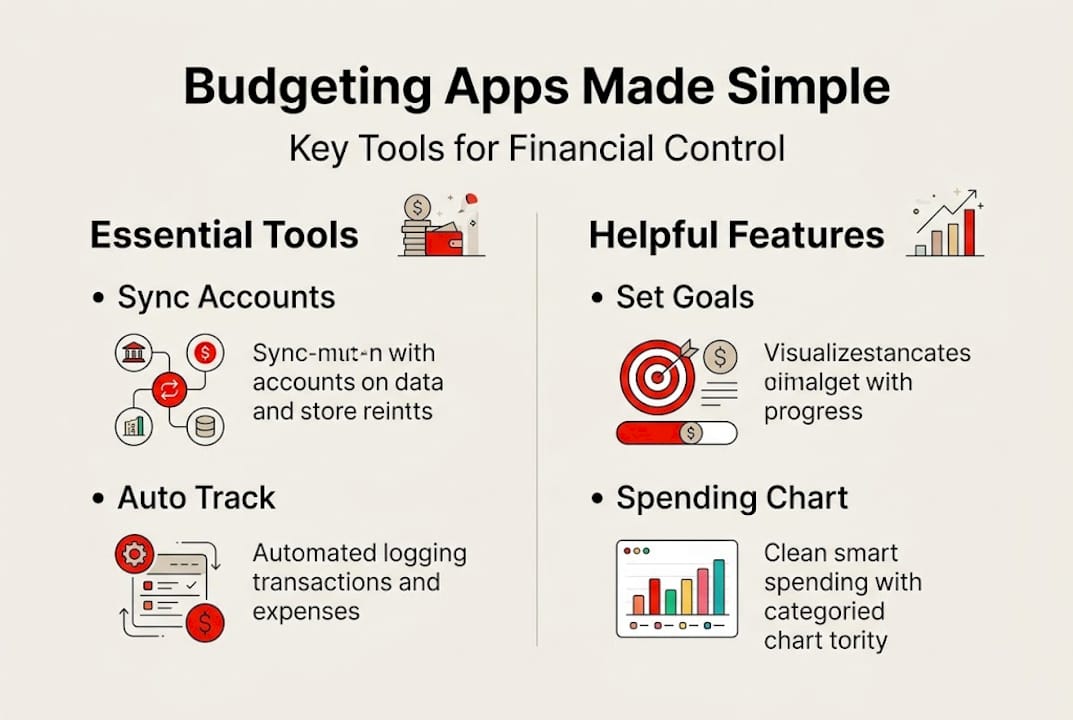
Budgeting apps primarily connect to your financial accounts to automatically track and categorize expenses, set budgets, provide spending insights, enable goal tracking, and send bill reminders. It’s a full financial picture delivered in real time, all from one dashboard.
Here’s a quick look at what a standard budgeting app does for you each month:
| Feature | What it does | Why it matters |
|---|---|---|
| Account syncing | Links your bank, credit, and savings accounts | Eliminates manual data entry |
| Expense categorization | Groups spending into buckets like groceries or rent | Reveals where money actually goes |
| Budget creation | Sets automatic limits based on income and habits | Makes planning feel effortless |
| Bill reminders | Alerts you before due dates | Prevents late fees and missed payments |
| Spending insights | Charts and summaries of your financial behavior | Helps spot patterns quickly |
The categorization feature alone is a game changer. When the app automatically sorts your transactions, you start seeing habits you never noticed before. Maybe eating out is eating up 25% of your paycheck. Maybe subscription services are silently draining your account each month. The categories do the detective work for you.
Beyond categorization, here are the core benefits most users appreciate right away:
- Automatic syncing removes the burden of manual bookkeeping
- Real-time notifications let you know the moment you overspend in a category
- Bill tracking ensures you never miss a payment deadline again
- Goal progress bars keep savings targets visual and motivating
- Monthly summaries give you a clear recap without any number-crunching
Pro Tip: Link all of your financial accounts, including savings and credit cards, not just your primary checking account. A fuller picture makes your budget far more accurate and useful.
For anyone hungry for more foundational strategies, exploring solid budgeting tips can give you a running start before you even open an app. The combination of good habits and smart technology is genuinely powerful. Most users report feeling more confident about their finances within the first month of consistent app use, simply because clarity replaces guesswork.
From tracking to transformation: Features that drive financial literacy
Knowing where your money goes is just step one. The real shift happens when budgeting apps help you understand that information and act on it. This is where financial literacy, which simply means your ability to make informed money decisions, starts to grow in a meaningful way.

Goal tracking and detailed spending insights are built-in features of most modern budgeting apps, and they’re among the most impactful. Setting a goal to save $2,000 for a vacation or pay off a credit card gives your budget emotional weight. Suddenly, cutting back on takeout has a reason behind it.
Here’s how some of the most popular apps stack up on key features:
| App | Goal setting | Spending reports | Educational content | Free version |
|---|---|---|---|---|
| Mint | Yes | Detailed charts | Articles and tips | Yes |
| YNAB | Yes | Real-time tracking | In-app guides and workshops | No (trial only) |
| PocketGuard | Yes | Simplified summaries | Limited | Yes |
| Goodbudget | Yes | Envelope-style reports | Blog resources | Yes |
Visual spending reports are especially eye-opening. When you see a pie chart showing that entertainment ate 30% of your budget last month, it hits differently than a simple number. These visual tools translate raw data into a story you can act on.
Here’s a step-by-step approach to using app features for real financial growth:
- Set at least one concrete goal when you first set up the app, even if it’s small. A $500 emergency fund is a great starting point.
- Review your spending reports weekly, not just monthly, to catch overspending early.
- Use bill reminders for every recurring payment to build a flawless payment history.
- Adjust category limits monthly based on what actually happened the previous month.
- Explore any built-in learning resources like articles, videos, or workshops inside the app.
Pro Tip: Treat your weekly spending review like a 10-minute money date. Sit down, check your report, and adjust one thing. Small, consistent check-ins beat annual financial overhauls every time.
Apps that include educational content, quizzes, or financial literacy modules are especially valuable. They don’t just show you numbers; they teach you what those numbers mean. Pairing that app learning with trusted external reading, like articles on smart budgeting strategies, accelerates your growth even further. Over time, this combination turns passive tracking into active financial decision-making.
Common roadblocks: Where budgeting apps fall short
Budgeting apps are genuinely helpful, but being honest about their limits is just as important as celebrating their strengths. No tool is perfect, and knowing where apps can fall short helps you use them more wisely.
One of the biggest friction points is irregular income. Freelancers, gig workers, and anyone with variable pay often find that app-generated budgets feel unrealistic. If your monthly income swings between $2,000 and $4,500, a fixed budget recommendation can feel more frustrating than helpful. This is a structural challenge many apps are still working to solve.
Then there’s the overspending problem. Irregular income, privacy concerns, and miscategorization are all common struggles, and a striking 55.9% of users cite overspending as a recurring problem even while actively using an app. The app can tell you that you’re over budget; it can’t stop you from clicking “confirm” on an impulse purchase.
Here’s a realistic look at the most common roadblocks users encounter:
- Impulse spending: Alerts don’t prevent purchases. Personal willpower still plays a major role.
- Privacy concerns: Syncing your bank account means sharing sensitive data with a third-party platform. Always review security policies.
- Miscategorized transactions: Apps sometimes mislabel purchases, which skews your spending picture if left unchecked.
- Learning curve: Advanced features in paid apps can feel overwhelming at first, especially if you’re new to budgeting.
- Subscription costs: Premium plans often run $10 to $15 per month, which is an added expense that needs to fit your budget.
- Limited bank support: Some smaller regional banks or credit unions may not sync seamlessly with every app.
“The best budgeting app in the world won’t fix a spending habit you haven’t decided to change. Apps illuminate the problem; you have to solve it.”
Privacy is worth a closer look. When you connect your bank to any app, you’re trusting that platform with login credentials or read-only access to your transactions. Reputable apps use bank-level encryption, but it’s wise to read the privacy policy and understand exactly what data is stored and shared.
For anyone working through these types of obstacles, guidance on overcoming budgeting challenges can offer fresh perspectives and practical workarounds. Understanding these roadblocks upfront means you’re far less likely to get discouraged and abandon a genuinely useful tool.
Getting more from budgeting apps: Tips for real-world success
Now that you know what apps can and can’t do, let’s focus on how to get the most out of them. The difference between someone who tries a budgeting app for two weeks and quits, versus someone who transforms their finances in six months, usually comes down to a few key habits.
Steep learning curves are real, and proactively reviewing your transactions to prevent miscategorization is one of the most important things you can do early on. Don’t just let the app run on autopilot and assume everything is accurate. Spend five minutes each week correcting categories and confirming your data is clean.
Here’s a practical action plan to build lasting app habits:
- Start with a budget that reflects reality, not ambition. If you spend $600 on groceries, don’t set a $300 limit and expect it to stick.
- Revisit your budget every single month. Life changes, and your budget should reflect that.
- Attach meaning to your savings goals. Name them specifically: “Italy trip 2027” or “Emergency cushion.” Named goals feel more real and motivating.
- Choose apps with reputable security standards. Look for two-factor authentication and transparent data policies before connecting your accounts.
- Seek education beyond the app. The app shows you what, but great personal finance content helps you understand why and how to change.
- Set a monthly “budget review” calendar event. Scheduling it removes the decision fatigue of remembering to check in.
Pro Tip: If your income is variable, try budgeting based on your lowest average monthly income rather than your best month. When you earn more, treat the extra as a bonus that goes straight to savings or debt payoff.
Another winning move is to combine app insights with a broader financial education practice. Apps show you the data; you need the knowledge to interpret it well. Exploring resources on sustainable budget habits alongside your app use creates a feedback loop where learning and action reinforce each other.
Finally, be patient with yourself. Real budgeting progress rarely happens overnight. But with consistent app use and a genuine willingness to engage with your financial data, the results tend to surprise even the most skeptical users.
Why budgeting apps alone won’t fix your finances
Here’s something most budgeting articles won’t tell you plainly: the app is not the answer. It’s a brilliant tool, but tools don’t create change on their own. We’ve seen this pattern repeat endlessly. Someone downloads a beautiful, well-designed budgeting app, spends a weekend setting it all up, feels excited, and then checks it less and less until it quietly disappears from their phone.
The issue isn’t the app. It’s the expectation placed on it.
We think of budgets like maps: follow the route and you’ll arrive at financial security. But a budget is actually more like a mirror. It shows you exactly where you are and what you’re doing with your money. The mirror doesn’t change anything. You have to be willing to look at what it reflects and make a conscious choice to act differently.
Emotional spending, fear of seeing the numbers, financial avoidance—these are deeply human challenges. No algorithm addresses them. What shifts real financial behavior is personal accountability paired with honest self-reflection. The app creates structure and makes the data visible. Your mindset creates the change.
If you want to build financial resilience, treat your budgeting app like a partner in a conversation rather than a system that handles everything for you. Check in with it regularly, respond to what it tells you, and build the habit of engagement. Exploring resources on budgeting mindsets can help bridge the gap between having data and actually using it well.
Find your ideal budgeting solution with Lizard’s Lunch
Ready to take your financial management further? At Lizard’s Lunch, we’ve put together a rich library of guides designed to help real people make smarter money decisions every day. Whether you’re trying to stick to a budget for the first time or refine a system you’ve already built, our resources meet you exactly where you are.
You can explore budgeting guides packed with step-by-step tips, practical frameworks, and real-world strategies that go beyond what any app alone can offer. From managing variable income to building an emergency fund, we cover the topics that matter most to everyday earners.
And if personal finance is just one piece of your lifestyle puzzle, our broader lifestyle resources cover everything from travel planning to health and wellness. Lizard’s Lunch is your go-to guide for living smarter, richer, and more intentionally. Come explore what’s waiting for you.
Frequently asked questions
Are budgeting apps safe to use with my bank accounts?
Most reputable budgeting apps use strong encryption and bank-level security standards, but you should always review the app’s privacy policy before connecting your accounts. Privacy and security risks from bank syncing are a real consideration, so look for apps that offer two-factor authentication and transparent data handling.
Can budgeting apps help if my income is irregular?
Yes, apps can absolutely work for variable-income earners, though they require more active monthly adjustment than a fixed salary allows. Irregular income creates challenges, but budgeting around your lowest expected monthly earnings is an effective workaround that keeps spending realistic.
Do budgeting apps prevent overspending?
Apps provide alerts, reports, and category limits that highlight overspending, but they can’t stop an impulse purchase. A 55.9% overspending rate among app users shows that personal commitment is still the essential ingredient for change.
What hidden costs or fees should I expect with budgeting apps?
Many apps offer solid free versions, but premium tiers typically cost between $10 and $15 per month. Subscription costs for premium apps are worth reviewing carefully, so compare features against free alternatives before committing to a paid plan.


















Leave a Comment
Your email address will not be published. Required fields are marked with *