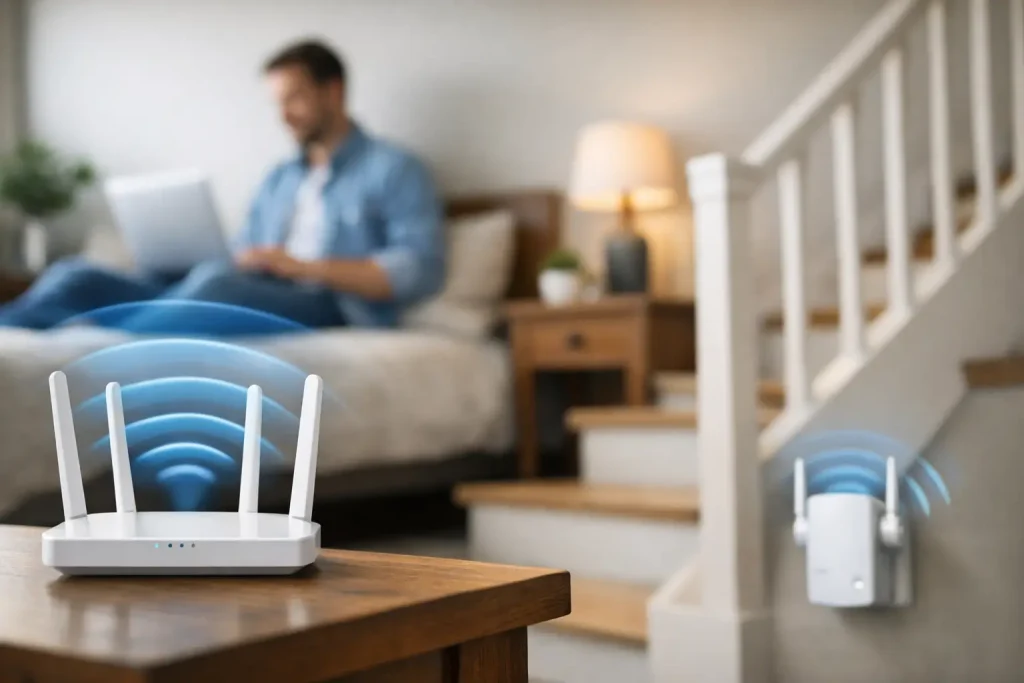
Learn how to improve wifi signal upstairs with simple fixes, smart router placement, and upgrade options that boost speed and coverage fast.
Your video call is fine downstairs, then turns into a frozen mess the second you walk up the stairs. That usually means your network is not weak everywhere – it is struggling to reach the part of the house where you actually need it. If you’re wondering how to improve wifi signal upstairs, the fix is often more about placement, interference, and layout than raw internet speed.
Why your upstairs WiFi gets worse
WiFi has to travel through floors, walls, furniture, plumbing, and appliances. In many homes, the router sits on the first floor near the modem because that is where the cable line enters. Convenient for setup, not always great for coverage.
The upstairs signal often drops for a few common reasons. Floors are denser than interior walls, so the signal loses strength as it moves vertically. Router placement can make things worse if the unit is tucked into a corner, hidden in a cabinet, or placed behind a TV. Older routers also tend to struggle in larger homes, especially when several phones, laptops, TVs, and smart devices are active at once.
There is also the issue of interference. Baby monitors, microwaves, Bluetooth devices, cordless phones, and even neighboring WiFi networks can crowd certain bands. So if your upstairs bedroom or office is a dead zone, that does not automatically mean you need a more expensive internet plan.
How to improve WiFi signal upstairs without buying new gear
Start with the easiest fixes first. They cost nothing, and in some homes they make a noticeable difference right away.
Move the router to a better spot
Router location matters more than most people think. The ideal spot is open, elevated, and as close to the center of your home as possible. If your router is shoved behind furniture or sitting on the floor in one far corner of the house, the signal is already at a disadvantage before it starts traveling upstairs.
Try moving it to a shelf, desk, or higher stand. Keep it away from thick walls, metal objects, and large electronics. If the modem connection limits where you can place it, even shifting the router a few feet into a more open area can help.
If your router has external antennas, adjust them instead of leaving them all pointed the same way. A mix of vertical and horizontal positioning can improve coverage across different levels of the house.
Change the WiFi band
Many modern routers broadcast both 2.4 GHz and 5 GHz bands. The 5 GHz band is often faster, but it does not travel as far or pass through obstacles as well. The 2.4 GHz band is slower in some cases, but it usually reaches upstairs rooms more reliably.
If your devices are connecting to 5 GHz upstairs and getting unstable performance, switching them to 2.4 GHz may give you a steadier signal. It is a trade-off – lower peak speed, better range – but for browsing, video calls, and streaming in harder-to-reach rooms, it can be the better choice.
Restart and update your router
It sounds basic because it is basic, but it still works. Restarting the router can clear temporary issues and improve performance. If you have not updated the router firmware in a while, check for updates too. Manufacturers release fixes that can improve stability, security, and coverage behavior.
If your router is several years old, updates may be limited, but it is still worth checking before spending money on new equipment.
Check whether the problem is signal or internet speed
Before you buy anything, test the connection in a few parts of the house. Stand near the router and run a speed test, then repeat it upstairs where performance drops. If the speed is strong downstairs and weak upstairs, you likely have a coverage problem. If speeds are poor everywhere, the issue may be your internet plan, modem, or service line.
This distinction matters. A coverage problem calls for better in-home distribution. A speed problem may not improve much with a new router alone.
The best upgrade options for upstairs coverage
If simple adjustments do not solve it, the next step is choosing the right hardware. Not every upgrade works well in every house, so this is where layout matters.
Try a mesh WiFi system
For many two-story homes, a mesh system is the most effective fix. Mesh WiFi uses a main router and one or more satellite units placed around the home to spread coverage more evenly. Instead of relying on one router to blast signal through floors and walls, the system creates a broader network with better reach.
This is often the best option if you have multiple upstairs rooms with weak service, or if people in your home stream, game, and work online at the same time. Mesh systems are usually easier to manage than older extender setups, and many come with simple apps for setup and device monitoring.
Placement still matters. Put one node near the problem area, but not inside the dead zone itself. It needs a strong enough connection to the main router to rebroadcast effectively.
Use a WiFi extender carefully
A WiFi extender can help, but it is not always the magic fix people expect. Extenders repeat the existing signal, which means they depend on already receiving a decent signal from the router. If you place one in a spot where the connection is already weak, it will just repeat a weak connection.
The better approach is to place the extender roughly halfway between the router and the upstairs dead zone. This can be a good budget option for smaller homes or a single trouble spot, but it may reduce speed compared with a stronger mesh setup.
Consider powerline adapters
Powerline adapters use your home’s electrical wiring to carry internet data from one room to another. In practical terms, you plug one adapter near the router and another upstairs, then connect a device or access point on the second adapter.
This can work well when WiFi has trouble passing through dense construction, but results vary depending on the age and wiring quality of the house. In some homes, powerline is impressively stable. In others, it is only a modest improvement.
Upgrade the router itself
If your router is old, underpowered, or came free from your internet provider years ago, replacing it may solve more than one problem at once. Newer routers support better range, higher device capacity, and improved band management.
That said, a stronger router is not always enough for a larger two-story home. If the current router is placed badly or your floor plan is awkward, a premium single router may still lose to a midrange mesh system.
Small house changes that can make a big difference
Sometimes the weak spot upstairs is caused by what is around the signal path, not just the network hardware. Mirrors, metal bed frames, HVAC equipment, aquariums, and dense masonry can all affect wireless performance. You do not need to redesign the house, but it helps to be realistic about what the signal is traveling through.
If your upstairs office is in the farthest corner above the garage, for example, that is a tougher environment than a bedroom directly above the living room. Even moving your desk or streaming device a few feet can improve consistency.
It also helps to reduce congestion when possible. Disconnect devices you no longer use, especially old smart home gear that constantly stays online. A crowded network can feel like a signal problem even when the real issue is too many devices sharing the same access point.
When Ethernet is the better answer
Wireless is convenient, but it is not always the best tool for every job. If you work upstairs full time, game competitively, or need rock-solid streaming, a wired connection may be worth considering. Running Ethernet to an upstairs office or media room can give you a direct, stable connection that WiFi cannot always match.
You can also combine Ethernet with a wireless access point upstairs. That gives you a much stronger local WiFi signal on the second floor without depending entirely on the main router downstairs. It is more work up front, but it is one of the most reliable long-term solutions.
How to know which fix is right for your home
If your router is hidden, old, or stuck in a bad corner, start there. If one upstairs room is the only problem, an extender or powerline setup may be enough. If the whole second floor struggles, mesh is usually the smarter investment. And if your upstairs internet needs are serious, wired backhaul or Ethernet is hard to beat.
The best part is that you do not need to guess blindly. Test one change at a time and check the results where the problem actually happens. Better WiFi upstairs is usually less about one miracle product and more about choosing the fix that matches your home’s layout. A little troubleshooting now can save you from years of buffering in the room where you want a signal the most.


















Leave a Comment
Your email address will not be published. Required fields are marked with *