
Discover what ergonomic furniture is and how it enhances comfort and health in your workspace. Improve your posture and reduce fatigue today!
Most people blame their posture when their back aches after a long workday. They sit up straighter, stretch more, and try harder. But the real culprit is often hiding in plain sight: the furniture itself. When your chair, desk, or monitor setup forces your body into unnatural positions for hours at a time, no amount of willpower can fully undo the strain. Ergonomic furniture is workplace equipment specifically designed to fit the worker, reducing fatigue and discomfort while helping prevent musculoskeletal risks. In this guide, you’ll discover what truly sets ergonomic furniture apart, what the research actually shows, and how to apply these principles to your own workspace today.
Table of Contents
- What defines ergonomic furniture?
- Principles of ergonomic design: What matters for workspace comfort
- Ergonomic furniture outcomes: Does it really help?
- Standards and guidelines: What ensures ergonomic quality?
- Setting up your ergonomic workspace: Practical guidance
- Our take: The real value of ergonomic furniture (and what most guides miss)
- Explore home improvement resources for workspace comfort
- Frequently asked questions
Key Takeaways
| Point | Details |
|---|---|
| Ergonomics is about fit | Furniture should be adjustable and support neutral posture for each user. |
| Mixed health outcomes | Research shows ergonomic furniture often improves comfort, but injury results are variable. |
| Guidelines matter | Industry standards like BIFMA help you identify reliable ergonomic options. |
| Setup is crucial | Workspace arrangement and regular movement maximize ergonomic benefits. |
| Comfort isn’t everything | True ergonomic value comes from adjustability and reducing fixed postures, not just plush seating. |
What defines ergonomic furniture?
Having established what ergonomic furniture is, let’s dig into its foundational principles and what truly sets it apart from the standard options filling most offices and home workspaces.
At its core, ergonomic design is built around one powerful idea: the workspace should fit the person, not the other way around. Standard furniture is typically manufactured for a generic, average-sized body. Ergonomic furniture, by contrast, is engineered with adjustability and support built in so that you can configure it to match your specific body dimensions, work tasks, and movement patterns. This distinction matters enormously in practice.
Think about the last time you adjusted the height of your office chair. Did it actually make a meaningful difference? For many people, the answer is no, because the chair lacked enough range or the right combination of features to truly support their body. Ergonomic furniture goes well beyond basic adjustability. It is designed to keep your joints in what experts call a “neutral posture,” minimizing stress on muscles, tendons, and joints during sustained work.
Here are the core features that define genuinely ergonomic furniture:
- Adjustable seat height and depth so your feet rest flat and your thighs are parallel to the floor
- Lumbar support that matches the natural curve of your lower back
- Armrests that can be moved up, down, and inward so your shoulders stay relaxed
- Monitor and desk height configured so your eyes align with the top third of the screen
- Movement options like seat tilt or sit-stand transitions to prevent prolonged static posture
- Task-specific fit meaning the furniture suits the work you actually do, not just generic office work
One of the biggest misconceptions people have is that a comfortable chair is automatically ergonomic. Comfort and ergonomic benefit are not the same thing. A plush, heavily padded chair might feel wonderful for the first twenty minutes, but if it lacks proper lumbar support or encourages you to sink into a curved spine position, it can actually worsen discomfort over time.
“A chair does not deliver ergonomic benefit simply by existing in your workspace. The benefit comes from fitting and adjusting it correctly for your specific body and task.”
You might be surprised to learn that furniture companies have started designing products informed by broader cultural and physical trends. Listening to expert interviews about furniture trends reveals just how much the industry has shifted toward genuine ergonomic thinking in recent years. The old model of one-size-fits-all furniture is being replaced by solutions that prioritize real-world worker health. And that shift is fueling success in business environments where employee wellbeing is increasingly tied to productivity and retention.
Principles of ergonomic design: What matters for workspace comfort
Now that we’ve defined the essentials, let’s explore how ergonomic furniture is engineered for real workspace comfort through its guiding design principles.
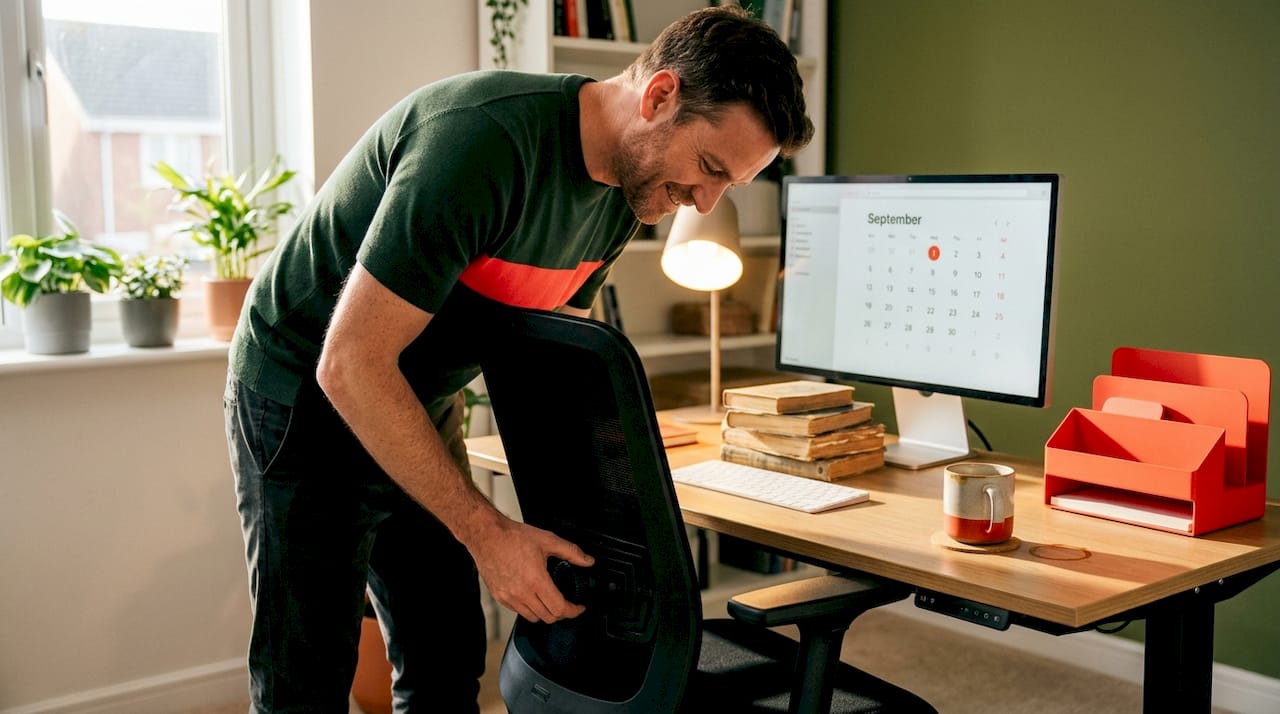
The foundation of ergonomic design is the concept of neutral posture. This means your body is positioned so that joints are not bent to extremes, muscles are not held in prolonged tension, and your spine maintains its natural S-curve. Neutral posture and workstation alignment are the primary targets of any effective ergonomic office setup, and they guide every design decision in quality ergonomic furniture.
But here is where many buyers get tripped up: they assume more adjustability automatically means better ergonomics. In reality, adjustability only adds value when it matches the actual tasks you perform and the dimensions of your body. A chair with twelve adjustment points is not inherently better than one with six, if the six adjustments are the right ones for your work style. The key features that genuinely matter most include:
- Seat height range wide enough to suit short and tall users
- Backrest angle that allows you to recline slightly without losing lumbar support
- Desk height that supports either seated or standing work without shoulder shrugging
- Monitor position that eliminates neck flexion or extension
- Keyboard and mouse placement that keeps wrists in a neutral, flat position
Movement is another principle that often gets overlooked in discussions about ergonomic furniture. Staying in any single position for too long, even a perfectly neutral one, puts cumulative stress on your body. The best ergonomic setups build in opportunities for movement: a sit-stand desk lets you shift between positions throughout the day, a chair with dynamic tilt allows micro-movements while you sit, and a monitor arm lets you reposition your screen as your tasks change.
Pro Tip: Before spending money on new ergonomic furniture, spend thirty minutes adjusting what you already have. Lower or raise your chair so your feet rest flat on the floor, move your monitor so the top of the screen is at eye level, and position your keyboard so your elbows are at roughly a 90-degree angle. These small tweaks, informed by workspace productivity tips, can sometimes reduce discomfort significantly without a single new purchase.
The principle of task fit is equally important. A graphic designer who works with two large monitors has different ergonomic needs than a customer service professional who spends most of their day on phone calls. The best ergonomic furniture choices are the ones that fit the specific demands of your work, not just a generic office scenario.
Ergonomic furniture outcomes: Does it really help?
Understanding ergonomic design, let’s see what peer-reviewed research tells us about its actual impact on comfort, pain, and long-term health.
The honest answer is: it depends, and that is worth knowing before you invest. Research does support meaningful benefits in specific areas. Studies have found that ergonomic interventions, including better chairs and workstations, can reduce musculoskeletal discomfort and improve comfort ratings for office workers. However, the results are not always uniform, and they depend heavily on how the furniture is implemented and used.
One randomized controlled trial published in the Journal of Occupational and Environmental Medicine found evidence that ergonomic workstations can reduce pain, but also noted that effects can be mixed depending on design and the specific outcome being measured. Pain reduction was more consistent than injury prevention. Comfort gains were more reliably achieved than measurable reductions in clinical disability. This is an important nuance: ergonomic furniture is very good at making you feel better while you work, and reasonably effective at reducing certain types of discomfort over time, but it is not a guaranteed fix for every musculoskeletal condition.
Here is a useful comparison of how standard and ergonomic furniture typically perform across key outcome measures:
| Outcome | Standard furniture | Ergonomic furniture |
|---|---|---|
| Reported discomfort (neck, back) | Higher frequency and intensity | Meaningfully reduced in most studies |
| User comfort ratings during work | Often lower | Consistently higher |
| Posture alignment | Frequently poor | Improved when adjusted correctly |
| Productivity perception | Sometimes impaired by discomfort | Often improved alongside comfort |
| Injury prevention | Limited evidence of benefit | Moderate evidence, depends on setup |
| Long-term disability reduction | Minimal data | Mixed results; setup is critical |
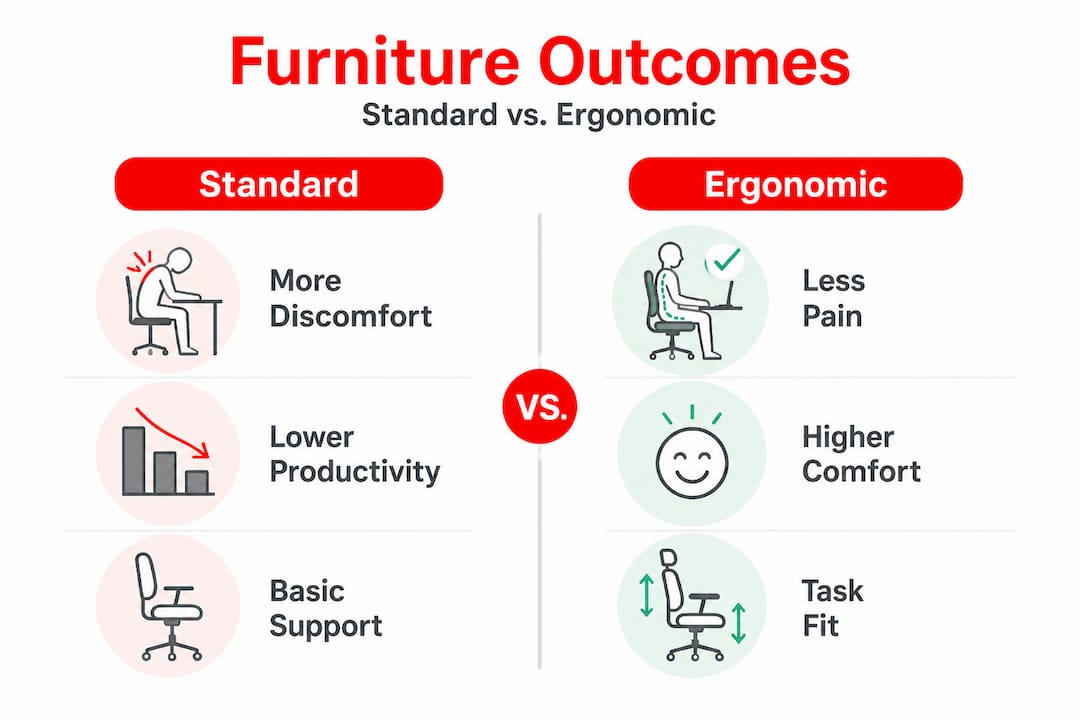
One particularly compelling area of research involves sit-stand workstations. Studies have found that workers who alternate between sitting and standing report meaningful reductions in lower back pain and discomfort over the course of a workday. This is not purely about the furniture being “better,” but about reducing the time you spend locked in a single fixed posture. That distinction matters because it tells you something important: the behavior the furniture encourages is just as important as the furniture itself.
Statistic callout: Workers using sit-stand desks in controlled trials reported up to a 54% reduction in upper back and neck discomfort compared to those using standard seated desks alone. That is a significant finding, and it highlights why sit-stand furniture has become one of the most evidence-backed ergonomic investments you can make.
The takeaway here is realistic but genuinely encouraging. Ergonomic furniture works, and it works best when chosen thoughtfully and set up correctly. Do not expect a new chair to solve a complex back problem on its own. But do expect real, measurable improvements in daily comfort when you make smart ergonomic choices.
Standards and guidelines: What ensures ergonomic quality?
Having seen the outcomes, here’s how you spot ergonomic quality in the marketplace so you can shop with genuine confidence.
The ergonomic furniture industry is not a free-for-all. Meaningful standards exist to guide manufacturers and help buyers identify products that meet real performance and safety benchmarks. The most widely recognized in North America are those established by BIFMA, the Business and Institutional Furniture Manufacturers Association. BIFMA publishes ergonomic guidelines specifically for computer workspaces and safety and performance standards for seating that test durability and structural adequacy.
When you see BIFMA compliance mentioned in product specifications, it tells you that the furniture has been tested against established dimensional and performance criteria. That is a meaningful signal of quality. Here is what BIFMA standards generally cover:
| Standard area | What it covers | What it does NOT guarantee |
|---|---|---|
| Seating dimensions | Seat height range, width, depth | That the chair fits YOUR specific body |
| Structural integrity | Load testing, durability under use | That the user will adjust correctly |
| Ergonomic guidelines | Workstation dimensions for computer use | Customization for every task type |
| Material performance | Upholstery and component durability | Comfort preferences or aesthetics |
Beyond BIFMA, other certifications worth looking for include GREENGUARD certification for low chemical emissions, which matters for indoor air quality, and certifications from the American National Standards Institute (ANSI) that often accompany BIFMA standards as a paired verification system.
Here is a step-by-step process for checking ergonomic quality when you are evaluating furniture:
- Look for BIFMA compliance labeling in the product description, technical spec sheet, or manufacturer website.
- Check the adjustability range against your own body measurements. A chair with seat height adjustable from 16 to 20 inches, for example, covers most average adult users.
- Verify lumbar support adjustability. Fixed lumbar support is less effective than height-adjustable support because people’s spine curves vary.
- Review the warranty. Quality ergonomic furniture typically carries a warranty of five to twelve years on structural components, signaling manufacturer confidence in durability.
- Request a trial period or test in person whenever possible. Certifications tell you about minimum standards; your own body will tell you about actual fit.
Understanding what standards cover and what they do not is just as important as knowing they exist. BIFMA compliance does not guarantee that a chair will be comfortable for your specific body or that it will solve your particular discomfort. It guarantees that the product meets baseline dimensional and structural criteria. Use it as a starting filter, not a final decision.
Setting up your ergonomic workspace: Practical guidance
Identifying quality furniture is just the start. Let’s apply ergonomic principles to your workspace for lasting comfort through a clear, actionable setup process.
Many people buy excellent ergonomic furniture and still experience discomfort, because proper workstation setup is just as critical as the products themselves. Furniture alone cannot solve ergonomic risk if the overall workstation configuration is wrong. This is one of the most important and most overlooked realities in workspace ergonomics.
Follow these steps to set up your workspace correctly:
- Set your chair height first. Adjust so your feet rest flat on the floor (or on a footrest) and your thighs are roughly parallel to the ground. Your knees should be at approximately a 90-degree angle.
- Adjust lumbar support. Position the lumbar support so it fills the curve of your lower back without pushing you forward or causing you to arch excessively.
- Set armrest height. Your elbows should rest lightly at about 90 degrees with your shoulders relaxed. Armrests set too high cause shoulder tension; too low and you lose upper body support.
- Position your monitor. The top of your screen should be at or slightly below eye level, approximately an arm’s length away. This minimizes neck flexion and eye strain.
- Place your keyboard and mouse. Both should be at elbow height, close to your body, and on the same surface level. Your wrists should be in a neutral, flat position while typing.
- Add accessories as needed. A monitor arm, document holder, or footrest can complete the setup for your specific work habits.
Common pitfalls are worth calling out specifically. One of the most frequent mistakes is relying on a “comfortable” chair without verifying proper alignment. A chair that feels amazing because it is deeply cushioned may actually encourage a slouched posture that stresses your spine over time. Another mistake is setting up your workspace once and never revisiting it, even as your tasks, equipment, or working habits change.
Pro Tip: Set a reminder every three months to do a quick ergonomic self-check. Take a photo of yourself from the side while working normally, then compare your posture against a basic neutral posture checklist. Small drift in habits is natural, and catching it early prevents bigger discomfort down the line.
The workspace you build is a living system. As you change monitors, take on new projects, or even just gain or lose weight, the optimal configuration shifts too. Treating ergonomic setup as a one-time event is one of the most common reasons people do not get the full benefit from quality ergonomic furniture.
Our take: The real value of ergonomic furniture (and what most guides miss)
With the practical how-to covered, here is a hard-earned insight that most articles overlook entirely, and it might genuinely change how you think about all of this.
The conversation around ergonomic furniture tends to center on product features: which chair has the best lumbar support, which sit-stand desk has the smoothest motor, which brand wins in the specs comparison. And while those things matter, they distract from a more fundamental truth: the biggest ergonomic gains often come not from buying better furniture, but from changing how long you stay in any one position.
We see this pattern repeatedly. Someone invests in a premium ergonomic chair, feels great for a week, then slowly drifts back into the same old habits because the chair, however well-designed, does not prompt them to move. The evidence from CDC NIOSH reinforces this: ergonomic benefits come most reliably from reducing time spent in fixed, awkward postures through adjustability and opportunities for movement, not from comfort alone. That is a subtle but important distinction.
We believe most people are chasing the wrong thing when they research ergonomic furniture. They are looking for the most comfortable option. What they should be looking for is the most adjustable and movement-friendly option. A chair that nudges you to change your position every twenty minutes, even slightly, is doing more ergonomic work than a chair that locks you into perfect-feeling stillness for hours.
The best workspace investment you can make is a holistic one. That means thoughtful furniture choices, yes. But it also means building movement into your workday, revisiting your setup regularly, and understanding that comfort is a signal worth listening to but not always the best guide for long-term health. Real ergonomic benefit comes from treating your workspace as a dynamic environment, not a fixed installation.
Explore home improvement resources for workspace comfort
To further improve your workspace comfort, explore these home improvement resources and guides from Lizard’s Lunch, where we curate expert-level insights across every corner of your home and work life.
Your ergonomic journey does not stop with a new chair or a well-adjusted desk. The broader environment you work in plays a real role in your comfort, focus, and productivity. Whether you are looking to maximize workspace ROI through smart investments in your home office, or you want to upgrade with tech solutions that make your workspace more efficient and comfortable, we have you covered. Dive into our full range of general home improvement resources and discover how small changes to your space can create a genuinely energizing place to work every day.
Frequently asked questions
What are the key features of ergonomic furniture?
Ergonomic furniture includes adjustability, postural support, movement options, and task-specific fit to reduce discomfort and fatigue. The ergonomic approach focuses on neutral posture and workstation alignment rather than generic comfort features.
Does ergonomic furniture prevent injuries?
Ergonomic furniture can reduce certain musculoskeletal risks and discomfort, but injury prevention depends on proper setup and movement habits, not the product alone. Harvard EHS notes that the goal is to fit the work to the person, which requires correct implementation.
What are industry standards for ergonomic furniture?
BIFMA guidelines provide dimensional and performance standards for ergonomic office furniture to ensure safety, durability, and ergonomic support. These BIFMA standards cover workstation dimensions, structural integrity, and seating performance benchmarks.
Can any chair be ergonomic if properly set up?
Not all chairs can offer ergonomic benefits; essential features like adjustability and lumbar support are needed for genuine ergonomic fit. Proper workstation alignment requires a chair that physically supports neutral posture adjustments, which basic or fixed chairs cannot provide.
Does ergonomic furniture guarantee better health?
It can meaningfully improve comfort and reduce pain, but health benefits depend on the combination of furniture features and correct workstation setup. CDC NIOSH guidance confirms that furniture alone may not resolve ergonomic risk if the overall workstation configuration is not addressed alongside the product choice.


















Leave a Comment
Your email address will not be published. Required fields are marked with *