
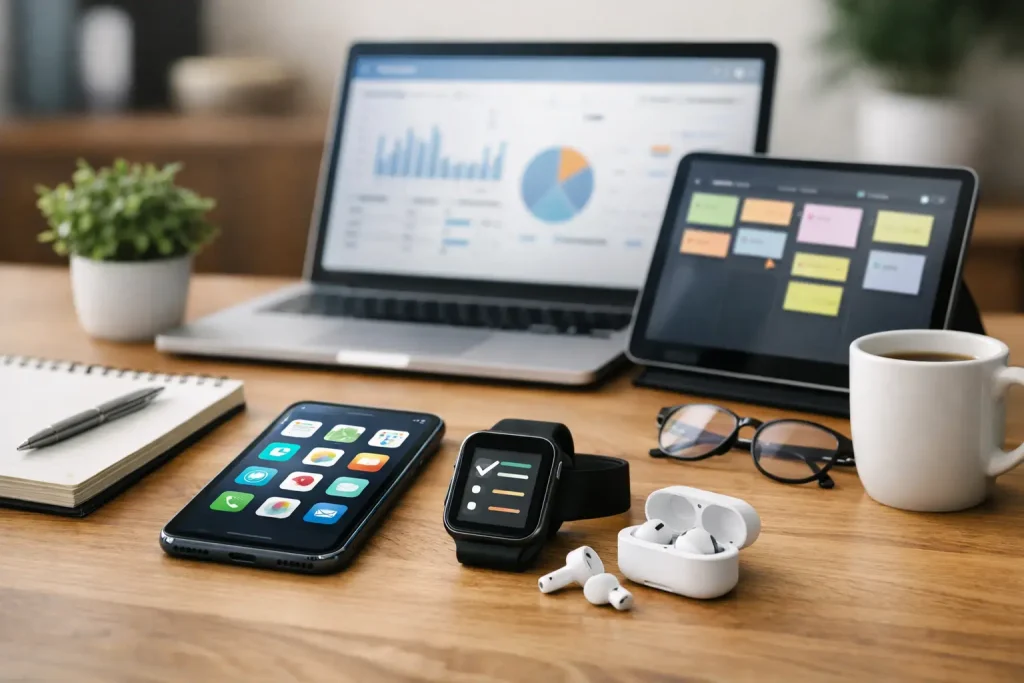
Find the best apps for productivity for work, school, and daily life. Compare top picks for focus, planning, notes, and team collaboration.
A crowded desktop is one thing. A crowded brain is worse. If your day feels like a blur of tabs, reminders, half-finished tasks, and messages you meant to answer an hour ago, the best apps for productivity can help – but only if you pick the right ones for the way you actually work.
That is the catch most roundups miss. Productivity apps are not magic. Some are excellent for deep focus but terrible for collaboration. Others are great for teams and overkill for personal use. The smartest move is not downloading the most tools. It is building a smaller stack that removes friction instead of adding more.
How to choose the best apps for productivity
Before looking at specific picks, it helps to know what problem you are trying to solve. Most people are not really looking for a “productivity app.” They are looking for one of four things: a better way to capture tasks, a cleaner place to organize information, a stronger system for managing time, or fewer distractions while working.
That matters because the best app for note-taking may be a poor task manager, and a great calendar app may not help you focus at all. If you are constantly switching between devices, cross-platform support should rank high. If you work with a team, sharing and collaboration features matter more than customization. If you are easily overwhelmed, simpler is usually better.
Price matters too. Free plans can be enough for students, solo users, and anyone building basic habits. Paid plans often make more sense for business users who need automations, admin controls, or advanced integrations.
12 best apps for productivity worth using
Notion
Notion is one of the most flexible tools on the market, which is both its strength and its weakness. You can use it for notes, project tracking, team docs, personal dashboards, content calendars, and lightweight databases. For people who like having everything in one place, it is hard to beat.
The trade-off is setup time. Notion can feel like an empty apartment – full of possibility, but not very useful until you move furniture in. If you enjoy customizing workflows, that is part of the appeal. If you want something ready in five minutes, it may feel like work before the work.
Todoist
Todoist stays popular for a reason. It is clean, fast, and easy to trust. You can create tasks quickly, sort them into projects, add deadlines, and set recurring reminders without a steep learning curve.
This is a strong choice for people who want a dedicated to-do list app instead of an all-in-one workspace. It does not try to be everything, and that focus works in its favor. For personal productivity and small team use, it hits a sweet spot between simplicity and power.
Trello
Trello makes task management visual. Its card-and-board system works especially well for people who think in stages, such as To Do, Doing, and Done. It is useful for content planning, household projects, side hustles, and team workflows that do not need heavy project-management features.
Its simplicity is appealing, but complex projects can outgrow it. Once dependencies, detailed reporting, or large team coordination enter the picture, Trello may start to feel limited. For many users, though, that simplicity is exactly why it works.
Asana
Asana is a stronger fit for collaborative work. It handles task assignments, timelines, project views, and team accountability better than many lighter apps. If work gets stuck because nobody knows who owns what, Asana can bring order fast.
It is less ideal for someone who just wants a personal checklist. There are more features, more views, and more moving parts. For business use, that added structure is often a plus. For solo users, it can be more tool than needed.
Google Calendar
A calendar app is not glamorous, but it is one of the most effective productivity tools you can use. Google Calendar remains a top pick because it is easy to access, easy to share, and good at turning intentions into actual time blocks.
If your to-do list keeps growing while your schedule stays unrealistic, time blocking can help. Google Calendar works especially well for students, professionals, and families managing a mix of meetings, deadlines, and personal commitments. It will not organize your whole life for you, but it does make your available time harder to ignore.
Evernote
Evernote still earns a place for people who collect lots of information and want it searchable later. Meeting notes, clipped articles, voice memos, receipts, and research can all live in one searchable system.
Compared with newer tools, Evernote can feel less trendy, but that is not the same as less useful. If your main challenge is remembering where you saved something, Evernote can be a real time-saver. It is best for information capture more than project management.
Microsoft OneNote
OneNote is one of the most underrated picks in this category. It is especially useful for students, office workers, and anyone already using Microsoft 365. The notebook structure feels familiar, and the freeform page layout is great for brainstorming, class notes, and mixed media content.
It may not have the polished feel of some newer apps, but it is practical and dependable. For users in the Microsoft ecosystem, it often makes more sense than forcing a separate tool into the workflow.
Slack
Slack is often described as a communication app, but it is also a productivity tool when used well. It can reduce email clutter, keep conversations organized by topic, and speed up team decision-making.
The phrase “when used well” matters here. Slack can just as easily become a distraction machine if every channel demands attention. Teams that set boundaries, use status indicators, and limit unnecessary notifications get far more value from it than teams that treat every message like an emergency.
RescueTime
RescueTime is for people who suspect they are busy without being productive. It tracks how you spend time on your devices and shows patterns that are easy to miss in the moment. Maybe your “quick check” of email really is 90 minutes a day. Maybe your most focused work happens before lunch. Data can be clarifying.
This app is not about doing work for you. It is about making your habits visible. That makes it especially useful for remote workers, freelancers, and anyone trying to build better focus without guessing where the day went.
Forest
Forest takes a lighter approach to focus. You set a timer, and a virtual tree grows while you stay off your phone. Leave the app too soon, and the tree dies. It sounds simple because it is simple, and that is why it works for many people.
If you struggle with phone distraction more than task complexity, Forest can be surprisingly effective. It will not manage your projects or notes, but it can help protect the quiet time needed to actually finish them.
ClickUp
ClickUp aims to be the all-in-one answer for tasks, docs, goals, dashboards, and more. For some teams, it really can replace several separate tools. It is feature-rich and highly customizable, which makes it attractive for growing businesses and detail-heavy workflows.
The flip side is complexity. ClickUp can feel crowded if you only need basic task tracking. It is best for users willing to invest time upfront in exchange for a system that can scale with them.
TickTick
TickTick is often overlooked next to bigger names, but it deserves attention. It blends task management with calendar views, reminders, habit tracking, and even a built-in focus timer. That mix makes it a strong option for personal productivity.
It is especially appealing if you want one app that feels lighter than a full project platform but more capable than a bare-bones to-do list. For many users, it lands in a very practical middle ground.
Which productivity app setup makes the most sense?
For most people, the best setup is not one app. It is two or three. A common combination is a task manager like Todoist or TickTick, a calendar like Google Calendar, and a notes tool like Notion, OneNote, or Evernote. That gives you a place to track what to do, when to do it, and where to store what matters.
If you work on a team, the mix may shift toward Asana or ClickUp for project management and Slack for communication. If your main issue is distraction, pairing a planning app with Forest or RescueTime can do more than adding another workspace tool.
Try to avoid overlapping tools that do the same job. Using three different task managers rarely makes a person more organized. Usually it just creates more places to forget things.
What actually makes productivity apps useful
The best apps for productivity are the ones you keep opening without resistance. That usually means the app is easy to understand, quick to update, and aligned with your real routine instead of your idealized one.
A beautifully designed app is not helpful if it takes ten taps to add a task. A powerful platform is not productive if your team refuses to use it consistently. Ease matters. So does fit.
It is also worth remembering that productivity is not about filling every minute. Sometimes the most productive app is the one that helps you work with more clarity and stop on time. Better tools can support that, but only when they simplify your day instead of turning it into another system to manage.
If you are choosing today, start small. Pick one app to organize tasks, one to protect your time, and give them a fair test for two weeks. The right setup should feel less like a productivity fantasy and more like a quiet improvement you notice by Thursday afternoon.















Leave a Comment
Your email address will not be published. Required fields are marked with *