
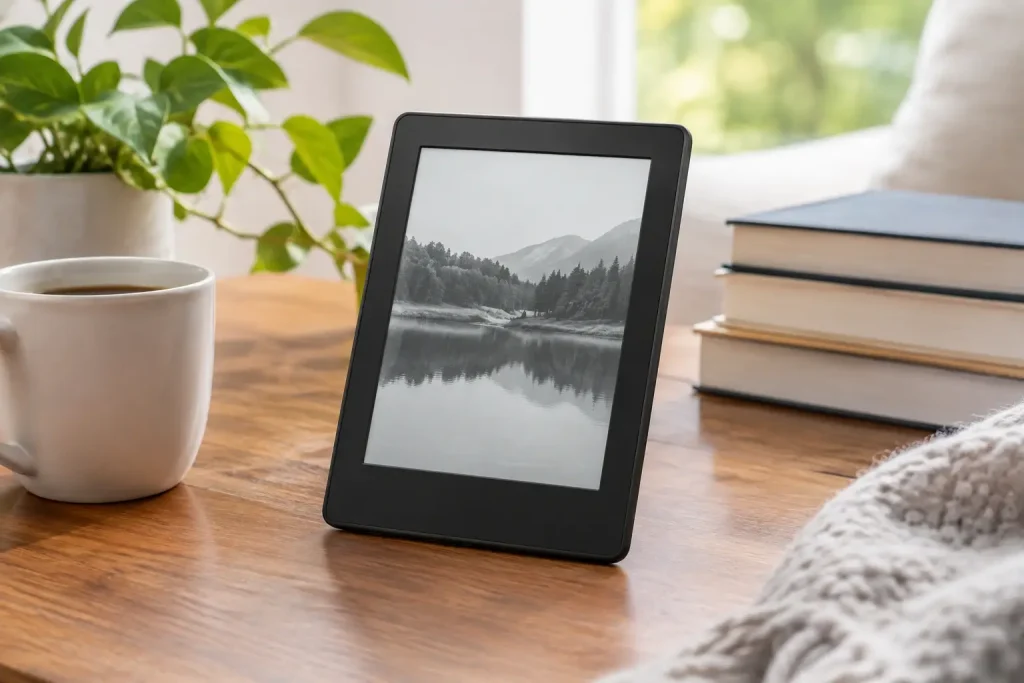
Our Kindle Paperwhite review covers display quality, speed, battery life, waterproofing, and the trade-offs that matter before you buy for frequent readers.
A paperback can survive a coffee-shop table. A Kindle Paperwhite can survive that table, the commute home, and an accidental dip in the bathtub – while holding enough books to outlast a very long vacation. This Kindle Paperwhite review looks at why Amazon’s midrange e-reader remains such an easy recommendation for serious readers, and where its limits may make another device a better fit.
The current Kindle Paperwhite is not trying to replace a tablet. It is designed to make reading feel pleasantly boring in the best way: no social feed, no app alerts, no bright screen begging for attention. Its upgrades are incremental, but they address the moments that matter most: turning pages, reading at night, packing light, and getting through a book without worrying about a charger.
Kindle Paperwhite Review: What Stands Out
The Paperwhite sits in the middle of Amazon’s Kindle lineup. It has more screen space and more premium features than the entry-level Kindle, but it avoids the bigger price jump attached to color models or the Kindle Scribe’s note-taking focus. For most people who primarily read novels, biographies, cookbooks, and nonfiction, that positioning makes sense.
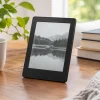
Its 7-inch, 300 ppi glare-free display is the main attraction. Text looks crisp at small font sizes, and the extra inch over older Paperwhite models is more useful than it sounds. You can fit more words on each page without making the device feel bulky. The screen also has an adjustable warm light, so the background can shift from a cooler white to a softer amber tone for nighttime reading.
E-ink still does not behave like a phone screen. Refreshes have a brief flash, black-and-white illustrations lack the punch of a tablet, and scrolling through image-heavy books can feel slow. But for long-form reading in bright daylight, that restraint is exactly the point. The screen remains readable outdoors, even when a phone or tablet becomes a reflective mirror.
Faster page turns make a quiet difference
Recent Paperwhite models offer noticeably quicker page turns than earlier generations. This is not a dramatic, tablet-like transformation, but it removes some of the tiny pauses that used to interrupt reading. Opening books, browsing the library, and tapping through menus also feel more responsive.
That improvement matters most to readers who use their Kindle every day. A device can have a great screen and still feel dated if every interaction asks for patience. The Paperwhite feels modern enough without adding distractions that undermine its purpose.
Battery life is genuinely low-maintenance
Amazon rates the Kindle Paperwhite for weeks of reading on a charge, and real-world results will vary with brightness, Wi-Fi use, font settings, and audiobook listening. Still, the practical takeaway is simple: charging becomes an occasional task rather than part of a daily routine.
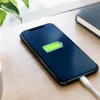
USB-C charging is another welcome convenience. Many households already use USB-C cables for phones, headphones, laptops, and other accessories, so there is less need to keep a separate cord in a travel bag. Readers who want wireless charging and an automatically adjusting front light can step up to the Paperwhite Signature Edition, although those features are luxuries rather than essentials.
Reading Comfort Beats Extra Features
The Paperwhite earns its reputation through comfort. It is slim, light enough to hold one-handed for a while, and easier on the eyes than a traditional backlit display. The flush-front design also gives it a cleaner, more polished look than older recessed-screen e-readers.
Water resistance is one of the features that changes how people use it. With an IPX8 rating, the Paperwhite is built to handle splashes and accidental immersion in fresh water under tested conditions. That makes it a more relaxed companion near a pool, on a beach, or in the bath. It is not permission to treat the device carelessly, but it does remove the anxiety that comes with bringing electronics near water.
The Kindle ecosystem adds to the appeal. Readers can adjust fonts and margins, highlight passages, look up definitions, download books for offline reading, and send supported documents to the device. Whispersync can also keep reading progress aligned across compatible Kindle apps and devices. These are not flashy features, but they make it easier to read more often.
Audiobooks are available through Bluetooth headphones or speakers, which is handy for switching formats during a drive or walk. Keep expectations realistic, though: the Paperwhite is not an ideal all-purpose audio player. There is no built-in speaker, and audiobook use will drain the battery faster than standard e-book reading.
The Trade-Offs to Know Before Buying
A strong product review should not pretend every reader needs the same device. The Paperwhite’s biggest strength is its focus, and that focus creates some limits.
First, it is black and white. Readers who buy lots of comics, graphic novels, art books, children’s picture books, or travel guides with colorful maps may prefer a color e-reader or a tablet. The Paperwhite can display these books, but the experience will not show their artwork as intended.
Second, the device is primarily built around Amazon’s book store and file ecosystem. It supports several common document types through Amazon’s send-to-Kindle tools, but library borrowing and file compatibility can involve more steps than simply opening an app on a tablet. Public-library users should check how their local library’s e-book lending system works with Kindle before making the purchase.
Third, the Paperwhite is not the smallest Kindle. A basic Kindle may be a better choice for readers who want the lightest possible device for a jacket pocket or small purse. On the other hand, the Paperwhite’s larger screen, warm light, and waterproofing usually justify its added size for people who read regularly.
Finally, it is not a note-taking machine. You can highlight and annotate passages, but handwriting notes, sketching, and working with PDFs are better suited to the larger Kindle Scribe or a dedicated tablet. Buying the Paperwhite for productivity would miss the point. Buy it to read.
Paperwhite vs. Basic Kindle vs. Signature Edition
The choice becomes clearer when you think about how and where you read.
The basic Kindle is the budget-friendly pick for occasional readers, students who want a simple text reader, or anyone who values portability above all else. It offers the same core e-ink idea in a more compact package, but it gives up the Paperwhite’s larger screen, warm lighting, and waterproof design.
The standard Paperwhite is the sweet spot for most frequent readers. Its 16GB storage is ample for thousands of typical e-books, though large comics and audiobooks consume space faster. It has the features most people will notice and use without asking them to pay extra for conveniences they may never miss.
The Signature Edition makes sense for shoppers who dislike adjusting brightness manually, want more storage for audio or illustrated content, or strongly prefer wireless charging. For straightforward reading, however, the standard Paperwhite delivers nearly the same core experience. It is a case where spending more is optional, not mandatory.
Who Should Buy the Kindle Paperwhite?
The Kindle Paperwhite is a particularly good match for readers who finish several books a year, travel often, read before bed, or want to reduce late-night phone use. It also works well as a gift because the learning curve is low. Someone can turn it on, sign in, adjust the text size, and start reading within minutes.
It is less compelling for people who mostly read colorful magazines, textbooks, comics, or web articles. A tablet offers more versatility for those needs, even if it is less pleasant for hours of novel reading. Shoppers who already own a recent Paperwhite may also find the latest model more of a refinement than an urgent upgrade, unless their current battery is fading or they want the larger screen and faster interface.
For everyone else, the Paperwhite remains one of those rare gadgets that disappears once it is doing its job. Put a book on it that you have been meaning to read, leave the phone in another room, and let the device prove its value one chapter at a time.













Leave a Comment
Your email address will not be published. Required fields are marked with *