
Discover the role of travel safety apps that empower travelers with real-time alerts and emergency support. Stay safe on your next journey!
Travel safety apps are defined as digital tools that give travelers immediate access to emergency services, real-time risk alerts, and digital threat protection from a single device. The role of travel safety apps has shifted dramatically in recent years. Apps like GeoSure, Noonlight, and the Travel Smart App no longer just inform you. They actively monitor your environment, alert you before danger arrives, and connect you to help when seconds matter. With 97% mobile phone penetration across 184 countries, the infrastructure to support these tools is already in your pocket. This guide breaks down exactly how they work, which ones stand out, and how to set them up before your next trip.
What is the role of travel safety apps in modern travel?
Travel safety apps function as proactive safety networks, not just digital emergency manuals. The industry term for this category is “travel risk management technology,” and it covers everything from SOS signaling to AI-driven geo-alerts. Understanding this distinction matters because it changes how you use these tools.
Traditional travel safety meant reading a State Department advisory before you left. Modern apps like AlertTraveler and FoneTrac push live updates to your phone as conditions change on the ground. AI-driven early warnings have replaced passive monitoring, meaning the app does the watching so you can focus on your trip. That shift from reactive to proactive is the single most important development in travel safety technology.
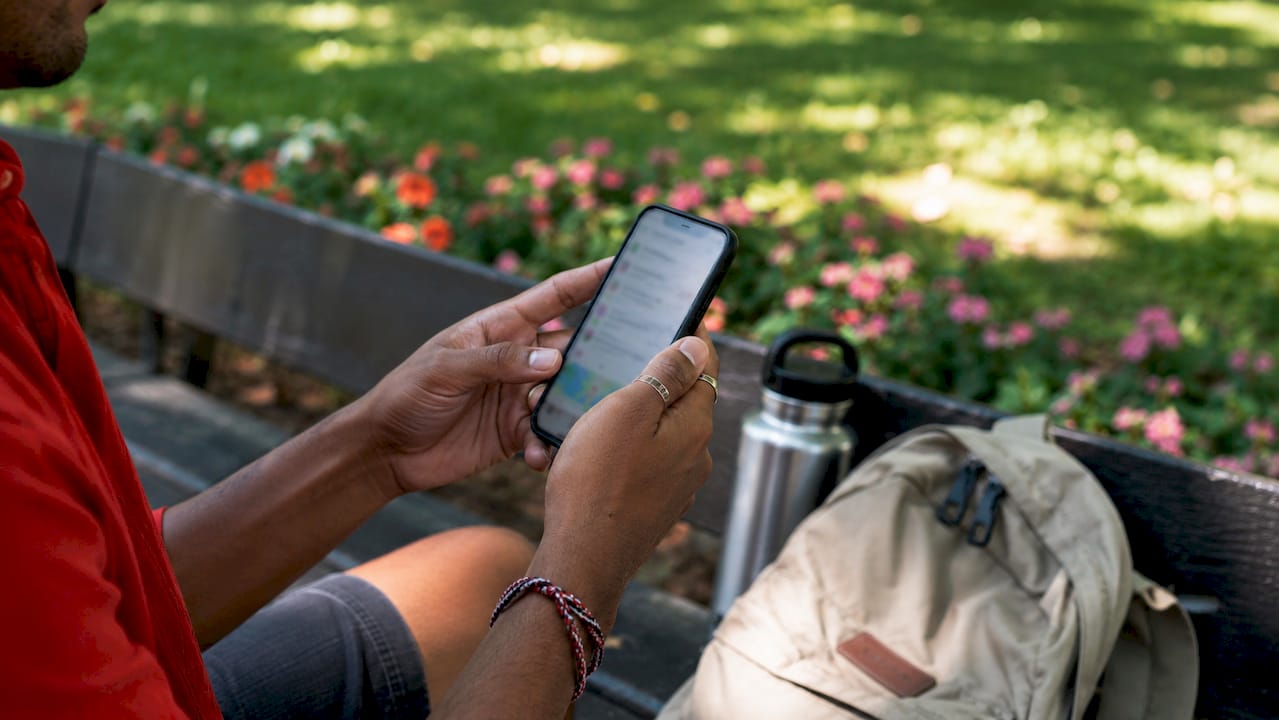
The benefits of using travel safety apps extend beyond emergencies. Offline map access, trusted contact check-ins, and encrypted communication all reduce the friction of traveling in unfamiliar places. For solo travelers, students abroad, and business travelers in high-risk regions, these tools provide a layer of confidence that no printed guidebook can match.
What key features do travel safety apps offer and how do they work?
The best travel safety apps share a core set of features that work together as a system. Here is what to look for and how each feature functions in practice.
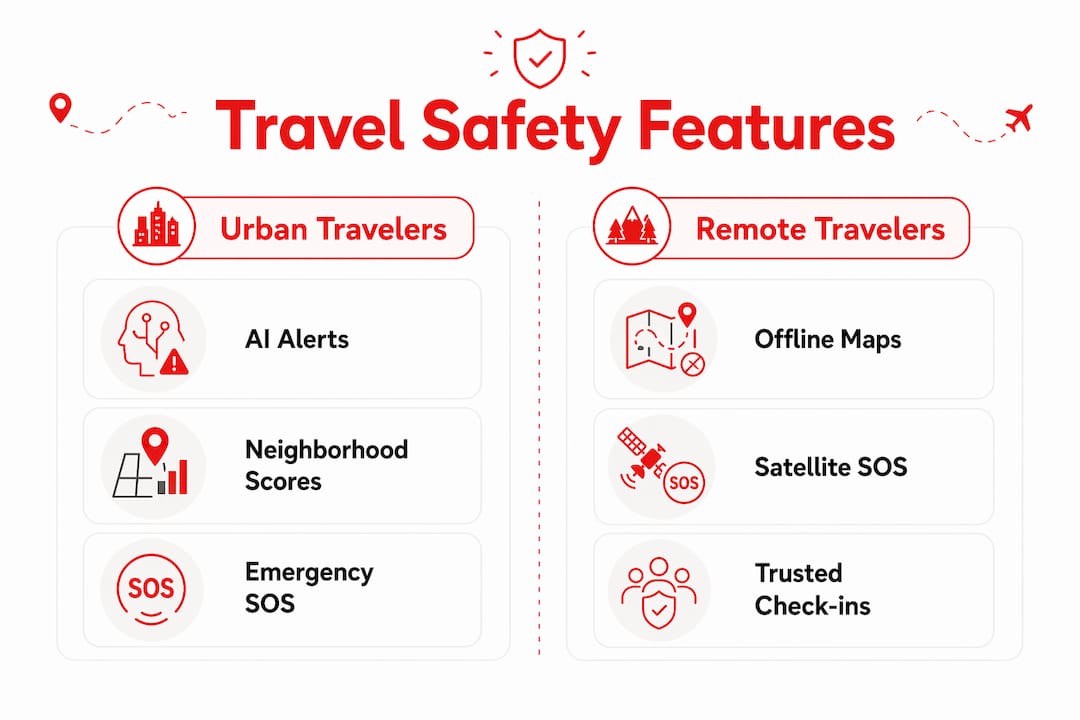
- SOS and panic buttons. A single tap sends your GPS coordinates to emergency contacts and, in some apps, directly to local emergency services. Security vendors set a 30-minute response window for high-severity incidents using GPS check-ins and carrier APIs. That standard exists because speed is everything in a real emergency.
- Live location sharing and check-ins. Apps like Noonlight let you share your real-time location with trusted contacts. If you miss a scheduled check-in, the app escalates automatically. This removes the burden of remembering to text someone every hour.
- Multi-factor verification. Combining GPS, biometrics, and behavioral data reduces false alarms in emergency dispatch. Fewer false alarms mean real emergencies get faster, more trusted responses from services.
- AI-driven real-time alerts. GeoSure and AlertTraveler use geo-location data matched to your travel itinerary to push personalized risk scores for neighborhoods, not just cities. This granularity is what separates modern apps from older advisory systems.
- Offline functionality. A safety app stack connecting hardware, smartphone sensors, and emergency services keeps data actionable even without a signal. Pre-cached maps and stored emergency contacts work when your data plan does not.
- Integration with wearables and VPNs. Some apps connect to Apple Watch or Garmin devices for hands-free SOS. Others recommend pairing with a VPN and password manager for complete digital coverage.
Pro Tip: Test every app feature in airplane mode at least 48 hours before your departure. Offline functionality sounds great on paper but fails silently if you never confirm it works on your specific device and operating system.
How do travel safety apps reduce risks from digital and physical threats?
Most travelers think about physical safety: pickpockets, unsafe neighborhoods, natural disasters. The reality is that digital threats outperform physical risks in frequency during travel. Account compromise on public WiFi is more common than pickpocketing. That fact should change how you build your safety plan.
Here is a layered approach to reducing both types of risk using travel safety technology.
- Activate a VPN before connecting to any public network. Hotel WiFi, airport lounges, and café hotspots are prime targets for credential theft. A VPN encrypts your traffic so that even if someone intercepts it, they get nothing useful.
- Use a password manager for all travel accounts. Apps like 1Password or Bitwarden generate and store unique passwords for every service. If one account is compromised, the others stay protected.
- Enable two-factor authentication on every account you will access abroad. This single step blocks the vast majority of account takeover attempts, even when passwords are exposed.
- Set up trusted contact check-ins through your primary safety app. Physical safety relies on someone knowing where you are. Noonlight and FoneTrac both automate this process so you do not have to remember to check in manually.
- Turn on situational awareness alerts for your destination. GeoSure provides neighborhood-level safety scores updated in real time. Knowing that a specific district has elevated risk at night is more useful than a city-wide advisory.
Subscription-based digital security tools typically cost $0–$10 per month, with setup under 30 minutes. That price-to-protection ratio is hard to argue with when you consider the alternative.
Pro Tip: Pair a dedicated travel safety app with a standalone VPN app rather than relying on a single all-in-one solution. Specialized tools perform better under pressure, and if one app crashes, your other defenses stay intact.
Which travel safety apps are best for different types of travelers?
Choosing the right app depends on your travel style, destination, and risk tolerance. The table below compares five leading options across the features that matter most.
| App | Best for | Offline capability | AI alerts | Emergency SOS | Approx. cost |
|---|---|---|---|---|---|
| GeoSure | Solo travelers, city explorers | Partial (cached scores) | Yes | No direct SOS | Free / Premium |
| Noonlight | Solo female travelers, students | Limited | No | Yes, direct dispatch | Free / $2.99/mo |
| AlertTraveler | Corporate travelers | Yes | Yes | Via employer portal | Enterprise pricing |
| FoneTrac | Business and security teams | Yes | Yes | Yes, with monitoring | Enterprise pricing |
| Travel Smart App | General travelers | Yes | Partial | Yes | Free |
GeoSure excels at neighborhood-level risk scoring, making it the top pick for urban explorers who want granular data before walking into an unfamiliar area. Noonlight is the strongest choice for solo female travelers because it connects directly to emergency dispatch with a single held button. AlertTraveler and FoneTrac are built for corporate duty-of-care programs, where employers need to track and protect employees across multiple countries simultaneously.
Government-backed services add another layer for extreme situations. France’s Fil d’Ariane issues over 1,300 travel advisories yearly and can coordinate evacuations from red zones. Evacuations from those zones can cost over $100,000 without insurance coverage, which puts the value of early warning systems in sharp perspective.
For travelers heading to remote destinations, satellite SOS devices like the Garmin inReach pair with smartphone apps to provide emergency signaling where cellular networks do not exist. Pairing a satellite device with a software app like GeoSure gives you both the alert and the rescue capability in one coordinated system. You can also explore travel tech gadgets that complement these apps for a more complete safety setup.
Pro Tip: Before you travel, confirm that your chosen app integrates with the emergency number system of your destination country. Some apps default to 911 even when you are abroad, which can delay response times significantly.
How to set up travel safety apps for maximum protection
Setup is where most travelers fall short. Downloading an app the night before you fly is not preparation. A proper setup takes about 30 minutes and covers every scenario you might face.
Start with these steps at least one week before departure.
- Add trusted contacts with full details. Include name, phone number, and relationship. Some apps like Noonlight allow you to add a note about your medical conditions so responders know what they are dealing with before they arrive.
- Pre-cache offline maps for your entire destination. Google Maps and Maps.me both allow offline downloads. Your safety app may have its own cache feature. Pre-caching maps and emergency documents keeps you functional during network outages or when roaming limits kick in.
- Store key medical information inside the app. Blood type, allergies, current medications, and emergency contact numbers should all be accessible from your lock screen. Many apps have a dedicated medical ID field for exactly this purpose.
- Test your VPN on a cellular connection and in airplane mode. Failing to confirm app functionality in airplane mode is one of the most common failure points during real emergencies.
- Charge a backup battery and configure an eSIM. Battery death is the fastest way to lose all your digital safety tools at once. A 10,000 mAh power bank costs under $30 and eliminates that risk entirely.
Common mistakes to avoid when relying on travel safety apps:
- Assuming the app works the same in every country without testing it first
- Skipping the trusted contact setup because it feels unnecessary at home
- Relying on a single app instead of a layered stack of tools
- Forgetting to update the app before departure, which can break key features
- Using public WiFi without a VPN active, even briefly
Effective travel safety apps reduce cognitive load with simple interfaces and fast SOS access. Complex interfaces fail when travelers are disoriented or under stress. Choose apps that get you to help in three taps or fewer. Staying connected safely also means understanding your WiFi options abroad, and Lizardslunch has a practical guide on how to stay connected safely while traveling that pairs well with any safety app setup.
Key takeaways
Travel safety apps work best as a coordinated stack of tools covering emergency SOS, real-time alerts, offline access, and digital security rather than as standalone solutions.
| Point | Details |
|---|---|
| Proactive over reactive | Modern apps like GeoSure and AlertTraveler push AI-driven alerts before danger arrives, not after. |
| Digital threats are the top risk | Account compromise on public WiFi is more common than physical theft; a VPN is non-negotiable. |
| Offline setup is critical | Pre-cache maps and emergency info at least one week before travel to stay protected without signal. |
| Match the app to your travel style | Solo travelers, corporate teams, and remote adventurers each need different primary tools. |
| Layered stacks outperform single apps | Combining a safety app, VPN, password manager, and backup device covers every threat category. |
Why I think most travelers are still using these apps wrong
I have spent years watching travelers treat safety apps the way they treat travel insurance: something you grab at the last minute and hope you never need. That mindset misses the entire point of what these tools have become.
The shift I find most compelling is the move from reactive to proactive alerting. When I first started using GeoSure seriously, I was surprised to find that the neighborhood-level risk scores changed my actual routing decisions, not just my awareness. That is a fundamentally different relationship with safety information than reading a government advisory once and forgetting about it.
What I have also learned is that simplicity wins in a crisis. I have tested apps with impressive feature lists that fell apart under pressure because the SOS button required three confirmations. The best safety apps are the ones with reliable emergency features that work offline, not the ones with the longest spec sheet. When you are disoriented or frightened, you need one tap to reach help, not a tutorial.
The future I am most excited about is AI-enhanced personalized alerting combined with standalone wearables. Imagine a device on your wrist that detects a fall, confirms your location via satellite, and contacts emergency services without you touching your phone. That technology exists in early form today with Garmin inReach and Apple Watch’s crash detection. The geo-alert systems becoming standard in travel tech will only get sharper as AI models train on more location and incident data.
My honest advice: spend 30 minutes building your safety stack before every trip. Test it. Then trust it. The cognitive relief of knowing your tools are ready lets you actually enjoy where you are going.
— Alexander
Ready to build your travel tech setup?
The right travel safety app is just one piece of a well-prepared traveler’s toolkit. Pairing your safety apps with the right physical gadgets, from portable chargers to eSIM-ready devices, makes your entire setup more reliable. Lizard’s Lunch covers the full picture of travel tech essentials that complement your safety apps in the field. If you want to go deeper on how gadgets fit into daily life and travel routines, the guide on gadgets in daily life is worth your time. Smart preparation before you leave home is what separates a stressful trip from a confident one.
FAQ
What is the primary purpose of a travel safety app?
A travel safety app provides emergency communication, real-time risk alerts, and digital security tools in a single mobile platform. The core function is connecting travelers to help quickly, whether through direct SOS dispatch or trusted contact alerts.
How do travel safety apps work without an internet connection?
Apps with offline functionality pre-cache maps, emergency contacts, and stored medical information before departure. Pre-caching this data keeps the app functional during network outages or when roaming is unavailable.
Are travel safety apps worth it for short trips?
Yes. Digital threats like public WiFi account compromise occur on short trips just as often as long ones. A free app like Noonlight or Travel Smart App takes minutes to set up and costs nothing to maintain.
Which travel safety app is best for solo female travelers?
Noonlight is the top recommendation for solo female travelers because it connects directly to emergency dispatch with a single held button and allows trusted contacts to monitor your location in real time.
Do I need more than one travel safety app?
One primary safety app paired with a VPN and a password manager covers most scenarios. Testing the full range of tools before departure, including offline and VPN functions, is the step most travelers skip and the one that matters most.














Leave a Comment
Your email address will not be published. Required fields are marked with *