
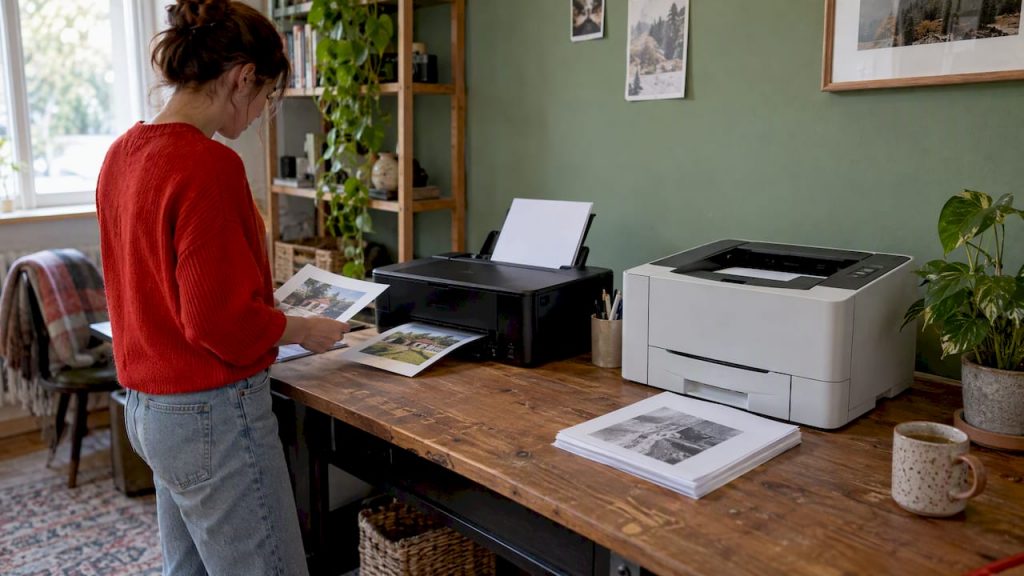
Inkjet or laser? Compare print quality, photos, cost per page, maintenance and speed, then match the right printer to how often you print at home in Canada.
Choose a laser printer if you mostly print black-and-white text, print in bursts, and want something that sits for weeks and still works. Choose an inkjet if color, photos and crafts matter more than page speed, and look closely at refillable-tank models if you print a lot. That is the short answer. The rest of this guide helps you check it against your own habits, because the “right” printer depends far more on how you print than on the technology label.
We pulled together testing from Canadian consumer researchers, independent reviewers and buying guides, then turned it into a practical way to decide. You will find a side-by-side comparison, a plain-language look at cost per page, a section on photos, and a short checklist to take shopping.
TL;DR
- Laser is the better pick for documents: sharper text, faster output, no ink to dry out between jobs.
- Inkjet is the better pick for photos and colorful graphics, and usually costs less to buy.
- Running costs decide the long game: cartridge inkjets can get expensive, while refillable-tank inkjets and mono lasers are the usual low-cost routes.
- Print rarely? Laser avoids clogged nozzles. Print often in color? Look at a tank inkjet.
- Compare specific tested models, not just printer types, and check the real cost of replacement ink or toner before you buy.
Table of Contents
- How the two technologies actually work
- Inkjet vs laser at a glance
- Print quality: text, graphics and everyday documents
- Photos: why inkjet wins
- Speed and everyday convenience
- Maintenance and reliability
- Cost: price to buy vs price to run
- Who should buy which: a decision guide
- Match the printer to your printing habits
- Features worth paying for (and ones you can skip)
- Environmental and household considerations
- A quick shopping checklist
- Looking for other opportunities?
- FAQ
- Sources
How the two technologies actually work
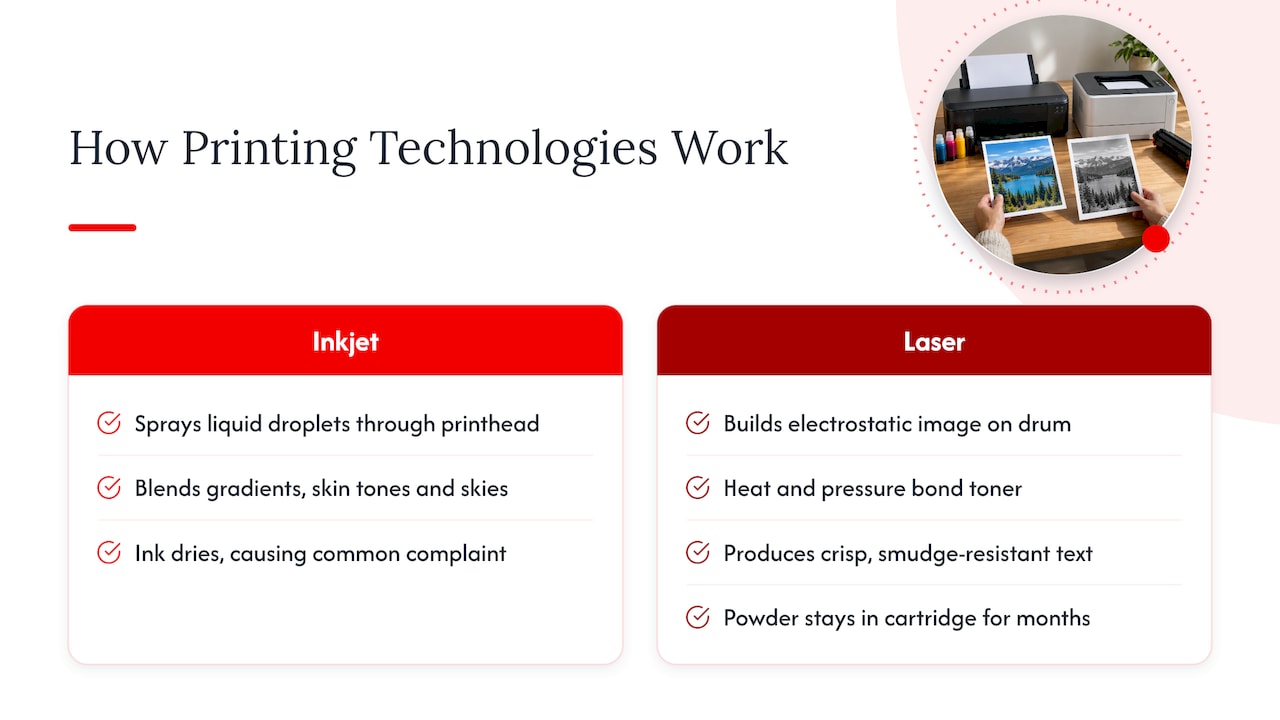
An inkjet printer sprays tiny droplets of liquid ink onto the page through a printhead. A laser printer uses a laser to build an electrostatic image on a drum, then fuses dry toner powder onto the paper with heat. Everything else flows from that difference.
Liquid ink blends smoothly, which is why inkjets handle gradients, skin tones and sky colors so well. It also dries, and that is the root of the most common inkjet complaint. Toner is a powder, so it sits patiently in the cartridge for months. Heat and pressure bond it to the page, which gives laser text that crisp, smudge-resistant look.
Both types come as single-function printers or as multifunction machines that also scan, copy and sometimes fax. If you want one device for the whole household, a multifunction model is usually the sensible route. Our wireless printer review for home and office walks through what to look for in connectivity and everyday features.
Inkjet vs laser at a glance
| Factor | Inkjet | Laser |
|---|---|---|
| Text quality | Good, but can smudge when wet | Sharper, higher contrast, resists smudging |
| Photos | Clearly better | Often dark, blurry or grainy |
| Speed on long documents | Slower | Faster |
| Sitting unused | Nozzles can clog, ink can dry | Toner does not dry out |
| Price to buy | Usually lower | Usually higher, especially in color |
| Cost per page | Cartridge models can be high; tank models can be low | Low for black-and-white, especially at volume |
| Size | Often more compact | Often larger |
| Color | Strong point | Available, but costly to buy and maintain |
The pattern is consistent across the Canadian consumer testing we reviewed: Protégez-Vous, a Canadian consumer organization, concludes that inkjets are the better choice for color photos, while lasers win on high-volume text thanks to sharper, higher-contrast output that resists smudging.
Print quality: text, graphics and everyday documents
For a school essay, a tax form or a 40-page report, laser quality is hard to beat. Letters come out with clean edges and strong black, and the page is dry the moment it lands in the tray. You can highlight it, stack it or slide it into a folder without a worry.
Inkjet text is perfectly readable, and on good paper it looks fine. On cheap copy paper, ink can soak in and edges look a little softer. Water spills and highlighters can also cause trouble on freshly printed inkjet pages, depending on the ink type.
Where inkjets pull ahead is color. Reports with charts, kids’ worksheets, posters, greeting cards and presentations look richer, because liquid ink can lay down smooth transitions rather than visible dots. That said, a color laser can be perfectly good for business graphics such as bar charts and logos. Consumer Reports notes that color lasers are expensive to buy and maintain, and that most laser printers do not handle graphics or photos well.
Photos: why inkjet wins
If you want to print vacation pictures, framed prints or scrapbook pages, the choice is simple. Protégez-Vous reports that laser-printed photos tend to look too dark, blurry and grainy, while inkjets deliver the tonal range photos need.
Within inkjets, there is a ladder:
- General-purpose inkjets handle casual snapshots and color documents. They are fine for a 4×6 here and there.
- Photo-focused inkjets use extra ink colors for better gradients and shadow detail. A Digital Trends roundup from January 2025 described the Epson EcoTank ET-8500, for example, as a six-color home photo printer with lab-quality prints and low running costs.
- Paper matters as much as the printer. Glossy or luster photo paper changes results dramatically compared with plain copy paper. Use the paper type your printer’s settings list for the job.
If you display your best shots on the wall, think about the finished product, too. Our guide to acrylic vs metal prints explains when it makes sense to send a favorite image out for professional printing instead of using a home printer.
Speed and everyday convenience
Laser printers are built for pace. A busy household that occasionally needs 30 pages of homework, a lease agreement or a conference packet will notice that a laser finishes while an inkjet is still working through the middle.
One caution on speed claims: the ENERGY STAR printer buying guide points out that manufacturer speed specifications may not be reliable because testing methods differ between companies, and it suggests relying on professional reviews of specific models when comparing. Treat any “pages per minute” number on a box as a rough guide, not a promise.
It is also worth knowing that inkjets have been catching up. Newer models with page-wide printheads are designed to compete with lower-end lasers on smaller jobs, so the old rule that inkjets are always slow is less absolute than it used to be. For short documents, the difference you feel may be a few seconds, not minutes.
There is another kind of speed to consider: first-page readiness. A laser that has been idle needs to warm its fuser, but it does not need to run cleaning routines. An inkjet that has sat unused may run a head-cleaning cycle before it prints, which takes time and uses ink.

Maintenance and reliability
This is where the two types feel the most different day to day.
Inkjets have fine nozzles. If you do not print for a while, ink can dry in them. Which?, the UK consumer organization, notes that inkjet nozzles can clog when not used regularly, whereas laser toner does not dry out. Protégez-Vous adds that maintenance cycles consume ink, which can push long-term costs above those of a laser.
Lasers have more moving parts you never see (drum, fuser, rollers), but in practice the typical household laser asks for very little. You replace toner, and sometimes a drum unit, and otherwise it keeps going. Lasers also tend to be more forgiving when they sit idle for weeks.
A few habits that keep either type happy:
- Print something every week or two on an inkjet, even a small color test page, so the nozzles stay active.
- Turn the printer off with its own power button, not at the wall, so it can cap the printhead properly.
- Store spare cartridges or ink bottles upright, sealed and out of heat.
- Use the paper size and type you set in the menu. Mismatched settings cause smearing on inkjets and fuser trouble on lasers.
- Keep firmware and drivers current from the manufacturer’s support page.
Cost: price to buy vs price to run
The sticker price is only the beginning. Over several years, consumables usually cost more than the printer.
In general, inkjets cost less to buy and lasers cost more, with color lasers at the top of the scale. Cartridge inkjets then tend to cost more per page to run, and Consumer Reports flags both expensive inkjet cartridges and the ink consumed by maintenance cycles as typical drawbacks.
The exception is the refillable-tank inkjet, which Epson sells as EcoTank, Canon as MegaTank and HP as Smart Tank. Protégez-Vous says that Mega Tank models can offer lower operating costs and avoid the cartridge-drying problems of traditional inkjets. They cost more upfront than a basic inkjet, but you refill from bottles instead of buying small cartridges.
How to work out your real cost per page
Skip the generic internet averages and do the math with your own numbers. It takes two minutes.
- Find the replacement cartridge or toner price in Canadian dollars, including tax, for the exact model you are considering.
- Find its rated page yield. Manufacturers measure yields under the ISO/IEC 24711 standard, which assumes light coverage on the page, so real-world yields are usually lower for photos and dense graphics.
- Divide price by yield. That is the cost per page for that color.
- For color, add up every cartridge you will need and compare that to the yield of each.
- Add a cushion for maintenance cycles if you print only occasionally.
A worked example with made-up round numbers, to show the method only: if a toner cartridge cost $80 and was rated for 2,000 pages, that is 4 cents a page. If an ink set cost $60 and was rated for 300 pages, that is 20 cents a page. Those are not real prices, so plug in the current numbers from the retailer or manufacturer for the model you want.
Online comparisons generally agree on the direction of the gap: at higher monthly volumes, mono laser output is much cheaper per page than cartridge inkjet output. The size of the gap changes by model, so verify it with your own calculation rather than trusting a rule of thumb.
What a three-year view looks like
Canadian testing offers a useful frame. Protégez-Vous tested 167 printers and, for its occasional-user profile, set three-year cost limits of $680 for regular printers and $760 for multifunction units. Its lab uses standardized usage profiles so shoppers can find printers that match their own printing frequency and volume. Use that idea at home: add the purchase price to three years of estimated ink or toner, and compare totals instead of sticker prices.
Who should buy which: a decision guide
Choose laser if
- You print mostly black-and-white pages: forms, school work, contracts, recipes, boarding passes.
- You print in bursts, with long gaps in between.
- You want fast output and sharp, smudge-resistant text.
- You work from home and print a steady stream of documents. Pair it with a sound workspace, as we describe in our home office setup that works every day.
Choose a cartridge inkjet if
- You print rarely, want the lowest purchase price, and mostly need occasional color pages.
- Space is tight and you want a compact machine.
- You are willing to print a test page regularly to keep it healthy.
Choose a refillable-tank inkjet if
- You print a lot of color, including photos, kids’ projects or craft templates.
- You want a lower running cost without giving up photo quality.
- You can accept a higher upfront price in exchange for cheaper refills.
Choose a color laser if
- You need professional-looking charts, flyers or handouts in volume, and photos are not a priority.
- You accept higher purchase and maintenance costs. A review of the HP Color LaserJet Pro MFP 3301sdw, for instance, describes it as balancing color quality and office throughput but not being intended for photographic fidelity.
Match the printer to your printing habits
Most buyers get this wrong by shopping for features first. Start with three questions:
- How many pages do you print in a typical month? Under about 20, reliability and idle behavior matter most. Over 100, cost per page matters most.
- What share is color? If it is mostly text with the occasional color page, a mono laser plus the occasional trip to a print shop can be cheaper than owning a color machine.
- Do you print photos? If yes, nothing else on this list outranks inkjet quality.
If you run a small business, the same habit-first logic applies to every piece of equipment you buy. Practical, task-based thinking is what advice on matching hardware to the way you work is all about: define the job first, then choose the tool.
Features worth paying for (and ones you can skip)
Worth it
- Automatic duplex (two-sided) printing. Saves paper and, over a year, real money.
- Wi-Fi and mobile printing. Printing from your phone is how most households use a printer today.
- An automatic document feeder if you scan or copy multi-page documents.
- High-yield or tank ink options. They typically lower running costs.
- Good reviews for your specific model. Because brand-wide claims vary, model-level testing is the better guide.
Often skippable
- Fax, unless your bank or clinic still demands it.
- Touchscreens with many menus that you will rarely use.
- Photo-tray extras if you almost never print photos at home.
Before you buy anything wireless, read the setup basics in our wireless printer review. Reliable connectivity is often the difference between a printer you love and one that lives in a drawer.
Environmental and household considerations
A printer that sits unused wastes resources. Inkjets that dry out end up discarded with half-full cartridges, which is one more reason to match type to habit. Lasers tend to produce less waste for light users, because toner lasts and does not dry out.
Whatever you buy, return empty cartridges through the manufacturer’s or retailer’s recycling program, and use duplex printing as a default. Our other lifestyle guides cover similar everyday choices, such as what a healthy lifestyle looks like and how minimalism can simplify the stuff in your home.
A quick shopping checklist
- Write down your monthly page count and your color share.
- Decide whether photos matter.
- Shortlist three models and read tested reviews for each.
- Look up the replacement ink or toner price and yield for each model.
- Calculate three-year cost: purchase price plus consumables.
- Check size against your desk or shelf.
- Confirm that the model works with your phone, tablet and computer.
- Check the return policy and warranty terms on the retailer’s own page.
Our perspective
Our team at Lizard’s Lunch looks at printers the way we look at every household decision: start with the real routine, not the spec sheet. In our experience, the most common regret is not picking “the wrong technology” but buying for an imagined life. People buy a photo printer and print tax forms, or buy a fast laser and mostly print holiday pictures.
We believe the best guidance is practical and honest about trade-offs. Print a lot of text? Lean laser. Print color and photos? Lean inkjet, and give refillable tanks a serious look. Print rarely? Choose the printer that forgives neglect.
What we want readers to take away is a method, not a brand: work out your pages, work out your cost, and read tested reviews of the exact model. That approach opens up better options, including print shops, photo labs and professional print products for the jobs your home printer is not made for.
Alexander
Looking for other opportunities?
If you run a business that serves readers who care about home offices, gadgets and everyday tech, we would be glad to hear from you. Our team offers banner placements and guest posts, and you can see how they work on our advertise with us page.
FAQ
Which type of printer is best for home use?
For most households that print mainly documents, a laser printer is the easier choice because it prints text sharply and fast and does not suffer from dried ink. If your family prints photos or colorful school projects, an inkjet, ideally a refillable-tank model, suits you better. Your monthly page count and color share should settle it.
What is a disadvantage of a laser printer?
Lasers cost more to buy than basic inkjets, and color models are expensive to buy and maintain, according to Consumer Reports. They are also usually larger and are not good at photos, which tend to come out dark and grainy. If photo quality matters to you, an inkjet is the better tool.
Can a laser printer print color?
Yes. Color laser printers exist and handle business documents and charts well. They cost more to buy and maintain than mono lasers, and most laser printers do not reproduce photos well, so they suit office-style color rather than photo printing.
What are the disadvantages of inkjet printers?
Inkjet nozzles can clog if you do not print regularly, and cleaning cycles consume ink, which can raise long-term costs. Cartridges can also be expensive. Choosing a refillable-tank model and printing something every week or two goes a long way toward avoiding these issues.
Sources
- Imprimante laser ou à jet d’encre, que choisir? Protégez-Vous
- Comment nous avons testé les imprimantes, Protégez-Vous
- Inkjet vs laser printers: which is best? Which?
- Best Printer Buying Guide, Consumer Reports
- ENERGY STAR Printer Buying Guide
- The best printers for 2025: tested and reviewed, Digital Trends















Leave a Comment
Your email address will not be published. Required fields are marked with *